How to Change a Folder Template in Windows 7
Information
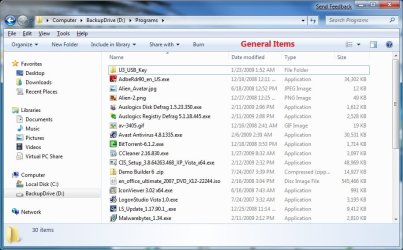
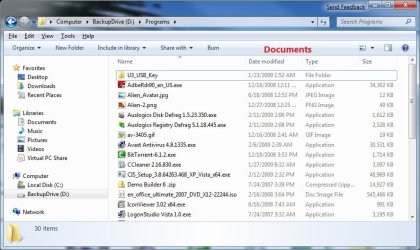
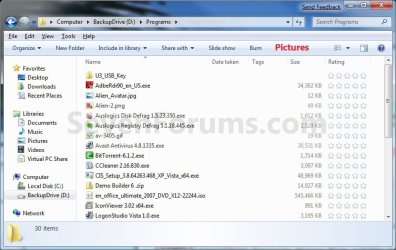
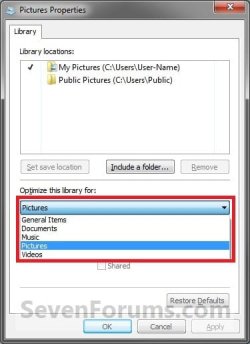
This will show you how to change a folder template in Windows Explorer to have it optimized as either a General Items, Documents, Pictures, Music, or Videos folder in Windows 7.
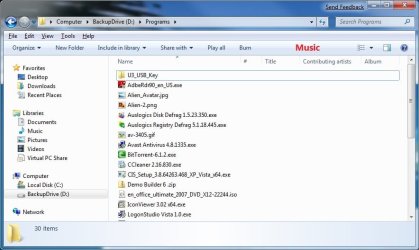
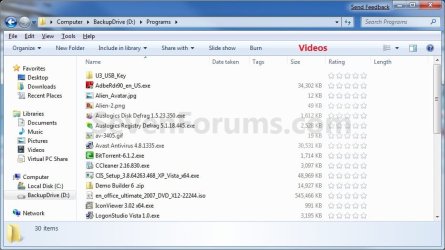
EXAMPLE: General Items, Documents, Pictures, Music, and Videos templates
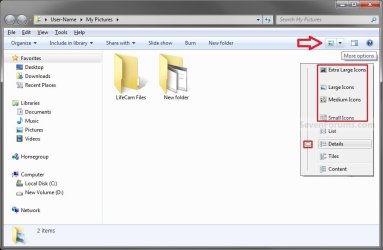
NOTE: These screenshots are with using the Details view. What you see in your window will also depend on what you have the View arrangement, Group by, Sort by, Stack by arrangement, or icon size set as.
OPTION ONE
To Change Template of a Folder or Drive in Windows Explorer
2. Right click on a folder or drive that you want to change the template of, click on Properties.
NOTE: You will not be able to do this for the C: drive that you current Windows 7 is installed on, and also not for the folders in the root directory of C:. A) Go to step 5 below.
OR
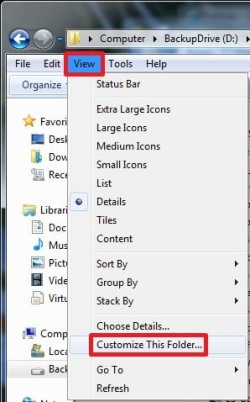
3. Open a folder that you want to change the template of, click on View (menu bar), and click on Customize This Folder. (see screenshot below)
A) Go to step 5 below.
OR
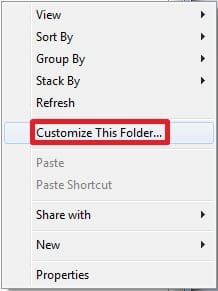
4. Open a folder that you want to change the template of, right click on a empty space in the window, and click on Customize This Folder. (see screenshot below)
A) Go to step 5 below.
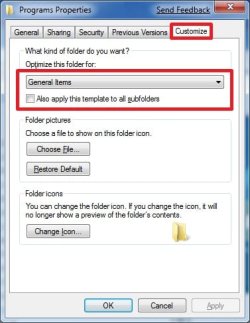
5. Click on the Customize tab. Under What kind of folder do you want, select the folder template that you want to have the folder optimized for, and click on OK. (See screenshots below)
NOTE: If you wish to also apply this template to all subfolders in this folder, then check that box as well.

OPTION TWO
To Change Template of a Library
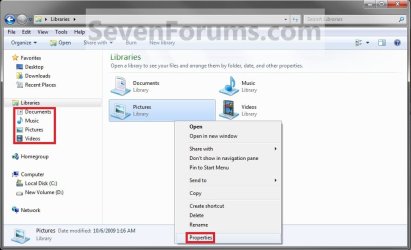
NOTE: All included folders in a library will share the same folder template. 1. Open the Libraries folder.
2. Right click on the library folder (ex: Pictures) that you want to change the folder template for, and click on Properties. (See screenshot below)
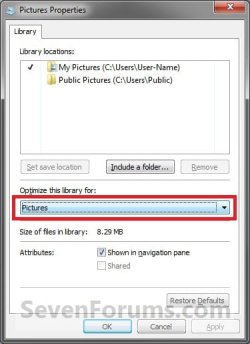
3. Under Optimize this library for, select the folder template that you want for the library and click OK. (See screenshots below)
That's it,
Shawn
Related Tutorials
- How to Back Up and Restore Your Folder View Settings in Vista, Windows 7, and Windows 8
- How to Set a Default Folder View for All Folders in Windows 7
- How to Set a Default Folder Template for All Folders in Windows 7
- How to Change the Icon Size in a Windows 7 Explorer Window
- How to Change the File and Folder View Arrangement in Windows 7 Explorer
- How to Change the Group by, Sort by, and Arrange by Folder View in Windows 7 Explorer
- How to "Apply to Folders" a Specific Folder View to All Folders with the Same Folder Template in Windows 7
- How to Reset the Folder View Settings for All Folders with the Same Folder Template in Windows 7
- How to Reset All Folder View Settings to Default in Windows 7
- How to Add or Remove the Customize Tab from Properties in Windows 7
- How to Disable Auto Arrange in Windows 7 Explorer to have Free Sorting
- How to Add or Remove Windows Explorer Columns
- How to Change the Width of Columns in Windows Explorer
Last edited: