How to change the light blue colors in EVERYTHING!

ideaswoman

New member
Local time
5:20 PM
Messages
7
Hi everyone. My first post.


Here is a sample of what I am trying to explain plus a screen shot of my settings
http://ideaswoman.com/windows.gif
1. Photoshop windows are blue
2. Personalise window left menu background is blue


I have come from XP where all you did was change your windows colour under APPEARANCE. In 7 under Window color and appearance, I have set all the windows to my color choices, however, as you will see from the screenshot above, I still see blue colors.


In FF3.6 all the taps and my bookmarks tool bar are blue as well. http://ideaswoman.com/mauve.gif . I have since added glasser add-on to FF but the tabs are still blue.


I am hoping that I have missed something in the customisation of 7. :confused:
 

My Computer

OS
Windows 7 Home Premium

My Computer

Computer Manufacturer/Model Number
Micro-Star International/MS-7529
OS
Windows 7 Ultimate x32
CPU
DualCore Intel Pentium E2200, 2218 MHz (11 x 202)
Motherboard
MSI G31M3 V2 (MS-7529) (2 PCI, 1 PCI-E x16,2 DDR2 DIMM)
Memory
2 GB DDR2-800 DDR2 SDRAM
Graphics Card(s)
nVIDIA GeForce 9500GT 1GB
Sound Card
Realtek ALC888/1200 @ Intel 82801GB ICH7
Monitor(s) Displays
Samsung SyncMaster 2253BW (Digital) 22'' LCD
Screen Resolution
1680x1050
Hard Drives
SAMSUNG HD322IJ ATA Device (298 GB , IDE)
I think I may know what you are trying to say , you want all application windows to be the same color i.e.: as in the photoshop example you have shown .
, as I can see the screen of photoshop is in a blue window.

From your info I can see that you are running Windows 7 home premium , I am going to assume for now it is a 32 bit OS .

The way that you adjust the transparent colors of your windows is to right click the desktop and select "personalize" , then "window color" at the bottom of the window , after you select the color you want , click "save changes" .
That is what controls the color and / or tansparency of all your open windows , including applications .
Now since you are running Winows 7 Home Premium which does support Aero the only thing that may be the problem from displaying all windows with transparency is Ram ...... how much ram are you running ?
The reason I ask is because anything less than 1.5 to 2 gigs of ram and you are going to have problems with the Aero ( transparancy ) effects in windows , especially on a 32 bit system.

If I have answered your question and the ram is the problem I would suggest upgrading to more ram , at the very least least 2 gigs . Ram is cheap , you can get 1 gig sticks these days for $30 (U.S.) if you look around .

I hope this answered your question . ;)
 

My Computer

Computer type
PC/Desktop
Computer Manufacturer/Model Number
HP
OS
Windows 8 Pro / Windows 7 Home Premium x64 dual boot
Memory
6 gigs
Graphics Card(s)
Nvidia GEForce 9400 GT
Screen Resolution
1600 x 900
Hard Drives
Internal - Western Digital 600 gb HDD
Internal - Western Digital 250 gb HDD
External - Western Digital 1 TB HDD
Antivirus
Avast!
Browser
Pale Moon
Thanks. I have 4gb of RAM and I though Aero was supported by Home Premium. Windows 7 features - Aero - Microsoft Windows

I have already set my windows colors however, the chosen colors do not appear. I tried a non-aero theme and changed the windows colors and appearance and still it did not change.

I really must be missing a setting as I cannot believe Microsoft would not allow you to change windows colors.
 

My Computer

OS
Windows 7 Home Premium
I am running 64bit version
 

My Computer

OS
Windows 7 Home Premium
I really must be missing a setting as I cannot believe Microsoft would not allow you to change windows colors.
EDIT: Just had another look and not sure.
 

My Computer

Computer Manufacturer/Model Number
Sony Vaio FZ21Z
OS
Windows 7 Ultimate x64 ®™
CPU
Intel Core 2 Duo (2.2 GHz)
Motherboard
Sony (Intel Chipset)
Memory
2x 2GB Corsair (667 MHz)
Graphics Card(s)
NVIDIA 8600M GS (256MB)
Sound Card
Sigmatel
Monitor(s) Displays
15.4" TFT X-Black
Screen Resolution
1280x800
Hard Drives
Western Digital 300GB Scorpio Black (7200rpm)
Mouse
Logitech Anywhere MX
Internet Speed
Sky 5MB
The only way is to give up your Aero theme, then under Performance Options, deselect use visual styles on windows and buttons.

Now that is a real shame you have not got any control under Aero.
 

My Computer

OS
Windows 7 Home Premium

My Computer

Computer Manufacturer/Model Number
Sony Vaio FZ21Z
OS
Windows 7 Ultimate x64 ®™
CPU
Intel Core 2 Duo (2.2 GHz)
Motherboard
Sony (Intel Chipset)
Memory
2x 2GB Corsair (667 MHz)
Graphics Card(s)
NVIDIA 8600M GS (256MB)
Sound Card
Sigmatel
Monitor(s) Displays
15.4" TFT X-Black
Screen Resolution
1280x800
Hard Drives
Western Digital 300GB Scorpio Black (7200rpm)
Mouse
Logitech Anywhere MX
Internet Speed
Sky 5MB
Thanks. I had read lots of info before posting for help. Looks like it cannot be done.
 

My Computer

OS
Windows 7 Home Premium

My Computer

Computer Manufacturer/Model Number
Micro-Star International/MS-7529
OS
Windows 7 Ultimate x32
CPU
DualCore Intel Pentium E2200, 2218 MHz (11 x 202)
Motherboard
MSI G31M3 V2 (MS-7529) (2 PCI, 1 PCI-E x16,2 DDR2 DIMM)
Memory
2 GB DDR2-800 DDR2 SDRAM
Graphics Card(s)
nVIDIA GeForce 9500GT 1GB
Sound Card
Realtek ALC888/1200 @ Intel 82801GB ICH7
Monitor(s) Displays
Samsung SyncMaster 2253BW (Digital) 22'' LCD
Screen Resolution
1680x1050
Hard Drives
SAMSUNG HD322IJ ATA Device (298 GB , IDE)
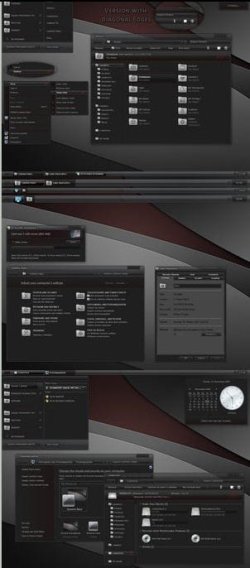
Once I applied stardock Windowblinds trial ; there was an inbuilt theme named "diamond'. I got the window colors like this applying that theme.
 

My Computer

Computer type
PC/Desktop
Computer Manufacturer/Model Number
Self Assembled
OS
Microsoft Windows 10 Pro Insider Preview 64-bit
CPU
Intel(R) Core(TM) i3-4130 CPU @ 3.40GHz
Motherboard
Gigabyte Technology Co., Ltd. B85M-D3H
Memory
Corsair Vengence 4GB x2 (8.00GB Dual-Channel DDR3 @ 798MHz)
Graphics Card(s)
2047MB GeForce GTS 450 (ZOTAC International)
Sound Card
Onboard (Realtek High Definition Audio)
Monitor(s) Displays
LG Flatron E2040T
Screen Resolution
1600x900
Hard Drives
Western Digital 1 TB
Seagate 500 GB
PSU
Corsair VS550
Case
Cooler Master K380
Cooling
Cooler Master Seidon 120V Plus
Keyboard
Logitech MK260r
Mouse
Logitech MK260r
Internet Speed
PMPL Broadband
Antivirus
Windows Defender + MBAM
Browser
Firefox
Other Info
Dell Studio 15" Laptop
Thanks. I will have a look
 

My Computer

OS
Windows 7 Home Premium
Back
Top