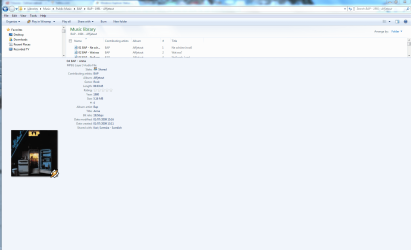
Windows Explorer Status Bar: does not show file size

Is that Classic Start Menu part of this installation? I'd like to have the toolbar, copy ui and statusbar without the classic start menu.


During installation you may opt for the menu, the toolbar, or both. If you have already installed both, you can disable the menu by going to HKLM...current version\run and deleting the entry for ClassicStartMenu.
 

My Computer My Computer

OS
WinXP, Win7, PCLinuxOS
Is that Classic Start Menu part of this installation? I'd like to have the toolbar, copy ui and statusbar without the classic start menu.


During installation you may opt for the menu, the toolbar, or both. If you have already installed both, you can disable the menu by going to HKLM...current version\run and deleting the entry for ClassicStartMenu.
Thank you, most helpful in my decision to try.
 

My Computer My Computer

Computer Manufacturer/Model Number
Averatec 6130HS-20
OS
Windows 7 Professional 32-bit (6.1, Build 7600)
CPU
Intel(R) Pentium(R) 4 3.00 GHz HT
Memory
2.0 GB
Graphics Card(s)
ATI Mobility Radeon 9600 64MB
Sound Card
Realtek AC'97 Audio
Screen Resolution
1280 x 800
Hard Drives
Seagate 96023A 60GB 7200RPM -
Seagate FreeAgentDesktop 250GB
Cooling
20 Inch Box Fan
Mouse
Targus PAWM10 Wireless Optical Laptop Mouse

My Computer My Computer

Computer Manufacturer/Model Number
Averatec 6130HS-20
OS
Windows 7 Professional 32-bit (6.1, Build 7600)
CPU
Intel(R) Pentium(R) 4 3.00 GHz HT
Memory
2.0 GB
Graphics Card(s)
ATI Mobility Radeon 9600 64MB
Sound Card
Realtek AC'97 Audio
Screen Resolution
1280 x 800
Hard Drives
Seagate 96023A 60GB 7200RPM -
Seagate FreeAgentDesktop 250GB
Cooling
20 Inch Box Fan
Mouse
Targus PAWM10 Wireless Optical Laptop Mouse
Classic Shell => Work of evil retro genius.

This app solves many issues and in particular the one this thread has been about - getting the size of selected files when you select more than 16...

Keeper? Absolutely.

More features? Sure but it would be good to keep it lightweight!

~Redrum
 

My Computer My Computer

Computer Manufacturer/Model Number
Gateway 530 QS
OS
Windows 7
CPU
Intel Core 2 Quad 2.4Ghz
Memory
8GB
Graphics Card(s)
8800 GTX
Sound Card
On board
Monitor(s) Displays
Dual 24" WS LCD
I have been very unhappy with the OP problem as well. A basic Windows function (that even mac :sick: has). MS really lit a match in the dynamite shed on this one:rolleyes:. Solution: install the open source Windows Classic Explorer:

Welcome to Classic Shell

You will get your classic status bar back :cool:, can hide the oversized (and frustratingly unhelpful) Details Pane, and be happy with Windows again:party:. It shows remaining disk size as well as the sum of the size of folder contents/selected files/folders - even in the Recycle Bin. Restores what MS tried to rob us of. I am running it on Win 7 64-bit.

They also have a classic start menu, but I am fine with the Win 7 start menu so I unchecked it during the install.

Now if they only had a donate link! (I am not affiliated with them at all).

Regards and Happy New Year.

MYD
This is awesome! and what W7 should be like!
 

My Computer My Computer

Computer Manufacturer/Model Number
Asus V2-M3M8200 Barebones
OS
Windows 7 Professional x64
CPU
AMD Phenom II X4 925
Motherboard
V2-M3M8200 (basically a M3N78-VM)
Memory
4x1024mb Kingston HyperX DDR2-1066 KHX8500D2/1G
Graphics Card(s)
Asus GTS 450 OC
Sound Card
Creative Sound Blaster X-Fi Titanium PCIe
Monitor(s) Displays
Asus 24" LCD VH242H
Screen Resolution
1920x1080
Hard Drives
WDC WD5000AAKS
WDC WD5002ABYS
Seagate ST325062 USB-to-IDE
Fujitsu 160GB Pocket USB HDD
PSU
Antec Earthwatts EA-430D
Case
Asus V2-M3M8200
Cooling
120mm side fan & 80mm front & 92mm rear fan
Keyboard
Dell USB mini Multimedia
Mouse
Logitech MX518
Internet Speed
Comcast Xfinity
Other Info
Logitech Webcam Pro 9000
Accurian 40-1462 Speakers
little dot MKII Headphone Amp
I have been very unhappy with the OP problem as well. A basic Windows function (that even mac :sick: has). MS really lit a match in the dynamite shed on this one:rolleyes:. Solution: install the open source Windows Classic Explorer:

Welcome to Classic Shell

You will get your classic status bar back :cool:, can hide the oversized (and frustratingly unhelpful) Details Pane, and be happy with Windows again:party:. It shows remaining disk size as well as the sum of the size of folder contents/selected files/folders - even in the Recycle Bin. Restores what MS tried to rob us of. I am running it on Win 7 64-bit.

They also have a classic start menu, but I am fine with the Win 7 start menu so I unchecked it during the install.

Now if they only had a donate link! (I am not affiliated with them at all).

Regards and Happy New Year.

MYD

I just signed up to say thanks for this. It was really peeing me off until I found this solution. Well done to the "evil retro genius" who brewed up this little number

Classic Shell => Work of evil retro genius.
 

My Computer My Computer

OS
Windoz 7
Is that Classic Start Menu part of this installation? I'd like to have the toolbar, copy ui and statusbar without the classic start menu.


During installation you may opt for the menu, the toolbar, or both. If you have already installed both, you can disable the menu by going to HKLM...current version\run and deleting the entry for ClassicStartMenu.

BTW you do not need to edit the registry to disable the menu. According to the documentation, if you 'shift click' the Orb the original Aero Menu opens. You can also exit the classic menu if you 'right click' on the Orb and select Exit. Both these options work fine.
 

My Computer My Computer

OS
Windoz 7

My Computer My Computer

Computer Manufacturer/Model Number
Averatec 6130HS-20
OS
Windows 7 Professional 32-bit (6.1, Build 7600)
CPU
Intel(R) Pentium(R) 4 3.00 GHz HT
Memory
2.0 GB
Graphics Card(s)
ATI Mobility Radeon 9600 64MB
Sound Card
Realtek AC'97 Audio
Screen Resolution
1280 x 800
Hard Drives
Seagate 96023A 60GB 7200RPM -
Seagate FreeAgentDesktop 250GB
Cooling
20 Inch Box Fan
Mouse
Targus PAWM10 Wireless Optical Laptop Mouse
Last edited:

My Computer My Computer

Computer Manufacturer/Model Number
Home-built
OS
Windows 7
CPU
Core i5
Motherboard
GIGABYTE GA-P55-UD3R
Memory
4 GB
Graphics Card(s)
MSI N9800GT-MD1G
Sound Card
On-board motherboard audio
Monitor(s) Displays
Samsung 22" widescreen LCD
Hard Drives
1x Western Digital RE3 WD2502ABYS-01B7A0, 250GB SATA
2x Western Digital Caviar Black WD1001FALS, 1TB SATA
PSU
500W Antec
Case
Antec Sonata III 500
Cooling
Standard
Keyboard
Belkin Ergonomic Smart Keyboard
Mouse
Microsoft Wheel Mouse Optical 1.1a
Internet Speed
5 Mbps
Why the heck Windows Explorer status bar does not show the file size, as it used to do in Vista and XP?

Is it possible that Microsoft is that stupid to remove such an important feature?

Hello, Champi.

Mine works fine, every file shows its size. Unless you try to see a folder size.
 

My Computer My Computer

Computer Manufacturer/Model Number
Acer
OS
Microsoft Windows Seven
CPU
Acer
Motherboard
Intel Core 2 Duo
Graphics Card(s)
Intel
Monitor(s) Displays
LG
Try selecting more than 16 files i.e 17+ files....

;)
 

My Computer My Computer

Computer Manufacturer/Model Number
Gateway 530 QS
OS
Windows 7
CPU
Intel Core 2 Quad 2.4Ghz
Memory
8GB
Graphics Card(s)
8800 GTX
Sound Card
On board
Monitor(s) Displays
Dual 24" WS LCD
easy

Why the heck Windows Explorer status bar does not show the file size, as it used to do in Vista and XP?

Is it possible that Microsoft is that stupid to remove such an important feature?

don't need to get angry... :confused: in any folder, just click Organize / Layout / Details Pane (toggle). You can resize that bar to about 60 pixels, which is ok, as it displays far more info than the old status bar. Cheers! :)
 

My Computer My Computer

OS
Windows 7 Ultimate x64
CPU
qx9650
Motherboard
Asus striker II extreme... :-L
Memory
DHX3 1600 CL7
Graphics Card(s)
285gtx
Hard Drives
2x VR 300gb
Case
Antec p190
The new statusbar can resized to about as big as you want. Here's an example:

statusbar.PNG

And here over 800 pixels high:

statusbar2.PNG

Kari
 

My Computer My Computer

Computer type
Laptop
Computer Manufacturer/Model Number
HP ENVY 17-1150eg
OS
Windows 10 Pro x64 EN-GB
CPU
1.6 GHz Intel Core i7-720QM Processor
Memory
6 GB
Graphics Card(s)
ATI Mobility Radeon HD 5850 Graphics
Sound Card
Beats sound system with integrated subwoofer
Monitor(s) Displays
17" laptop display, 22" LED and 32" Full HD TV through HDMI
Screen Resolution
1600*900 (1), 1920*1080 (2&3)
Hard Drives
Internal: 2 x 500 GB SATA Hard Disk Drive 7200 rpm
External: 2TB for backups, 3TB USB3 network drive for media
Cooling
As Envy runs a bit warm, I have it on a Cooler Master pad
Keyboard
Logitech diNovo Media Desktop Laser (bluetooth)
Mouse
Logitech Performance Mouse MX
Internet Speed
50/10 Mbps VDSL
Antivirus
Windows Defender 4.3.9431.0
Browser
Maxthon 3.5.2., IE11
Came here to mention Classic Shell but it already has been!

I love it. And looking at the project it has some great ideas to be added in the future. The discovery of this is what pushed me to finally switch to Windows 7.

Brought back options that should have been left as options... and gives more options itself! Awesome :D
 

My Computer My Computer

Computer Manufacturer/Model Number
Custom
OS
Windows 7 Ultimate x64
CPU
QX6700 @ 3.2Ghz (temporarily till I get the drive to tweak)
Motherboard
Asus Maximus Formula
Memory
8gb (4x2gb) OCZ PC2-8500
Graphics Card(s)
GTX280
Sound Card
Auzentech Prelude
Monitor(s) Displays
Samsung 244T & 940BF
Screen Resolution
1920x1200 & 1280x1024
Hard Drives
2 x Hitatchi 7K500 500GB in raid 0
PSU
Seasonic M-12 700w
Case
Lian Li PC-6077B
Cooling
Liquid (D-tek Fuzion 2/DDC+/240GTX)
Keyboard
Saitech Eclipse II
Mouse
Logitech G9
Internet Speed
22Mbit burst - 15 Mbit typical down / 500Kbit up
Other Info
http://pics.livejournal.com/bun_bun/pic/001c64ww
Let's just hope that next week when Windows 7 is launched, the final release has fixed this bug in Explorer, so we can all see our filesizes as we so wish. Maybe it's just something in the release candidate version - (build 7100)

I'm afraid not.
It's in 7600 too, and MS hasn't changed any features.

I agree that MS could have left the things people are used to in,
without compromising their new features.

Lets hope that once Win7 is released to the public,
MS will hear the complaints, and bring it back in some update.

I don't know if they will do that, if MS is that stubborn with the windows start menu. In fact, they said if use the classic start menu and classic toolbars in Vista or Windows xp. They said don't get windows 7. You are not being forced to get it. (My opinion at least not tell 2014 (Longer for Vista).

MS claims windows 7 is the way the user wants it, they never asked me.

Off topic question
Can Vista be made to run faster (I read a lot of reports that vista is slower than xp sp3 or even windows 98se)


FINALLY!! A large group of people with the same complaint as mine. I'm usually "the only one using that". Things like this are my biggest problems with MS updated programs and OS. They get rid of stuff that worked really well and was really useful, and replace it with fluff. Power-Users get left behind when they try to provide more bling for those that are easily distracted by shiny objects. I don't mind them hiding things and requiring a registry setting change to get them back, but when they just decide that nobody needs it anymore is what bothers me.

Thanks to OP of the Classic Shell - will definitely be giving that a shot.
 

My Computer My Computer

OS
Win7
This seems quite odd. There has to be some sort of programming telling it to stop calculating file size after 16 items are selected. It seems really odd that this can't be a simple registry modification to make it say 10 files or 50 files. Surprised no one has found a work around for this one yet. And I'm not sure why Microsoft did it (I guess, it does take time and resources to make those calculations, and selecting more than 16 may be a small workout for an older system... but still). I don't want to install a complete shell replacement to just get this one feature back. It's a bit ridiculous.
 

My Computer My Computer

OS
W7 Pro x64
CPU
AMD|A64 X2 5400+ 2.8G
Motherboard
ASUS M3A78-EM AM2+ 780G
Memory
1Gx2|OCZ DII1066OCZ2N10662GK R
Graphics Card(s)
onboard Radeon 3200HD
Sound Card
M-Audio Revolution 7.1
Monitor(s) Displays
Dell 30" 3007wfp-HC
Hard Drives
320G WD3200AAKS
1T WD10EACS
1.5T SAMSUNG HD154UI
PSU
SEASONIC|SS-550HT 550W
Case
ANTEC|SOLO BK/SIL
Cooling
Scythe Ninja 2
Well maybe something disabled the "Show preview and filters". Go to Computer and click on organize and in the drop down menu click on "Folder and search options". Now check the "Show preview and filters" option and click apply.

Hope this helps :)

Can anyone please help me?
I opened the dialog box titled "Folder Options" at
My Computer > Organize > Folder and search options

But there is no "Show preview and filters" item there. I checked all three tabs in the dialog window. Can anyone tell me where is this "Show preview and filters" setting?
 

My Computer My Computer

OS
Windows 7 Ultimate x64
CPU
Intel i5 750
Motherboard
Gigabyte P55A U3DR
Memory
2x2GB DDR3 Dual-kit
Graphics Card(s)
ATI Radeon HD4670
Sound Card
Onboard
Monitor(s) Displays
Samsung SyncMaster P2350
Hard Drives
Western Digital 1TB, 64MB cache, internal
Samsung Story 1.5TB, external
PSU
400W rated, 460W max
Case
CoolerMaster
Cooling
Air
Well maybe something disabled the "Show preview and filters". Go to Computer and click on organize and in the drop down menu click on "Folder and search options". Now check the "Show preview and filters" option and click apply.

Hope this helps :)

Can anyone please help me?
I opened the dialog box titled "Folder Options" at
My Computer > Organize > Folder and search options

But there is no "Show preview and filters" item there. I checked all three tabs in the dialog window. Can anyone tell me where is this "Show preview and filters" setting?
Via the control panel go to Performance Options :

systempropertiesgg3.jpg
 

My Computer My Computer

Computer type
PC/Desktop
Computer Manufacturer/Model Number
HP (HP-P6212F)
OS
Microsoft Windows 7 Home Premium 64-bit 7601 Multiprocessor Free Service Pack 1
CPU
Pentium(R) Dual-Core CPU E5300 @ 2.60GHz
Motherboard
PEGATRON CORPORATION Benicia
Memory
6.00 GB
Graphics Card(s)
Intel(R) G33/G31 Express Chipset Family
Sound Card
Realtek High Definition Audio
Monitor(s) Displays
24'' HP WS LCD
Screen Resolution
1920 x 1080 x 32 bits (4294967296 colors) @ 60 Hz
Hard Drives
(1) ATA Hitachi HDT72106 SCSI Disk Device (2) Generic- Compact Flash USB Device (3) Generic- MS/MS-Pro USB Device (4) Generic- SD/MMC USB Device (5) Generic- SM/xD-Picture USB Device (6) Verbatim STORE N GO USB Device
Keyboard
Logitech G510s
Mouse
Logitech Trackball M570
Antivirus
Microsoft Security Essentials / Malwarebytes
Browser
IE / Firefox / Chrome
Back
Top