
How to Open and Use ClearType Text Tuner in Windows 7 and Windows 8
Information
ClearType font technology makes the text on your screen almost as sharp and clear as text that is printed on paper.
This will show you how to turn on or off the ClearType Text Tuner and how to use it to help make the text on your screen sharp and clear to make it easier to read. ClearType is turned on by default in Windows 7 and Windows 8.
This will show you how to turn on or off the ClearType Text Tuner and how to use it to help make the text on your screen sharp and clear to make it easier to read. ClearType is turned on by default in Windows 7 and Windows 8.
Note
To get the full benefit of ClearType, you'll need a high-quality, flat-panel monitor, such as LCD or plasma. Even on a CRT monitor, you might get some improvement in readability with ClearType.
Here's How:
1. Press the Windows + R keys to open the Run dialog, type cttune.exe, and press Enter.
NOTE: The ClearType Text Tuner exe file is located at C:\Windows\System32\cttune.exe.
2. Do step 3 or 4 below for what you would like to do.
3. To Turn On ClearType A) Check the Turn on ClearType box, click/tap on Next, and go to step 5 below. (See screenshot below step 4)
4. To Turn Off ClearType A) Uncheck the Turn on ClearType box, click on Next, go to step 5 below, and click on Next until finished at step 11. (See screenshot below)
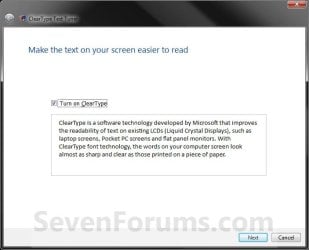
5. If you have multiple monitors, select to tune one or all of them, and click/tap on Next. (See screenshot below)

6. If your monitor native screen resolution is not correct, then correct it and click/tap on Next. (See left screenshot below)
NOTE: If the native resolution is correct, then just click on Next. (See right screenshot below)
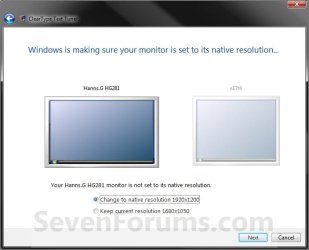
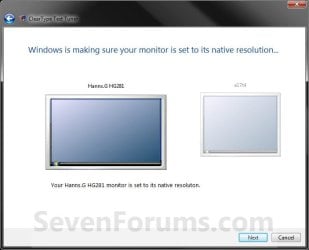
7. Click on the text that looks best to you, and click/tap on Next. (See screenshot below)
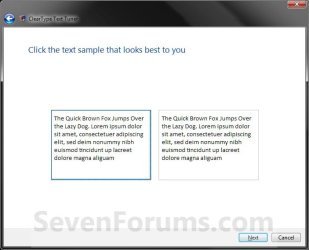
8. Click on the text that looks best to you, and click/tap on Next. (See screenshot below)
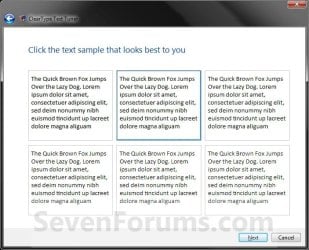
9. Click on the text that looks best to you, and click/tap on Next. (See screenshot below)
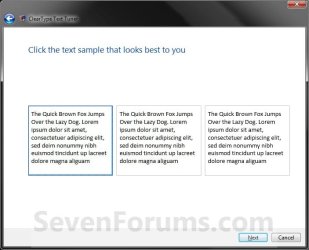
10. Click on the text that looks best to you, and click/tap on Next. (See screenshot below)

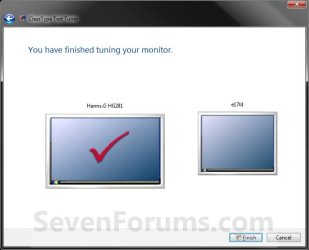
11. Click/tap on Finish. (See screenshot below)
NOTE: If you selected to tune all monitors (step 5), then you will click on Next instead and repeat steps 6 to 11 again for the next monitor.
That's it,
Shawn
Last edited:





