System Manufacturer/Model Number Dell Inspiron 1720 (Laptop) OS Windows 7 Ultimate 32bit CPU Intel Core Duo Processor T8300 Memory 3072MB Dual Channel Graphics Card NVIDIA GeForce 8600M GT
System Manufacturer/Model Number Samsung NP530U4B-S02IN OS Windows® 8 Pro (64-bit) CPU Intel® Core™ i5 Processor 2467M (1.60GHz, 3MB L3 Cache) Motherboard Samsung Electronics Memory 6GB DDR3 System Memory at 1,333MHz (on BD 4GB + 2GB x 1) Graphics Card AMD Radeon™ HD7550M 1GB DDR3 (Ext. Graphic) Sound Card Realtek High Definition Audio Monitor(s) Displays 35.56cm (14.0) SuperBright 300nit HD LED Display Screen Resolution 1366x768
Hard Drives 1TB S-ATA II Hard Drive (5400RPM) with ExpressCache 16GB SSD Internet Speed sucks Antivirus Microsoft Security Essentials Browser Google Chrome (Sync enabled)
System Manufacturer/Model Number HP, Dell, Gateway, Toshiba - 4 laptops and 2 desktops OS Vista, Windows7, Mint Mate, Zorin, Windows 8 CPU from 1.6GHz Duo to i7 Monitor(s) Displays 2x HP w2207
Keyboard with trackball - no mices Mouse Trackball mice Hard Drives 5x HDD, 7x SSD, 12x Externals Internet Speed DSL 6000
Some possible problems, not enough space in restore drive
Not same format Need ntfs, not fat3
Not backing up to correct drive.
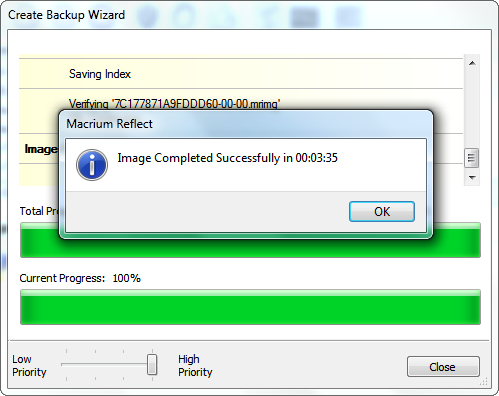
The problem is shown in pictures. It was, in fact, that guide that I was following all the time! It reaches step 8, gets to 4%, and the error shows up (see the fourth pic).
The drive is NTFS, the pictures show it is an empty drive with over 73GB (plenty of space) and it is backing up the correct drive.
I'm really at a dead end, unless I try 3rd party software - as Dinesh & whs suggested... Hmmm... Macrium Reflect looks good! May just try that, but I would still like to get this problem fixed!
Thanks to all who replied!
Last edited by WitchKing9; 31 Aug 2010 at 05:57 PM..
Reason: Clarity
System Manufacturer/Model Number Dell Inspiron 1720 (Laptop) OS Windows 7 Ultimate 32bit CPU Intel Core Duo Processor T8300 Memory 3072MB Dual Channel Graphics Card NVIDIA GeForce 8600M GT
I had that problem once and I believe it was "Block Level Backup Engine Service" in your services panel. It needs to be running. If it won't start post back. You could have a corrupted file if it don't start and that can be fixed.
System Manufacturer/Model Number BGC (Bob's Garage Crew) OS win 7 X64 Ultimate SP1 CPU I3770K Motherboard Asus P8Z77-V Deluxe Memory G Skill F3-14900CL9-4GBXL x 4 Graphics Card NVIDIA GeForce GTX670 + Intel 4000 Sound Card Realtek HD 5.1 (MOB) Monitor(s) Displays Asus VW224T (1) Screen Resolution 1920 x 1080
Keyboard MS Wireless 3000 V2 Mouse MS Wireless 3000 V2 PSU CoolerMaster 1000 Watt Case CoolerMaster HAF X Cooling CPU -- CoolerMaster 520N Hard Drives SATA Corsair Force GT 2.5" 180GB (System) Sata 3
OCZ Vertex3 120GB
OCZ Vertex 2 120GB 2.5" SATA II
ST31000524AS 1000.2GB
WD15EARS (External) Internet Speed Cable Antivirus Norton Internet Security Browser IE9 Other Info AMI Bios 1805
OC'd 3%
System Manufacturer/Model Number Dell Inspiron 1720 (Laptop) OS Windows 7 Ultimate 32bit CPU Intel Core Duo Processor T8300 Memory 3072MB Dual Channel Graphics Card NVIDIA GeForce 8600M GT
Now it is possible to make a System Image backup of the C to the D as long as you don't include the D in your System Image backup.
One should never put a backup on the very drive that you want to backup.
If your drive crashes, you are lost.
You can backup a system image of the C to the D.
This is very foolish and foolhardy but it can be done.
Why? They are both on the same physical hard disk.
Despite the poor wisdom of such a choice, if you desire to backup a System Image of the C to the D then fire up Windows Backup & Restore and over in the left-hand pane where it says System Image, click on that. When prompted for what you want to include in the system image, then DO NOT include D but do select D as the location for the backup.
No matter what backup program you use, the only wise decision is to backup to another physical drive, be the drive internal or external.
Get yourself an external USB drive-they are quite cheap-and use that as the destination for your backups.
System Manufacturer/Model Number Toshiba Satellite S875D-S7239 laptop OS MS Windows 7 Ultimate SP1 64-bit CPU AMD A10-4600M Motherboard AMD Pumori (Socket FT1) Memory 6.00 GB Dual-Channel DDR3 @ 798MHz (11-11-12-28) Graphics Card AMD Radeon HD 7660G Sound Card High Definition Audio Device Monitor(s) Displays Generic PnP Monitor (1600x900@60Hz) Screen Resolution 1600x900@60Hz
Keyboard Standard PS/2 Keyboard Mouse HP Wireless Optical Mobile Mouse Model FHA-3410 Hard Drives SSD 119GB Corsair CSSD-V128GB2 ATA Device Internet Speed What the local pub, local coffee shop offers. Other Info Optical Drive:MATSHITA BD-CMB UJ160B ATA Device
Also have an Asus ha1002xp netbook with Win 7 Ultimate installed.