
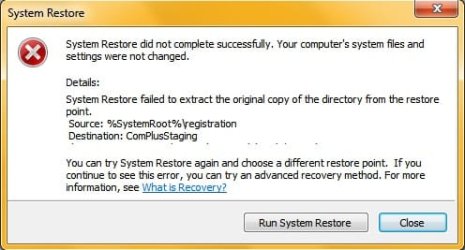
Everytime I try to use system restore to restore i get this message:
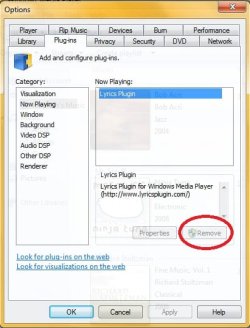
Please help as i've just installed an app in Windows Media Player and i would like to remove it but i don't see an option in the plugin menu to remove it(actually there is but it won't let me click on 'Remove'..)
Tried removing the plugin from 'Programs and features' but i dont see it...
Also tried to restore WMP to it's default settings using troubleshooter but no avail...
Please help me...
Please help as i've just installed an app in Windows Media Player and i would like to remove it but i don't see an option in the plugin menu to remove it(actually there is but it won't let me click on 'Remove'..)
Tried removing the plugin from 'Programs and features' but i dont see it...
Also tried to restore WMP to it's default settings using troubleshooter but no avail...
Please help me...
My Computer
At a glance
Windows 7 Home Basic 32bitPentium Dual Core T4300 @2.10 GHZ 2.10 GHZ3GB DDR3Mobile Intel(R) 4 Series Express Chipset Family
- Computer Manufacturer/Model Number
- Lenovo
- OS
- Windows 7 Home Basic 32bit
- CPU
- Pentium Dual Core T4300 @2.10 GHZ 2.10 GHZ
- Motherboard
- LENOVO NITU1 (U2E1)
- Memory
- 3GB DDR3
- Graphics Card(s)
- Mobile Intel(R) 4 Series Express Chipset Family
- Sound Card
- High Definition Audio Device
- Monitor(s) Displays
- ThinkPad Display 1366x768
- Hard Drives
- WDC WD2500BEVT-22ZCT0 ATA Device
