|
Welcome to Windows 7 Forums. Our forum is dedicated to helping you find solutions with any problems, errors or issues you are experiencing with Windows 7. The Windows 7 forum also covers news and updates and has an extensive Windows 7 tutorial section that covers a wide range of tips and tricks.
Windows 7 - Macrium image or Windows 7? |
02-02-2011
|
#1 | | Windows 7 Home Premium x64 SP 1 |
Macrium image or Windows 7? So I tested both today--boot disks that I created in Macrium Free, which lets you restore an image created in Macrium, and Windows 7's imaging and boot disk, which lets me restore the image created in Windows 7. They seem to do pretty much the same things. I tested them so that I'd know what to expect if I ever had a real need.
Any thoughts on which of these two is better?
Thanks.
| My System Specs | | System Manufacturer/Model Number Dell Studio XPS 8100 OS Windows 7 Home Premium x64 SP 1 CPU Intel Core i7 860 @ 2.8 GHz Motherboard Dell 0T568R (CPU1) Memory 8.0 GB Dual Channel DDR3 @ 664 MHz (9-9-9-24) Graphics Card nVidia GeForce GTS 240 Sound Card M-Audio Delta Audiophile 2496 Monitor(s) Displays Dell 2407WFP Screen Resolution 1920x1200 Hard Drives 977 GB Western Digital WDC WD1001FAES-75W7A0 (SCSI) Other Info Microsoft Security Essentials, Mozilla Firefox, Mozilla Thunderbird. M-Audio Keystation 88es (keyboard controller), Western Digital Passport 250 GB external HD, Logitech Z2300 speaker system, two Mushkin Enhanced Mulholland 16GB USB flash drives, AKG K240 Studio headphones. |
02-02-2011
|
#2 | | |

Quote: Originally Posted by gogreen So I tested both today--boot disks that I created in Macrium Free, which lets you restore an image created in Macrium, and Windows 7's imaging and boot disk, which lets me restore the image created in Windows 7. They seem to do pretty much the same things. I tested them so that I'd know what to expect if I ever had a real need.
Any thoughts on which of these two is better?
Thanks. Macrium over win 7 because it is more flexible. there is an even better alternative Acronis which can convert win 7 backups to its own format, and back. | My System Specs | | System Manufacturer/Model Number HP Pavillion dv-7 1005 Tx OS WCP ONLY CPU 2@2.4 Memory 4 gigs Graphics Card Nvidia 9600M Sound Card HD built-in Monitor(s) Displays 17" Wxga Screen Resolution 1440x900 Cooling none Internet Speed 45Mb down 5Mb up |
02-03-2011
|
#3 | | |
I believe most of the well known paid imaging apps can do that - and a lot more - for example, Paragon are the first to automatically align during image restore and partitioning in their new range.
However, if you are looking for a free app. - macrium is probably the most popular and is a lot more flexible than the inbuilt windows system image. | My System Specs | | OS Vista x64 / 7 X64 CPU E8400 Motherboard ASRock 1333 GLAN R2.0 Memory 2x1 gb 800mhz Graphics Card 9500gt 1gb Case Coolermaster Cooling Winpower 500w Hard Drives Maxtor 160gb-2mb cache |
02-03-2011
|
#4 | | Microsoft Windows 7 Home Premium 64-bit 7601 Multiprocessor Free Service Pack 1 |
Use both for extra safety. | My System Specs | | System Manufacturer/Model Number Hewlett-Packard/G62-107SA Notebook OS Microsoft Windows 7 Home Premium 64-bit 7601 Multiprocessor Free Service Pack 1 CPU Intel(R) Core(TM) i3 CPU M 330 @ 2.13GHz Motherboard Hewlett-Packard 1425 Memory 8 GB DDR3 Graphics Card Intel(R) HD Graphics Sound Card Realtek High Definition Audio Monitor(s) Displays Builtin Screen Resolution 1366 x 768 x 32 bits (4294967296 colors) @ 60 Hz Mouse Microsoft Bluetooth Notebook Mouse 5000 Hard Drives 250 GB SATA Hard Disk Drive 7200 rpm
2TB Seagate GoFlex USB 2 Drive
1TB Iomega Prestige USB 2 Drive
1.5TB Iomega Prestige USB 2 Drive (Samsung)
1TB Iomega NAS. Internet Speed 10mbs |
02-03-2011
|
#5 | | Windows 7 Home Premium x64 SP 1 |
Yup, I do use both just to be really safe.
What do you mean that Macrium is more "flexible"? | My System Specs | | System Manufacturer/Model Number Dell Studio XPS 8100 OS Windows 7 Home Premium x64 SP 1 CPU Intel Core i7 860 @ 2.8 GHz Motherboard Dell 0T568R (CPU1) Memory 8.0 GB Dual Channel DDR3 @ 664 MHz (9-9-9-24) Graphics Card nVidia GeForce GTS 240 Sound Card M-Audio Delta Audiophile 2496 Monitor(s) Displays Dell 2407WFP Screen Resolution 1920x1200 Hard Drives 977 GB Western Digital WDC WD1001FAES-75W7A0 (SCSI) Other Info Microsoft Security Essentials, Mozilla Firefox, Mozilla Thunderbird. M-Audio Keystation 88es (keyboard controller), Western Digital Passport 250 GB external HD, Logitech Z2300 speaker system, two Mushkin Enhanced Mulholland 16GB USB flash drives, AKG K240 Studio headphones. |
02-04-2011
|
#6 | | |
I'd steer clear of Macrium Free.
I have several partitions which I'd imaged, they all restored without a hitch until it came to restore my c: drive.
I booted to the Recovery CD and the only drives available to me were c: and d: (DVD drive). Erm, my image of c: is (naturally enough) on a different partition (j: to be precise).
I have no idea how to get the recovery CD to "see" the j: drive and posting on several forums for an answer has drawn a deafening silence. | My System Specs | | |
02-04-2011
|
#7 | | Windows7 Pro 64bit SP-1; Windows XP Pro 32bit |
I have both and have used both. Win 7 image and Macrium free.
If for some reason one does not work having an additional option is always a good idea.
Mike | My System Specs | | System Manufacturer/Model Number Hopalong/ Godzilla OS Windows7 Pro 64bit SP-1; Windows XP Pro 32bit CPU Intel Core i7-870 Lynnfield 2.93GHz LGA 1156 95W Quad-Core Motherboard ASUS P7P55D-E PRO Memory 8GB@1400MHz Crucial Ballistix DDR3-1600 4x2GB Graphics Card ASUS ENGTX460 DirectCU/2DI/1GD5 1GB 256-bit GDDR5 Sound Card VIA Onboard Monitor(s) Displays Samsung SyncMaster 941BW 19"ws Screen Resolution 1440x900 Keyboard Logitech K-320 PSU COOLER MASTER Silent Pro RS850-AMBAJ3-US 850W Modular Case COOLER MASTER HAF 932 RC-932-KKN5-GP Black Cooling Scythe "Mugen-2 Rev.B" (2 ScytheKaze-Jyuni PWM fans) Hard Drives Intel 320 120GB SSD
Western Digital Caviar Black WD7501AALS 750GB 7200 RPM SATA 3.0Gb/s
Western Digital Caviar Black WD6401AALS 640GB 7200 RPM SATA 3.0Gb/s |
02-04-2011
|
#8 | | Microsoft Windows 7 Home Premium 64-bit 7601 Multiprocessor Free Service Pack 1 |

Quote: Originally Posted by chuckles1066 I'd steer clear of Macrium Free.
I have several partitions which I'd imaged, they all restored without a hitch until it came to restore my c: drive.
I booted to the Recovery CD and the only drives available to me were c: and d: (DVD drive). Erm, my image of c: is (naturally enough) on a different partition (j: to be precise).
I have no idea how to get the recovery CD to "see" the j: drive and posting on several forums for an answer has drawn a deafening silence. That's one of the reasons I went for Macrium Pro. The Linux boot disk had problems picking up my USB HDD reliably. Switching it off then on and rescanning usually worked. The WinPE disk available only with Pro has no such problems with my setup. | My System Specs | | System Manufacturer/Model Number Hewlett-Packard/G62-107SA Notebook OS Microsoft Windows 7 Home Premium 64-bit 7601 Multiprocessor Free Service Pack 1 CPU Intel(R) Core(TM) i3 CPU M 330 @ 2.13GHz Motherboard Hewlett-Packard 1425 Memory 8 GB DDR3 Graphics Card Intel(R) HD Graphics Sound Card Realtek High Definition Audio Monitor(s) Displays Builtin Screen Resolution 1366 x 768 x 32 bits (4294967296 colors) @ 60 Hz Mouse Microsoft Bluetooth Notebook Mouse 5000 Hard Drives 250 GB SATA Hard Disk Drive 7200 rpm
2TB Seagate GoFlex USB 2 Drive
1TB Iomega Prestige USB 2 Drive
1.5TB Iomega Prestige USB 2 Drive (Samsung)
1TB Iomega NAS. Internet Speed 10mbs |
02-04-2011
|
#9 | | |
Hi Chuckles,
Sorry to hear you are having problems.
Not clear what you mean .
You say you you imaged and restored several partitions fine.
Then you mention only two drives ( C AND J )
Is the drive that is not visible to macrium boot disc an external HD?
You appear to indicate it is a different partition on the same HD as the drive that can be seen.
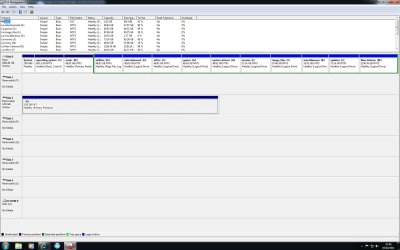
Can you post a screenshot of Disk Management window? 
Quote: Originally Posted by chuckles1066 I'd steer clear of Macrium Free.
I have several partitions which I'd imaged, they all restored without a hitch until it came to restore my c: drive.
I booted to the Recovery CD and the only drives available to me were c: and d: (DVD drive). Erm, my image of c: is (naturally enough) on a different partition (j: to be precise).
I have no idea how to get the recovery CD to "see" the j: drive and posting on several forums for an answer has drawn a deafening silence. | My System Specs | | OS Vista x64 / 7 X64 CPU E8400 Motherboard ASRock 1333 GLAN R2.0 Memory 2x1 gb 800mhz Graphics Card 9500gt 1gb Case Coolermaster Cooling Winpower 500w Hard Drives Maxtor 160gb-2mb cache |
02-04-2011
|
#10 | | Windows 7 SP1, Home Premium, 64-bit |
I just had a somewhat concerning experience with Macrium an hour ago.
I recently rebuilt my system and now have a Sandy Bridge CPU with Windows 7 64-bit. I downloaded the newest version of Macrium, installed it, and made an image. No problem.
My first attempt at a boot disc did not work. The mouse was not recognized on USB 3.0 ports. I changed to USB 2.0 to get the mouse to work, but still was not able to choose a source partition to restore. The mouse had literally no effect once I got to that screen.
So I made another boot CD, this time using "compatibility mode". This one did not have any mouse support whatsoever, regardless of port.
For the third boot CD, I tried compatibility mode AND debugging. For completely unknown reasons, this one seems to have worked. At least I can boot from it and navigate several steps into the restore process as a test.
I have no idea what is going on, but it didn't inspire any confidence.
So, I will maintain my standard practice---hope imaging works, expect it to fail, and use another method as a fallback position (the free Western Digital edition of Acronis). | My System Specs | | System Manufacturer/Model Number Ignatz Special; 4 speed manual gearbox; factory air conditioning; one of one OS Windows 7 SP1, Home Premium, 64-bit CPU Intel Sandy Bridge i5-2500, not overclocked Motherboard Gigabyte H67A-UD3H-B3, full ATX Memory 4 GB Crucial DDR3-1333 Graphics Card none; graphics are integrated on CPU Sound Card onboard: Realtek ALC892; external: USB Behringer UF0-202 Monitor(s) Displays NEC 90GX2-BK 19" LCD Screen Resolution 800 x 640 Keyboard Leopold Tenkeyless with Cherry Blue switches, USB Mouse Logitech or Microsoft optical wired; either USB or PS 2 PSU Seasonic SS-560KM, modular Case Antec Solo II Cooling CPU: Scythe Big Shuriken; Case: Scythe Slipstream 800 & 500 Hard Drives System: Intel 320 Series SSD, 80 GB;
Data: Samsung Spinpoint 103SJ, 1 TB;
Backup: WD Caviar Green WD15EADS-00P8B0, 1.5TB Other Info Power consumption of this system, including monitor: 68 watts at idle; 144 watts at full load Macrium image or Windows 7? problems? All times are GMT -5. The time now is 12:41 AM. |  |