
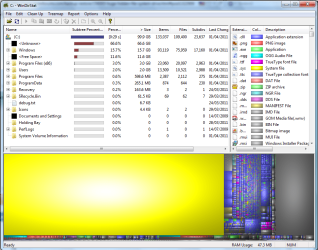
I made an image backup of my system drive to another separate drive (E:\). Since then, although there is a "WindowsImageBackup" folder on E:\ there is also a huge hidden file on C:\, my system drive. 71GB of a 100GB drive!!
It is so large there is little room left to install anything else. How can I delete a 'hidden' file? Is it part of the WindowsImageBackup? Will it go if I delete the "WindowsImageBackup" folder?
I'm so cheesed off with it I'm thinking about re-installing, and I only did so 10 days ago. Something must be wrong as I cannot even restore to the point before the image backup.
The little niggles with Windows 7 are beginning to mount up!
It is so large there is little room left to install anything else. How can I delete a 'hidden' file? Is it part of the WindowsImageBackup? Will it go if I delete the "WindowsImageBackup" folder?
I'm so cheesed off with it I'm thinking about re-installing, and I only did so 10 days ago. Something must be wrong as I cannot even restore to the point before the image backup.
The little niggles with Windows 7 are beginning to mount up!
My Computer
At a glance
Windows 7 HP 64-bitAMD Athlon 78504GBGeForce 9800 GT
- OS
- Windows 7 HP 64-bit
- CPU
- AMD Athlon 7850
- Motherboard
- MSI K9N6PGM2
- Memory
- 4GB
- Graphics Card(s)
- GeForce 9800 GT



 would also prove helpful after applying the above tip.


