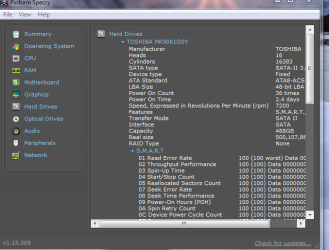
I have been backing up to an external hard drive using Macrium. I have backed up as images rather than a clone. I would like to reassure myself as to the proper procedure to restore to a new internal SS hard drive. My hard drive is failing and I do have all my stuff backed up, but would like to avoid actually reinstalling both the OS, as well as my stuff. Would like to use the Macrium Image.
LOL thought it best to ask now before that inevitable day actually arrives.
LOL thought it best to ask now before that inevitable day actually arrives.
My Computer
At a glance
Windows 10, Home Clean InstallIntel Core2 processsor Q8200(2.33Ghz 1333FSB)...6 gbATI Radeon 256MB HD3650
- Computer type
- PC/Desktop
- Computer Manufacturer/Model Number
- Dell XPS 420
- OS
- Windows 10, Home Clean Install
- CPU
- Intel Core2 processsor Q8200(2.33Ghz 1333FSB) Quad Core Tech
- Motherboard
- Dell
- Memory
- 6 gb
- Graphics Card(s)
- ATI Radeon 256MB HD3650
- Sound Card
- Intergrated 7.1 Channel Audio
- Monitor(s) Displays
- Dell SP2009W 20"
- Hard Drives
- 640 GB Serial ATA Hard drive
- Cooling
- Fan
- Keyboard
- Dell USB Keyboard
- Mouse
- Dell Premium Optical USB
- Internet Speed
- DSL 2.85

 .
.