| Windows 7: diskpart/clean by accident....need to recover partitions,begging :'( |
05 Jul 2012
|
#31 | | Microsoft Windows 7 Home Premium 64-bits 7601 Multiprocessor Free Service Pack 1 SecretCity |
Try a quick scan instead of a full scan. Quickscan is better in this case. It won't give you fake partitions | My System Specs |
| Computer type Laptop System Manufacturer/Model Number ACER ASPIRE 5742G OS Microsoft Windows 7 Home Premium 64-bits 7601 Multiprocessor Free Service Pack 1 CPU Intel(R) Core(TM) i3 CPU M 370 @ 2.40GHz Motherboard Acer Aspire 5742G Memory 4,00 GB Graphics Card ATI Mobility Radeon HD 5400 Series Sound Card (1) AMD High Definition Audio Device (2) Realtek High Defi Screen Resolution 1366 x 768 x 32 bits (4294967296 colors) @ 60 Hz Hard Drives WDC WD5000BEVT-22ZAT0 |
05 Jul 2012
|
#32 | | Windows 7 Ultimate x64 Colombo |
okay, i will try to post a pic, for that i need to have computer and scan is yet runing.
And yes, it shows exact sizes. Quick scan and now.
I had 100mb reserved, then 100gb for windows, 200 gb as D:, and 296gb as E. Thatz all of it I had when I open disk management window. | My System Specs | | System Manufacturer/Model Number HP Pavilion G6 OS Windows 7 Ultimate x64 CPU Core I5 - 2430 Memory 6GB DDR3 1333 Graphics Card Intel HD 3000 with ATI Radeon HD 6470 Monitor(s) Displays HP BrightView LED Screen Resolution 1366x768 Cooling Sitting on custom made laptop cooler Hard Drives Hitachi 5400RPM 640GB Internet Speed 21mbps downlink, 2mbps uplink |
05 Jul 2012
|
#33 | | Microsoft Windows 7 Home Premium 64-bits 7601 Multiprocessor Free Service Pack 1 SecretCity |
So all looks fine as expected? All partitions are NTFS? Used size is also what you expected? | My System Specs | | Computer type Laptop System Manufacturer/Model Number ACER ASPIRE 5742G OS Microsoft Windows 7 Home Premium 64-bits 7601 Multiprocessor Free Service Pack 1 CPU Intel(R) Core(TM) i3 CPU M 370 @ 2.40GHz Motherboard Acer Aspire 5742G Memory 4,00 GB Graphics Card ATI Mobility Radeon HD 5400 Series Sound Card (1) AMD High Definition Audio Device (2) Realtek High Defi Screen Resolution 1366 x 768 x 32 bits (4294967296 colors) @ 60 Hz Hard Drives WDC WD5000BEVT-22ZAT0 |
05 Jul 2012
|
#34 | | Windows 7 Ultimate x64 Colombo |
I did a quick scan before and it came up with exactly what i had( sizes and names I think),
But problem was, it showed me a wrong used space. Partition size was 100% correct. Like e was having 296.23gb or somethng around. Bt as I have mentioned before,
C was empty(its okay cuz i format it)
But
D: showed 53gb used instead of 157gb.
E: showed 203gb used instead of 215gb. Thatz also okay. Those were some vmwares.
Thatz why I ran a ful scan, cuz i cant lose the D:
And I repeat, partition sizes were perfect in quick scan too and now. | My System Specs | | System Manufacturer/Model Number HP Pavilion G6 OS Windows 7 Ultimate x64 CPU Core I5 - 2430 Memory 6GB DDR3 1333 Graphics Card Intel HD 3000 with ATI Radeon HD 6470 Monitor(s) Displays HP BrightView LED Screen Resolution 1366x768 Cooling Sitting on custom made laptop cooler Hard Drives Hitachi 5400RPM 640GB Internet Speed 21mbps downlink, 2mbps uplink |
05 Jul 2012
|
#35 | | |
If the data is that important to you, and the hard drive is physically "healthy", you can do as many scans as you want with different apps/settings. Don't commit to the writing of corrections until you get the scan that most accurately represents what you thought was on the disk to begin with.
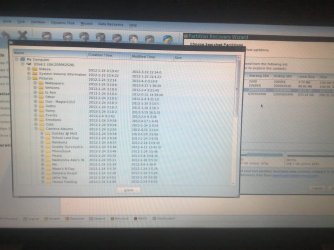
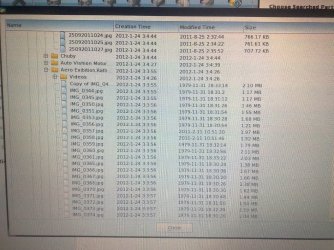
As previously mentioned a screenshot would be great for all to look at.
That "c: 8mb used out of 100gb" does not look good.
You might consider file recovery to other media before committing a correcting write to the disk.
EDIT: Nevermind on that "c: 8mb used out of 100gb" comment. Your post a minute ago reminded me of that format. Certainly commits it to memory a little better as you mentioned it again. | My System Specs | | OS Windows 7 Ultimate x64 |
05 Jul 2012
|
#36 | | Microsoft Windows 7 Home Premium 64-bits 7601 Multiprocessor Free Service Pack 1 SecretCity |

Quote: Originally Posted by suspect008 okay, SIW, Greg, F5ing and everyone,
Partition recovery wizard full scan is runing, and yet its 12%(realy slow on these 5400 spiners).
Already, at the top it shows a 10mb partition filed up 8mb. Then that 100mb reserved with 86mb free. Then there is my c: 8mb used out of 100gb. And then there is about 7 or 8(it doesnt allow to scroll) partitions 1 or 1.5mb filled out of 3.02mb. And these have a label BOOT infront of them.
So, problem is, what partitions should I check?
All of these(including these 3mb crunches) or just that 10 and reserved 100 mb with My C,D,E which shows there exact sizes?
Help please. sure only 8MB used on 100GB partition? Not what it was in diskmanagement I assume | My System Specs | | Computer type Laptop System Manufacturer/Model Number ACER ASPIRE 5742G OS Microsoft Windows 7 Home Premium 64-bits 7601 Multiprocessor Free Service Pack 1 CPU Intel(R) Core(TM) i3 CPU M 370 @ 2.40GHz Motherboard Acer Aspire 5742G Memory 4,00 GB Graphics Card ATI Mobility Radeon HD 5400 Series Sound Card (1) AMD High Definition Audio Device (2) Realtek High Defi Screen Resolution 1366 x 768 x 32 bits (4294967296 colors) @ 60 Hz Hard Drives WDC WD5000BEVT-22ZAT0 |
05 Jul 2012
|
#37 | | Microsoft Windows 7 Home Premium 64-bits 7601 Multiprocessor Free Service Pack 1 SecretCity |

Quote: Originally Posted by suspect008 I did a quick scan before and it came up with exactly what i had( sizes and names I think),
But problem was, it showed me a wrong used space. Partition size was 100% correct. Like e was having 296.23gb or somethng around. Bt as I have mentioned before,
C was empty(its okay cuz i format it)
But
D: showed 53gb used instead of 157gb.
E: showed 203gb used instead of 215gb. Thatz also okay. Those were some vmwares.
Thatz why I ran a ful scan, cuz i cant lose the D:
And I repeat, partition sizes were perfect in quick scan too and now. If everything is as expected.... select the partitions and do the recovery
After that in main PW screen.... look if the partitions are NTFS and PRIMARY. Anyway.... check if they are as expected. post results | My System Specs | | Computer type Laptop System Manufacturer/Model Number ACER ASPIRE 5742G OS Microsoft Windows 7 Home Premium 64-bits 7601 Multiprocessor Free Service Pack 1 CPU Intel(R) Core(TM) i3 CPU M 370 @ 2.40GHz Motherboard Acer Aspire 5742G Memory 4,00 GB Graphics Card ATI Mobility Radeon HD 5400 Series Sound Card (1) AMD High Definition Audio Device (2) Realtek High Defi Screen Resolution 1366 x 768 x 32 bits (4294967296 colors) @ 60 Hz Hard Drives WDC WD5000BEVT-22ZAT0 |
05 Jul 2012
|
#38 | | |

Quote: Originally Posted by Kaktussoft sure only 8MB used on 100GB partition? Not what it was in diskmanagement I assume Kaktussoft, see edit in my prior post. I fell for it too. | My System Specs | | OS Windows 7 Ultimate x64 |
05 Jul 2012
|
#39 | | Windows 7 Ultimate x64 Colombo |
sorry for the delay. Im via my phone and can't comment much fast. For the last question, yes they were all NTFS and exact sizes but not the used space.
Now the full scan is runing and i can see a 10mb as BOOT, then 100mb reserved. 100.01gb as c(thatz the exact size. And lot of 3mb partitions and its not allowed to scroll.
Should I cancel the scan and run a quick one even used data is wrong? | My System Specs | | System Manufacturer/Model Number HP Pavilion G6 OS Windows 7 Ultimate x64 CPU Core I5 - 2430 Memory 6GB DDR3 1333 Graphics Card Intel HD 3000 with ATI Radeon HD 6470 Monitor(s) Displays HP BrightView LED Screen Resolution 1366x768 Cooling Sitting on custom made laptop cooler Hard Drives Hitachi 5400RPM 640GB Internet Speed 21mbps downlink, 2mbps uplink |
05 Jul 2012
|
#40 | | Microsoft Windows 7 Home Premium 64-bits 7601 Multiprocessor Free Service Pack 1 SecretCity |
| My System Specs | | Computer type Laptop System Manufacturer/Model Number ACER ASPIRE 5742G OS Microsoft Windows 7 Home Premium 64-bits 7601 Multiprocessor Free Service Pack 1 CPU Intel(R) Core(TM) i3 CPU M 370 @ 2.40GHz Motherboard Acer Aspire 5742G Memory 4,00 GB Graphics Card ATI Mobility Radeon HD 5400 Series Sound Card (1) AMD High Definition Audio Device (2) Realtek High Defi Screen Resolution 1366 x 768 x 32 bits (4294967296 colors) @ 60 Hz Hard Drives WDC WD5000BEVT-22ZAT0 diskpart/clean by accident....need to recover partitions,begging :'( problems? All times are GMT -5. The time now is 11:02 PM. | |