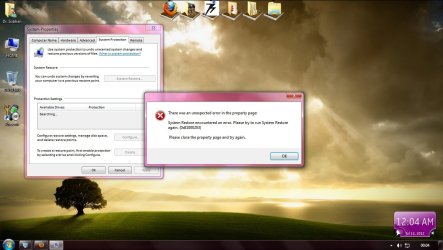
To resolve this issue, perform the following steps:
- 1. Click Start, type regedit in the Start Search box, and hit Enter.
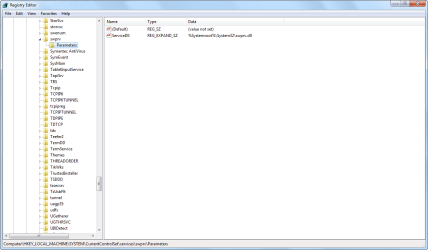
- 2. Locate and then click the following registry key:
HKEY_LOCAL_MACHINE/SYSTEM/CurrentControlSet/services/swprv/Parameters
Note: If the Parameters registry key is missing, perform the following steps: Right-click the swprv registry key, select New, select Key, type Parameters and hit Enter.
- 3. Once the Parameters registry key is selected, verify that the ServiceDll registry value has the following value:
%Systemroot%System32swprv.dll
Note: If the ServiceDll registry value is missing, perform the following steps:
Right-click the Parameters registry key, select New, and then select Expandable String Value.
For the value name, type ServiceDll and hit Enter.
Double-click the ServiceDll registry value.
In the Value Data box, type %Systemroot%System32swprv.dll, and then click OK.
- 4. Perform a backup operation to verify that the issue is resolved.
Solve Error 0×81000203 | System Restore Or Back Up Error In Windows 7 And Windows Server 2008