
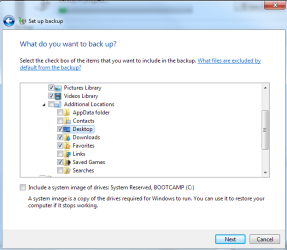
I tried backing up my Windows 7 Pro yesterday and all 3 times I got a message that the backup was complete, but some files were skipped.
It was the same sub-directory each time. Funny thing is the sub-directory isn't on the PC any longer.
I'm afraid to think the backup was successful and that I can move on to my next task.
Any one have any suggestions?
Bill
It was the same sub-directory each time. Funny thing is the sub-directory isn't on the PC any longer.
I'm afraid to think the backup was successful and that I can move on to my next task.
Any one have any suggestions?
Bill
My Computer
At a glance
Windows 7 Pro X-64Intel Core i7 2670QM 2.2 GHz8Gig?
- Computer Manufacturer/Model Number
- HP Pavilion dv7 6c95dx Entertainment PC
- OS
- Windows 7 Pro X-64
- CPU
- Intel Core i7 2670QM 2.2 GHz
- Motherboard
- ?
- Memory
- 8Gig
- Graphics Card(s)
- ?
- Sound Card
- ?
- Monitor(s) Displays
- ?
- Hard Drives
- ?
- PSU
- ?
- Case
- ?
- Cooling
- ?


 Outlook is wonderful when it works!