I have multiple computers that I want to backup - a Windows 2000 computer, a Windows XP computer, and a Windows 7 computer. I have one external hard drive that I want to use for all 3 computers.
I would like to have 3 subdirectories on the external hard drive - one subdirectory for each computer's backups. I am going to use a third-party backup program for the Windows 2000 and XP machines, and I know that it can backup to a subdirectory on an external drive.
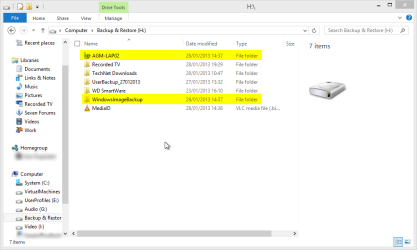
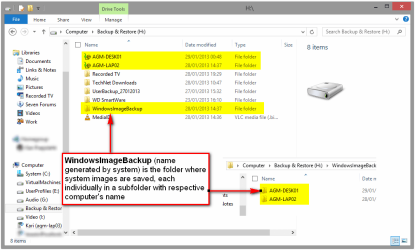
But I'm thinking about using Backup and Restore to backup my Windows 7 machine. Is it possible to tell Backup and Restore to store its backups within a subdirectory on the external drive, so that it doesn't affect the Windows 2000 and XP subdirectories? Or will it take over the entire external hard drive?
I would like to have 3 subdirectories on the external hard drive - one subdirectory for each computer's backups. I am going to use a third-party backup program for the Windows 2000 and XP machines, and I know that it can backup to a subdirectory on an external drive.
But I'm thinking about using Backup and Restore to backup my Windows 7 machine. Is it possible to tell Backup and Restore to store its backups within a subdirectory on the external drive, so that it doesn't affect the Windows 2000 and XP subdirectories? Or will it take over the entire external hard drive?
My Computer
At a glance
Windows 7 Ultimate x64
- OS
- Windows 7 Ultimate x64