Lost in the jungle of crashes, partitions and recoveries
Hello all,
First, sorry for my naive questions . It looks like I am lost in the jungle of crashes, partitions and recoveries. In the last two weeks have had 2 crashes! Luckily I am copying most of my data to an external HD as a backup. Before the last crash, few days ago, I tried to backup the whole C drive Of 1 TB (actually there are 2 drives installed as Raid 1) using the Windows backup possibility to an external HD. This did not help me to restore the system for a reason or another
  , so I re install the computer with the original Windows 7 (ultimate) CD. Of course I lost all the favourites of the Firefox and now trying to put it back manually.
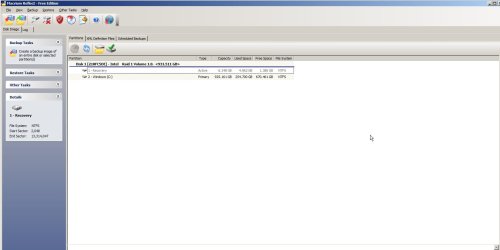
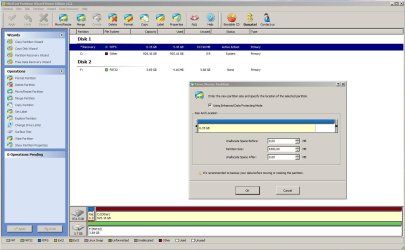
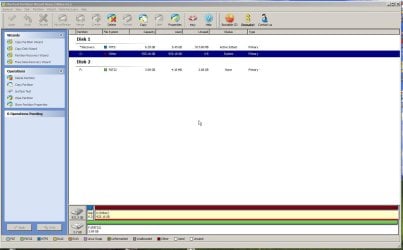
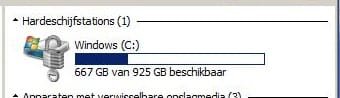
To overcome such problem in the future I was looking in the forum and found this useful thread. Downloaded and install MiniTool Partition Wizard and Macrium Reflect. Went to Macrium (Backup Tasks) and chosen (Create a backup image of the entire HD) and let it be saved on the external HD as (Backup image C HD). It is a directory full with files which I have no idea about! Now trying to make the rescue CD and got the question: choose Linux or BartPE? The same about the partitions, both programs shows that there are two partitions: Recovery of 6.34GB (active) and Windows C: of 925 GB primary. The question is: What I have to do with them?
I will highly appreciated if anyone of you will tell me if I did it good or more things should be done.
Best regards,
Anne
Hello all,
First, sorry for my naive questions
. It looks like I am lost in the jungle of crashes, partitions and recoveries. In the last two weeks have had 2 crashes! Luckily I am copying most of my data to an external HD as a backup. Before the last crash, few days ago, I tried to backup the whole C drive Of 1 TB (actually there are 2 drives installed as Raid 1) using the Windows backup possibility to an external HD. This did not help me to restore the system for a reason or another , so I re install the computer with the original Windows 7 (ultimate) CD. Of course I lost all the favourites of the Firefox and now trying to put it back manually. To overcome such problem in the future I was looking in the forum and found this useful thread. Downloaded and install MiniTool Partition Wizard and Macrium Reflect. Went to Macrium (Backup Tasks) and chosen (Create a backup image of the entire HD) and let it be saved on the external HD as (Backup image C HD). It is a directory full with files which I have no idea about! Now trying to make the rescue CD and got the question: choose Linux or BartPE
? The same about the partitions, both programs shows that there are two partitions: Recovery of 6.34GB (active) and Windows C: of 925 GB primary. The question is: What I have to do with them? I will highly appreciated if anyone of you will tell me if I did it good or more things should be done.
Best regards,
Anne
My Computer
At a glance
Windows 7 Ultimate x64
- OS
- Windows 7 Ultimate x64