Hi Barefoot,
I finally managed to come back to you. I am delighted to announce you that the problem is
solved with the
fresh install of Win 7 on an erased and formatted HDD. I am working further on this base and reinstalled all my applications securing them with a full image backup. Call closed so far.

Nevertheless as I am curious to know what happened I did it all over again
restarting from Win XP sp3 and installing win 7. This time I followed strictly the instructions from the installation guide provided by Microsoft: custom install of win 7 over win XP with Microsoft easy transfer tool and windows.old directory.
What I expected arrived: after the first reboot of the installed Win 7 smash, all RP's disappeared. See the volsnap errors in the Eventlog extracts attached.
At that moment not a single user setting nor object of Win XP was recovered. The windows.old file was even not touched. No application nor driver update was installed. Really in the earliest stage the default already existed. It's not a matter of settings nor applications, there must be somewhere a glitch in the installation.
Playing with the VSSMaxsize around 50GB I was able to keep the RP's. Beneeth they were systematically deleted. Just the same as before. (60GB free)
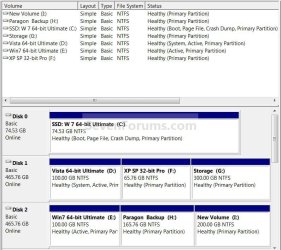
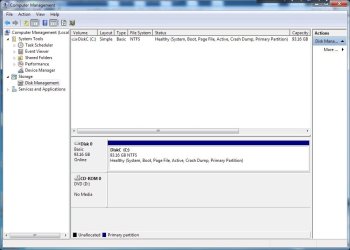
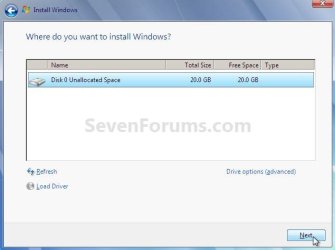
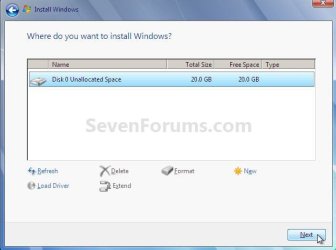
I can't see what is going wrong during the installation. What is different to the clean install is the second small partition that the Win 7 installation software creates when formatting the disk: Called "system partition", invisible during normal operation. There is no such partition when upgrading from win Xp. I presume it is not absolutely necessary to have two partitions to make it work.
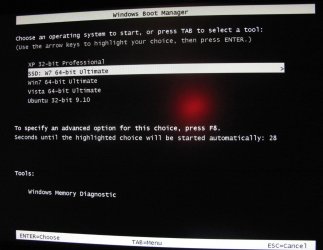
I noticed another difference. Is it possible that the installation process forces a dual boot without informing the user? I did not ask for a dual boot nor did I something to install it but at startup I always receive a "Windows Boot Manager" screen where one can choose between "Earlier versions of windows" - "Windows 7" (highlighted) or "Windows XP recovery console". In the clean install I don't see that screen. It is a kind of a dual boot screen. What is the purpose of that choice. Anyway as I never used that option it can't interfer.
So don't you think it would be usefull to tell this to the Microsoft Specialists.

Thank you very much for your support, Bare Foot and all the best to all of you !!