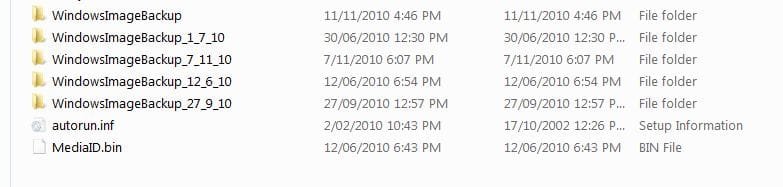
Just save each backup in a
separate file.
Richard
Hi Richard, could you please elaborate?
Here is what I've done so far -
I've 1 hdd with 2 partitions C (50gb) and D (850gb). C drive has Windows. D is for storage. After a clean install, I created a system restore backup image on the D drive. Windows created a "WindowsImageBackup" folder on the D drive and inside it has a folder with my machine name something like this -
D:\WindowsImageBackup\MyPC\<backup files>
Total size is about 7.5gb. I read somewhere that if I rename the MyPC folder to something else (like MyPC-CleanInstall) and create another system image, it creates a full image instead of an incremental image because a full image with the machine name doesn't already exist. So I created a new text document on the desktop (so I can differentiate this image from the original one) and created a new system image. It created a new folder in the WindowsImageBackup folder with my machine name and it's about the same size as my original image. At this point, I ended up with 2 folders in the WindowsImageBackup folder -
D:\WindowsImageBackup\MyPC-CleanInstall (original image re-named)
D:\WindowsImageBackup\MyPC (second image)
I now wanted to restore to my original "MyPC-CleanInstall" image to make sure the text document I created on the desktop doesn't show up. I booted into WinRE and I saw 2 images (MyPC & MyPC-CleanInstall) to restore from. I selected "MyPC-CleanInstall" and once it's done and restarted, I did not see the text document I created which meant that this is the original image.
Here's the weird part -- I now connected my external USB drive, created a WindowsImageBackup folder at the root and copied the contents of MyPC-CleanInstall (D:\WindowsImageBackup\MyPC-CleanInstall) into it and re-named it. I wanted to make sure that the images are not tied to the location somehow (D drive and volume shadow copy thing). I need to be able to move these images anywhere and should be able to restore. So now it looked something like -
E:\WindowsImageBackup\MyPC-CleanInstall-External
and I booted into WinRE with my USB drive still connected. To my surprise, the only image I could restore from was this one - D:\WindowsImageBackup\MyPC. It's the second image which has the text document on the desktop. It didn't recognize the other image that is at the same location nor did it the recognize the image on the USB drive. There was an option to select a driver and open any other storage device which opened a browse window and I was able to see the external drive, C and D drives. I thought I will be able to see 3 restore images to choose from but I saw only one!
At this point, I'm totally confused.


 .
.