Welcome to Windows 7 Forums. Our forum is dedicated to helping you find solutions with any problems, errors or issues you are experiencing with Windows 7. The Windows 7 forum also covers news and updates and has an extensive Windows 7 tutorial section that covers a wide range of tips and tricks.
My system administrator cant turn on system restore
i am part of a small home network, somehow the system administrator turned off system restore and cannot turn it back on. i have gone through what the tutorial said about turning it back on, but the configure button is blanked out on my computer. it is really getting me worried because if i cant turn it on, if a problem happens, then i cant system restore
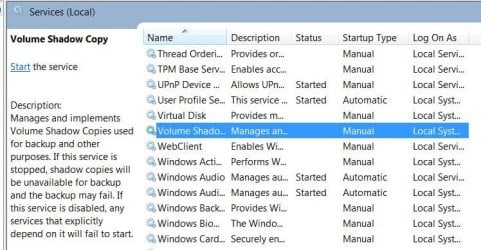
in the folder you specified, i do not know which selection should be a certain way. is something supposed to be started that isnt already? thanks alot for your assistance.
System Manufacturer/Model Number HP, Dell, Gateway - 2 laptops and 2 desktops OS Vista and Windows7, sometimes Ubuntu and Fedora CPU from 1.6GHz Duo to 2.5GHz Quad Monitor(s) Displays 2x HP w2207
Keyboard with trackball - no mices Mouse terrible devices, who wants them Hard Drives 5x HDD, 2x SSD, 6x Externals Internet Speed DSL 6000
yes, the selection you have highlighted is the same as mine, along with all other selections in that window screenshot. the error message is as follows it can help.
System Restore has been turned off by your system administrator. to turn on system restore, contact your system administrator.
the problem is, the administrator has no clue whatsoever. appreciate the help
System Manufacturer/Model Number Self OS W7, Xp Pro CPU AMD Sempron 2600+ Motherboard K8V-MX Memory 1GB Graphics Card Radeon HD3650 Sound Card Soundmax Monitor(s) Displays 17" HP CRT Screen Resolution 1024x768
Keyboard M$S Mouse Optical PSU ? 460W Case Coolermaster Cooling enough Hard Drives 1x WDC WD800BB
1x HDS728080 Internet Speed 1500kbs Other Info OLD!!! does the job i need.