Hello JB11,
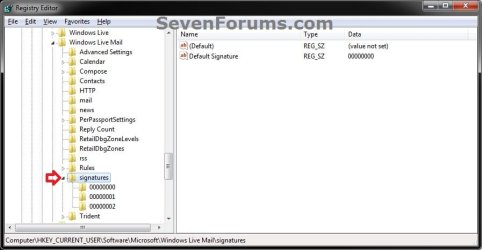
I believe that it's the same as below in Windows Live Mail 2011. where you can go to the registry location below, right click on signatures, click on Export, save the REG file to your desktop, then move the REG file to where you like as a backup of the signatures.
HKEY_CURRENT_USER\Software\Microsoft\Windows Live Mail\signatures
To restore the signatures, you would just need to have Windows Live Mail installed first, then double click on the REG file to approve and merge it.
Hope this helps,
Shawn
UPDATE:
See tutorial for full details on how:
Windows Live Mail - Backup and Restore Signatures