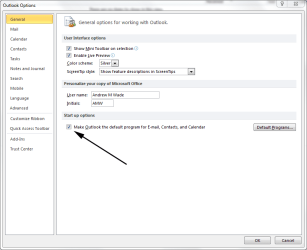
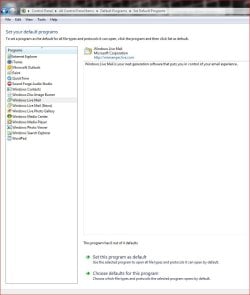
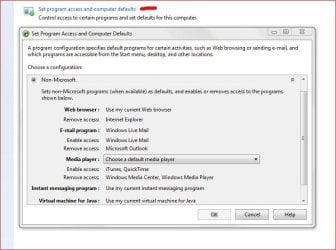
When I respond to a "contact us" on a website or want my scanner to send the document by email, Outlook email is automatically chosen for the email program to send it. I don't use Outlook as an email program but use Hotmail or Yahoo for email. I have looked for a way to de-select Outlook and select Hotmail or Yahoo instead, and have not found where this can be done. Any suggestions out there on how this can be accomplished? TIA! Dick
My Computer
At a glance
Windows 8 ProIntel Core 2 quad Q6600 2.4Ghz4 GhzNvidia GeForce 8400GS
- Computer type
- PC/Desktop
- Computer Manufacturer/Model Number
- HP d4996t
- OS
- Windows 8 Pro
- CPU
- Intel Core 2 quad Q6600 2.4Ghz
- Motherboard
- Asustek
- Memory
- 4 Ghz
- Graphics Card(s)
- Nvidia GeForce 8400GS
- Sound Card
- Soundblaster X-Fi Extreme Audio
- Monitor(s) Displays
- Hyundai 22" widescreen
- Hard Drives
- 400 GB 279 G free