stuckatwork
New member
- Local time
- 3:32 AM
- Messages
- 3
"Mail to" shortcut in Send To context menu fails command line argument
Hi All,
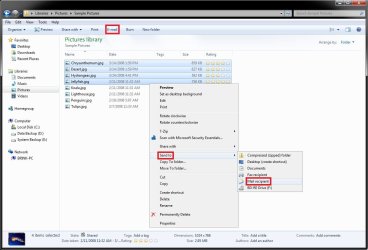
Previous PC was an XP and we had a shortcut within the Send To context menu called "Mail To" which when clicked on a file would open a new email with the file attached and with the default email (as done from within Outlook), not the crappy text "mail recipient" one that is standard in the Send To context menu.
The target string in the shortcut was
"C:\Program Files\Microsoft Office\Office11\OUTLOOK.EXE" /c ipm.note
When trying to set up the same shortcut in Win 7 using the same string (but with Office14) we get an error which states. "The command line argument is invalid. Verify the switch you are using."
"C:\Program Files\Microsoft Office\Office14\OUTLOOK.EXE" /c ipm.note
If I navigate to the SendTo folder and double click the shortcut, it works. It opens up a new email as if I click New E-mail from within Outlook. But when selecting via the context menu, it fails everytime.
What can we do to fix this? We have to email a lot of files manually and opening a new email then attaching(or even drag/drop takes a lot of extra time.
Thanks for any advice.
Hi All,
Previous PC was an XP and we had a shortcut within the Send To context menu called "Mail To" which when clicked on a file would open a new email with the file attached and with the default email (as done from within Outlook), not the crappy text "mail recipient" one that is standard in the Send To context menu.
The target string in the shortcut was
"C:\Program Files\Microsoft Office\Office11\OUTLOOK.EXE" /c ipm.note
When trying to set up the same shortcut in Win 7 using the same string (but with Office14) we get an error which states. "The command line argument is invalid. Verify the switch you are using."
"C:\Program Files\Microsoft Office\Office14\OUTLOOK.EXE" /c ipm.note
If I navigate to the SendTo folder and double click the shortcut, it works. It opens up a new email as if I click New E-mail from within Outlook. But when selecting via the context menu, it fails everytime.
What can we do to fix this? We have to email a lot of files manually and opening a new email then attaching(or even drag/drop takes a lot of extra time.
Thanks for any advice.
My Computer
At a glance
Win 7 Enterprise 32bit
- OS
- Win 7 Enterprise 32bit