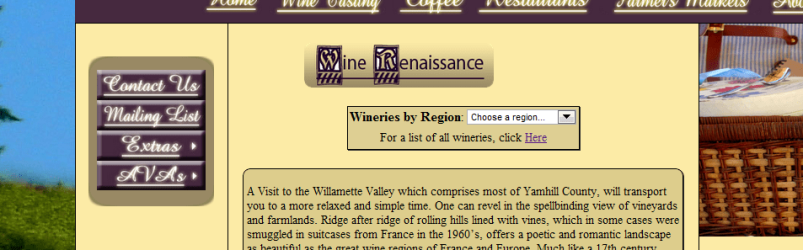
There is a bug that completely changes the tables I have set and it only happens in IE. Pics are attached that show what is supposed to happen (in Chrome and FF) and what happens in IE. Please Help me! I can provide code if needed, but I have narrowed down the problem to something with the <form> tag. The form tag is inside a table which is inside another table.
Nevermind, I fixed it. The problem was the <form>. I do not know why it did this but that was the tag that screwed everything up. My fix was to use <select> without using the <form>. It is working now!
You need to remember that browsers will interpret HTML scripts in different ways; IE is known to not follow the correct standards for interpreting HTML scripts.
Computer type Laptop System Manufacturer/Model Number HP Pavilion dm1 Notebook PC OS Windows 7 Home Premium x86 Service Pack 1 - Linux Mint Mate 14 x64 CPU AMD E-450 APU (64-Bit) @ 1.65GHz Dual-Core Motherboard HP 3387 36.0A (Socket FT1) Memory 4GB DDR3 @ 676MHz Graphics Card AMD Radeon HD 6320 Graphics Sound Card Beats Audio - IDT High Definition Audio CODEC Monitor(s) Displays LCD HP Monitor Screen Resolution 1366 x 768 @ 60Hz
Keyboard Standard PS/2 Keyboard Mouse Synaptics TouchPad V 7.5/Logitech USB Wireless PSU Microsoft Composite Battery - ACPI Case HP Cooling HP Cool Sense Hard Drives 500GB - SATA Hitachi HTS547550A9E384 Internet Speed 24.0 Mbps Antivirus Microsoft Security Essentials Browser Opera 12.15; Firefox 21 Other Info NIC - Broadcom 4313GN 802.11b/g/n Wi-Fi Adapter
Belkin Black Laptop Cooling Stand