Hi Everyone?
Can someone help me on how to display attachment size in Windows Live Mail. Is there a way to activate this "size preview" in WLM? Thanks in advance.
System Manufacturer/Model Number Put together OS Win7 Pro-64 Bit CPU i7-2600-3.4GHz Motherboard ASRock Z68M Memory 8 GIG DDR3 Graphics Card onboard Sound Card onboard
Keyboard Microsoft Mouse Microsoft optical PSU 550 Case black Cooling stock fans Hard Drives Seagate 1TB 7200RPM
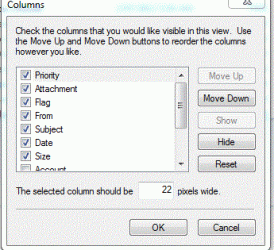
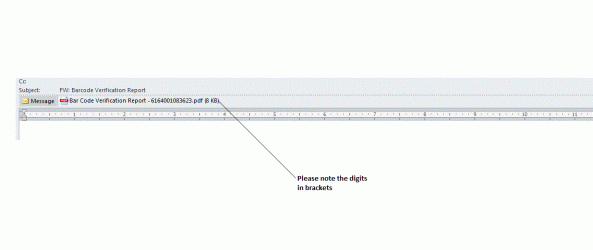
Thanks BrightBlessings for your reply. This is not what am looking for. I precisely want to have a size caption in WLM as it is in Microsoft Outlook 2010. Here is a caption the example in outlook 2010 displaying the file size.
First pic is a new mail.
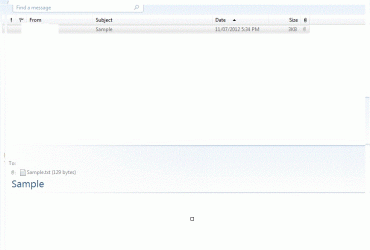
The second is my inbox and reading pane. The attachment size on mine seems to be default setting. I'm using the 2009 version of WLM
System Manufacturer/Model Number Put together OS Win7 Pro-64 Bit CPU i7-2600-3.4GHz Motherboard ASRock Z68M Memory 8 GIG DDR3 Graphics Card onboard Sound Card onboard
Keyboard Microsoft Mouse Microsoft optical PSU 550 Case black Cooling stock fans Hard Drives Seagate 1TB 7200RPM
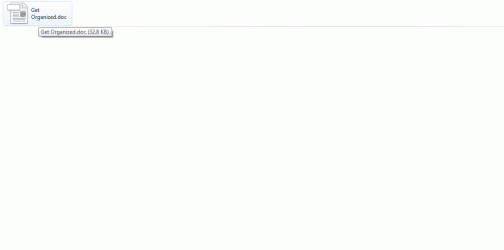
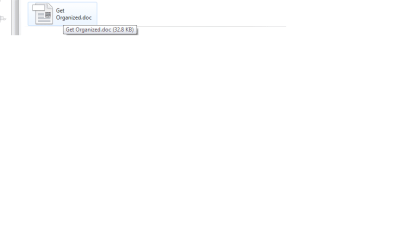
BrightBlessings I found a way out. I am using WLM 2011. The attachment size appears as a tooltip when u hover the mouse over the file. The images herewith demonstrates this. Thanks for taking the time. Appreciate it..
System Manufacturer/Model Number Put together OS Win7 Pro-64 Bit CPU i7-2600-3.4GHz Motherboard ASRock Z68M Memory 8 GIG DDR3 Graphics Card onboard Sound Card onboard
Keyboard Microsoft Mouse Microsoft optical PSU 550 Case black Cooling stock fans Hard Drives Seagate 1TB 7200RPM