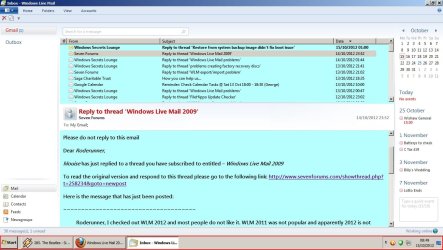
About a month ago when I receive an e-mail in Windows Live Mail 2009 the margins in the message have changed. The margins are too close to the edge. I have tried everything I can think of to get the margins back to where they should be. I read how to change the margins for printing if there is a problem, but nothing for reading a new e-mail.
In addition to this, if I print the e-mail some of the text is in color and I have never changed the print color.
How can I correct these 2 problems?
In addition to this, if I print the e-mail some of the text is in color and I have never changed the print color.
How can I correct these 2 problems?
My Computer
At a glance
Windows 7 64 bit
- Computer type
- PC/Desktop
- Computer Manufacturer/Model Number
- Built by local computer store
- OS
- Windows 7 64 bit
- Keyboard
- Microft
- Mouse
- Dell
- Antivirus
- Micoft Essentials
- Browser
- IE 11