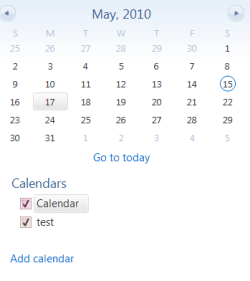
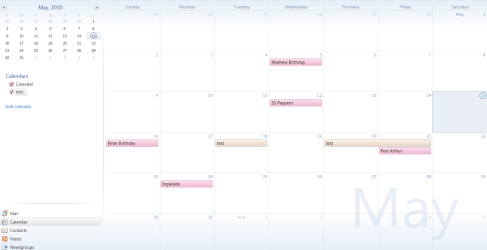
I'm using Windows Live Mail in Windows 7 but have problems with the Calendar. For some reason when adding an event nothing shows in the Calendar. I have more than one calendar and have checked adding an event on each of them but the result is the same even though I complete each entry with Save & Close. Any ideas what I may be doing wrong?
I tried that with just one calendar checked but still nothing shows.
Any other thoughts please. I'm completely baffled by this. I'm new to Windows 7 but well experienced in other operating systems. I used to use Outlook and Outlook Express but have had to switch to Windows Live Mail in Windows 7. Everything else seems to be OK and I've imported all my Outlook Express mail etc. Just this Calendar is foxing me.
Thanks for your help - it's much appreciated.
Try with one calender checked. Left click on a date and try typing in a word and see if it creates an event. It should show as a colored bar with the word in it. If that works you can double click the bar and it should open the event window.
Jim
My Computer
At a glance
Windows 8.1 Pro w/Media Center 64bit, Windows...Phenom II X6 1100TCrucial Balistic 8gb DDR3-1866 CL9MSI R6850 Cyclone IGD5 PE
Computer type
PC/Desktop
Computer Manufacturer/Model Number
Home Built
OS
Windows 8.1 Pro w/Media Center 64bit, Windows 7 HP 64bit
CPU
Phenom II X6 1100T
Motherboard
ASUS M5A99X EVO
Memory
Crucial Balistic 8gb DDR3-1866 CL9
Graphics Card(s)
MSI R6850 Cyclone IGD5 PE
Sound Card
On Board
Monitor(s) Displays
ASUS VE258Q 25" LED with DVI-HDMI-DisplayPort
Screen Resolution
1920 x 1080
Hard Drives
Two WD Cavier Black 2TB Sata III, WD My Book Essential 2TB USB 3.0
PSU
Seasonic X650 80 Plus GOLD Modular
Case
Corsair 400R
Cooling
Antec Kuhler H2O 620, Two 120mm and four 140mm
Keyboard
Logitech K120
Mouse
Logitech Marble Mouse USB, Logitech Precision Game Pad
Internet Speed
15MB
Antivirus
Norton IS 2013, Malwarebytes Pro Beta 2
Browser
IE-11, FF-27
Other Info
APC UPS ES 750, Netgear WNR3500L Gigabit & Wireless N Router with SamKnows Test Program, Motorola SB6120 Gigabit Cable Modem. Brother HL-2170W Laser Printer, Epson V300 Scanner
Still not right though as:
1. If I try and edit the entry by opening up the event and then save & close, the entry vanishes.
2. If I try and switch calendars and then enter even directly onto the calendar itself it jumps back to the first calendar.
It's really not a happy programme at all! The only editing it acknowledges is directly onto the calendar using text editing and the ENTER key.
Any ideas how I could maybe reload this without it affecting all my mail that I've got working well now?
Go to Tools/Account and you can Export your Contacts and Accounts and then to Files/Export and Export your messages. Then Import them back in after reinstall. I have done the messages and contacts but have not tried the account information. Good luck.
Jim
My Computer
At a glance
Windows 8.1 Pro w/Media Center 64bit, Windows...Phenom II X6 1100TCrucial Balistic 8gb DDR3-1866 CL9MSI R6850 Cyclone IGD5 PE
Computer type
PC/Desktop
Computer Manufacturer/Model Number
Home Built
OS
Windows 8.1 Pro w/Media Center 64bit, Windows 7 HP 64bit
CPU
Phenom II X6 1100T
Motherboard
ASUS M5A99X EVO
Memory
Crucial Balistic 8gb DDR3-1866 CL9
Graphics Card(s)
MSI R6850 Cyclone IGD5 PE
Sound Card
On Board
Monitor(s) Displays
ASUS VE258Q 25" LED with DVI-HDMI-DisplayPort
Screen Resolution
1920 x 1080
Hard Drives
Two WD Cavier Black 2TB Sata III, WD My Book Essential 2TB USB 3.0
PSU
Seasonic X650 80 Plus GOLD Modular
Case
Corsair 400R
Cooling
Antec Kuhler H2O 620, Two 120mm and four 140mm
Keyboard
Logitech K120
Mouse
Logitech Marble Mouse USB, Logitech Precision Game Pad
Internet Speed
15MB
Antivirus
Norton IS 2013, Malwarebytes Pro Beta 2
Browser
IE-11, FF-27
Other Info
APC UPS ES 750, Netgear WNR3500L Gigabit & Wireless N Router with SamKnows Test Program, Motorola SB6120 Gigabit Cable Modem. Brother HL-2170W Laser Printer, Epson V300 Scanner