BSOD - Please Help!

Nongold

New member
Local time
2:06 AM
Messages
4
Hi there!
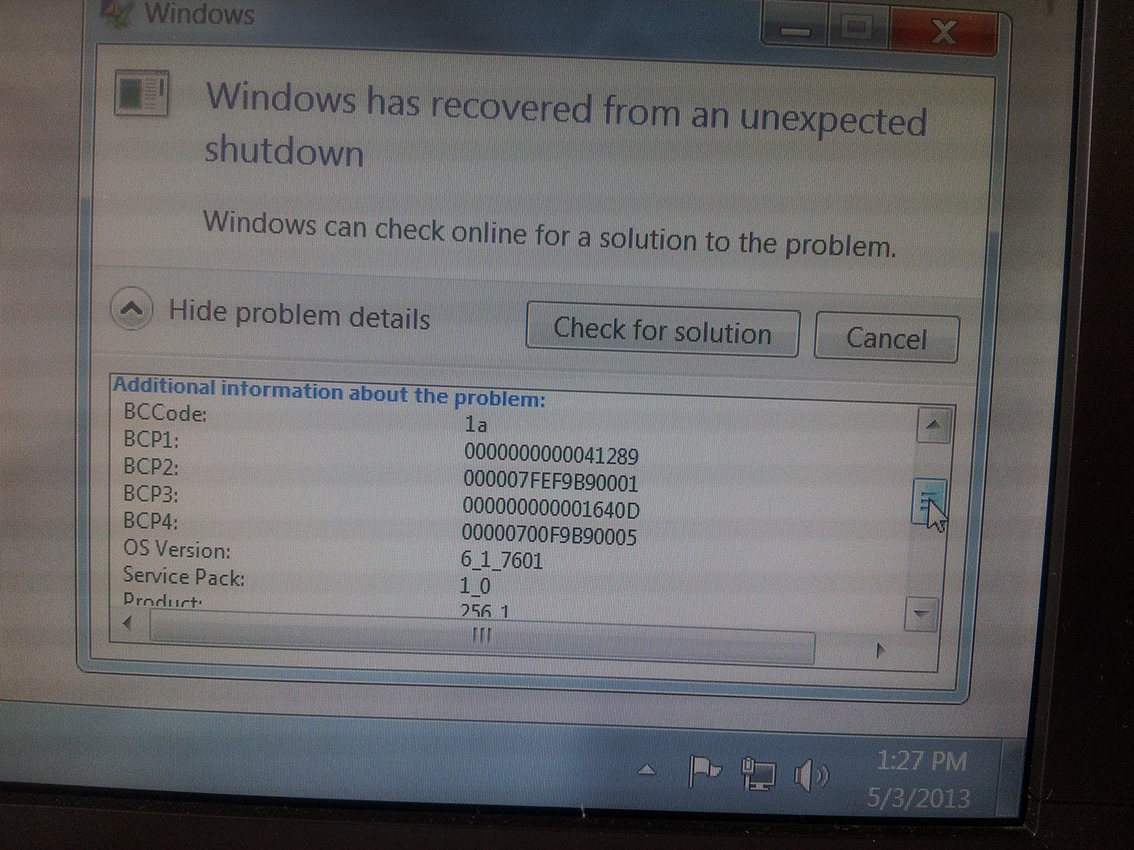
I am getting since few weeks blue screen error message and computer crash right after that. The problem become very persistent and two days ago I got crash again. I have updated bios and installed Windows again and the problem seemed to be resolved - the ssd has been detected in Bios and boot did correct job, but after one day I got again blue screen and error message
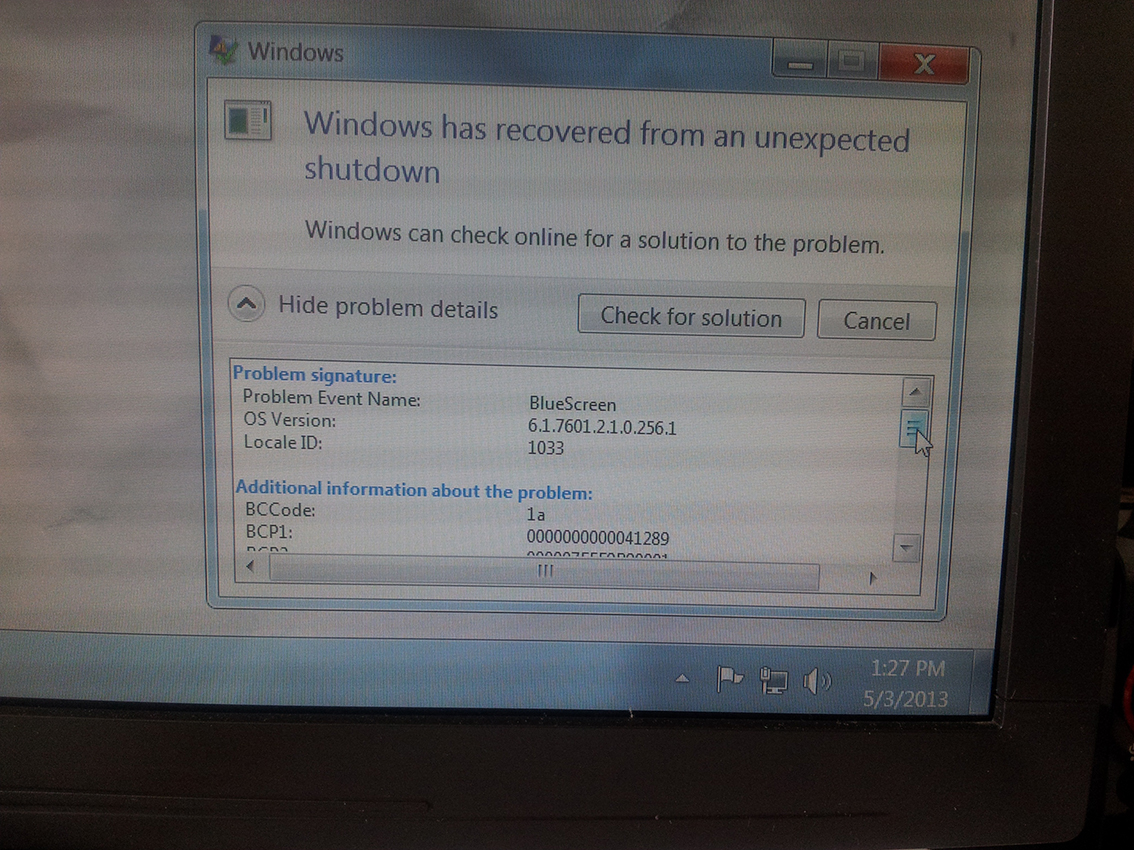
20130503_132758.jpg


20130503_132820.jpg


20130503_132838.jpg


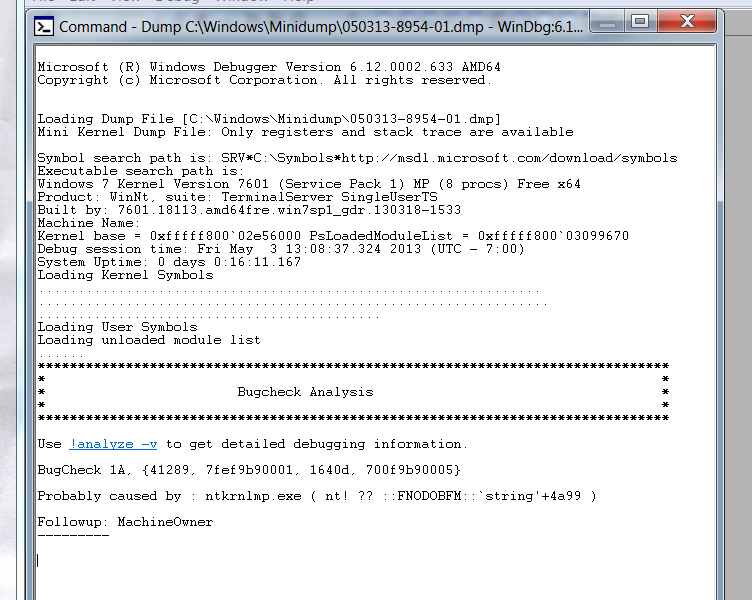
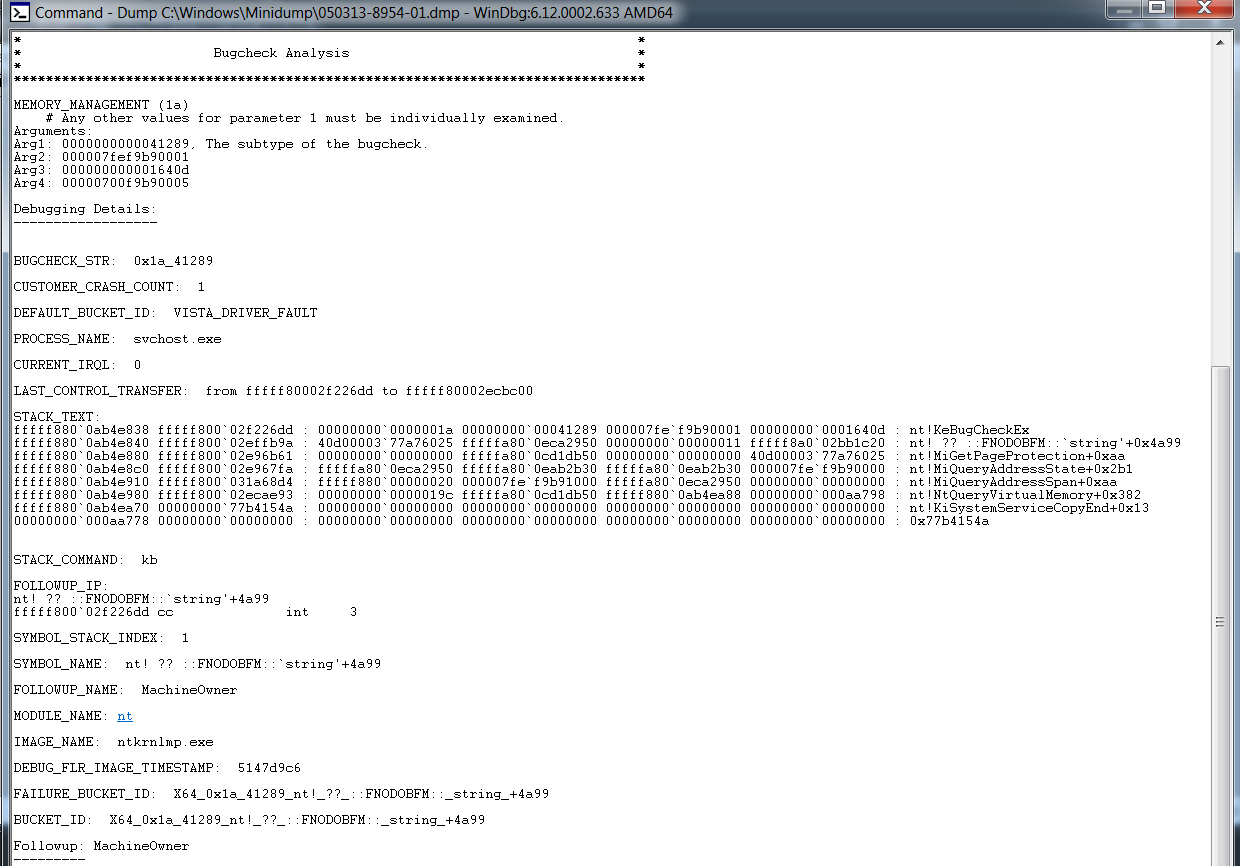
I've checked Windows Debugger:

Debug.jpg


Debug_Analysis.jpg


Then I have used SF Diagnostic Tool and uploaded the zip file here View attachment 266722. Hope it helps...

And I ran Memtest86+ overnight for 9 cycles. No errors detected so Ram seems to be ok..
 

My Computer My Computer

At a glance

Windows 7 Ultimate x64Intel Core i7-2600K CPU @3.40 GHz16 GBAMD Radeon HD 6900 Series
Computer type
PC/Desktop
Computer Manufacturer/Model Number
Custom build
OS
Windows 7 Ultimate x64
CPU
Intel Core i7-2600K CPU @3.40 GHz
Motherboard
ASUS P8Z68-V PRO
Memory
16 GB
Graphics Card(s)
AMD Radeon HD 6900 Series
Hard Drives
M4 - CT128M4SSD2 ATA Device
WDC WD6400AAKS 75A7B0 ATA Device
WD My Book 1130 USB Device
Antivirus
Microsoft Security Essentials
Browser
Chrome
Your crash dumps are not showing any finite probable cause.

Test your RAM modules for possible errors.
How to Test and Diagnose RAM Issues with Memtest86+
Run memtest for at least 8 passes, preferably overnight.

If Memtest comes clean, enable Driver Verifier to monitor the drivers.
Driver Verifier - Enable and Disable
Run Driver Verifier for 24 hours or the occurrence of the next crash, whichever is earlier.

   Information
Why Driver Verifier:
It puts a stress on the drivers, ans so it makes the unstable drivers crash. Hopefully the driver that crashes is recorded in the memory dump.

How Can we know that DV is enabled:
It will make the system bit of slow, laggy.

   Warning
Before enabling DV, make it sure that you have earlier System restore points made in your computer. You can check it easily by using CCleaner looking at Tools > System Restore.

If there is no points, make a System Restore Point manually before enabling DV.

   Tip


Let us know the results, with the subsequent crash dumps, if any. Post it following the Blue Screen of Death (BSOD) Posting Instructions.
_____________________________________________________________________
BSOD ANALYSIS:
Code:
*******************************************************************************
*                                                                             *
*                        Bugcheck Analysis                                    *
*                                                                             *
*******************************************************************************

Use !analyze -v to get detailed debugging information.

[URL="http://www.carrona.org/bsodindx.html#0x0000001A"]BugCheck 1A[/URL], {41790, fffffa800563ec80, ffff, 0}

Probably caused by : ntkrnlmp.exe ( nt! ?? ::FNODOBFM::`string'+35084 )

Followup: MachineOwner
---------

7: kd> !analyze -v
*******************************************************************************
*                                                                             *
*                        Bugcheck Analysis                                    *
*                                                                             *
*******************************************************************************

[URL="http://www.carrona.org/bsodindx.html#0x0000001A"]MEMORY_MANAGEMENT (1a)[/URL]
    # Any other values for parameter 1 must be individually examined.
Arguments:
Arg1: 0000000000041790, A page table page has been corrupted. On a 64 bit OS, parameter 2
    contains the address of the PFN for the corrupted page table page.
    On a 32 bit OS, parameter 2 contains a pointer to the number of used
    PTEs, and parameter 3 contains the number of used PTEs.
Arg2: fffffa800563ec80
Arg3: 000000000000ffff
Arg4: 0000000000000000

Debugging Details:
------------------


BUGCHECK_STR:  0x1a_41790

CUSTOMER_CRASH_COUNT:  1

DEFAULT_BUCKET_ID:  WIN7_DRIVER_FAULT

PROCESS_NAME:  WerFault.exe

CURRENT_IRQL:  0

LAST_CONTROL_TRANSFER:  from fffff80002f39d40 to fffff80002ec8c00

STACK_TEXT:  
fffff880`0844b6e8 fffff800`02f39d40 : 00000000`0000001a 00000000`00041790 fffffa80`0563ec80 00000000`0000ffff : nt!KeBugCheckEx
fffff880`0844b6f0 fffff800`02efb7d9 : fffff880`00000000 00000000`02047fff 00000000`00000000 fffff880`00961000 : nt! ?? ::FNODOBFM::`string'+0x35084
fffff880`0844b8b0 fffff800`031e31c1 : fffffa80`0fb2d560 00000000`00000000 00000000`00000000 00000000`00000000 : nt!MiRemoveMappedView+0xd9
fffff880`0844b9d0 fffff800`031e35c3 : 0000007f`00000000 00000000`02030000 fffffa80`00000001 00000000`80070401 : nt!MiUnmapViewOfSection+0x1b1
fffff880`0844ba90 fffff800`02ec7e93 : 00000000`00000000 00000000`02041c28 fffffa80`0de805b0 00000000`00000000 : nt!NtUnmapViewOfSection+0x5f
fffff880`0844bae0 00000000`771415ba : 00000000`00000000 00000000`00000000 00000000`00000000 00000000`00000000 : nt!KiSystemServiceCopyEnd+0x13
00000000`001aab88 00000000`00000000 : 00000000`00000000 00000000`00000000 00000000`00000000 00000000`00000000 : 0x771415ba


STACK_COMMAND:  kb

FOLLOWUP_IP: 
nt! ?? ::FNODOBFM::`string'+35084
fffff800`02f39d40 cc              int     3

SYMBOL_STACK_INDEX:  1

SYMBOL_NAME:  nt! ?? ::FNODOBFM::`string'+35084

FOLLOWUP_NAME:  MachineOwner

MODULE_NAME: nt

IMAGE_NAME:  ntkrnlmp.exe

DEBUG_FLR_IMAGE_TIMESTAMP:  5147d9c6

FAILURE_BUCKET_ID:  X64_0x1a_41790_nt!_??_::FNODOBFM::_string_+35084

BUCKET_ID:  X64_0x1a_41790_nt!_??_::FNODOBFM::_string_+35084

Followup: MachineOwner
---------
 

My Computer My Computer

At a glance

Microsoft Windows 10 Pro Insider Preview 64-bitIntel(R) Core(TM) i3-4130 CPU @ 3.40GHzCorsair Vengence 4GB x2 (8.00GB Dual-Channel ...2047MB GeForce GTS 450 (ZOTAC International)
Computer type
PC/Desktop
Computer Manufacturer/Model Number
Self Assembled
OS
Microsoft Windows 10 Pro Insider Preview 64-bit
CPU
Intel(R) Core(TM) i3-4130 CPU @ 3.40GHz
Motherboard
Gigabyte Technology Co., Ltd. B85M-D3H
Memory
Corsair Vengence 4GB x2 (8.00GB Dual-Channel DDR3 @ 798MHz)
Graphics Card(s)
2047MB GeForce GTS 450 (ZOTAC International)
Sound Card
Onboard (Realtek High Definition Audio)
Monitor(s) Displays
LG Flatron E2040T
Screen Resolution
1600x900
Hard Drives
Western Digital 1 TB
Seagate 500 GB
PSU
Corsair VS550
Case
Cooler Master K380
Cooling
Cooler Master Seidon 120V Plus
Keyboard
Logitech MK260r
Mouse
Logitech MK260r
Internet Speed
PMPL Broadband
Antivirus
Windows Defender + MBAM
Browser
Firefox
Other Info
Dell Studio 15" Laptop
I would suggest you purchase a genuine legal copy of windows 7 and install that as opposed to the pirated version you are running with who knows what cracks running in the background;)
 

My Computer My Computer

At a glance

Win7 Ultimate X64Intel i5 3570K8GB DDR3 1600Onboard
Computer type
PC/Desktop
Computer Manufacturer/Model Number
Pauly Special
OS
Win7 Ultimate X64
CPU
Intel i5 3570K
Motherboard
Gigabyte Z77X-DS3H
Memory
8GB DDR3 1600
Graphics Card(s)
Onboard
Sound Card
Onboard
Screen Resolution
1280x1024
Hard Drives
Samsung 840 Evo SSD (OS)
1TB Spinner (Data)
PSU
800W Arctic
Case
Cooler Master
Cooling
3x120mm Fans
Keyboard
MS Wireless
Mouse
MS Wireless
Internet Speed
20M
Back
Top