
rpaskudniak
New member
Hi folks.
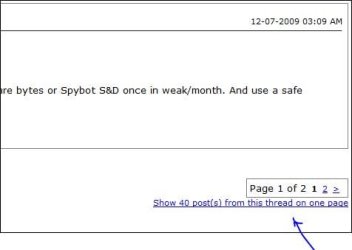
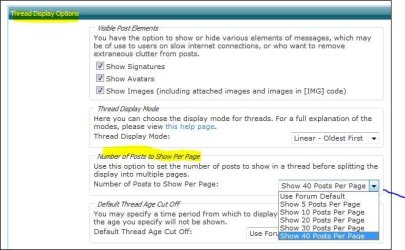
There is a thread (and there will be more) that I'd like to save in its entirety as a single file. I do have the Bullzip PDF printer so that I can "print" a web page to a PDF file but this thread extends over 6 pages. I would like to print it all in one PDF file and save that. I see no option to display the whole thread in a single page, nor any option within the page to print the thread (or even that page); it seems to depend on my browser's [Print] button (or File->Print menu).
Simple ideas, please? I have thought of copy-pasting paged into MS-Word. Done that; its d.., um,.. blessed messy!
Come to think of it, a "printer-friendly" option might be a nice feature to add to this forum.
I should also inquire elsewhere about a way to concatenate PDF files. That would provide a workable, if tedious, workaround to my issue.
Ideas?
There is a thread (and there will be more) that I'd like to save in its entirety as a single file. I do have the Bullzip PDF printer so that I can "print" a web page to a PDF file but this thread extends over 6 pages. I would like to print it all in one PDF file and save that. I see no option to display the whole thread in a single page, nor any option within the page to print the thread (or even that page); it seems to depend on my browser's [Print] button (or File->Print menu).
Simple ideas, please? I have thought of copy-pasting paged into MS-Word. Done that; its d.., um,.. blessed messy!
Come to think of it, a "printer-friendly" option might be a nice feature to add to this forum.
I should also inquire elsewhere about a way to concatenate PDF files. That would provide a workable, if tedious, workaround to my issue.
Ideas?
My Computer
- Computer Manufacturer/Model Number
- Dell Studio XPS 7100
- OS
- Windows 7 Home Premium 64 bit
- CPU
- AMD Phenom II X6 1035T 2.6 GHz
- Memory
- 4GB
- Hard Drives
- 1TB




 )
)