C chaoticpath New member Local time 9:07 PM Messages 4 Nov 7, 2010 #1 is there anyway to change the alignment of the picture, to have it inside the start menu like this one. Attachments 5707d1236875563-user-account-picture-change-start_menu.jpg 27.8 KB · Views: 3 My Computer My Computer At a glance OtherOSOther
is there anyway to change the alignment of the picture, to have it inside the start menu like this one.
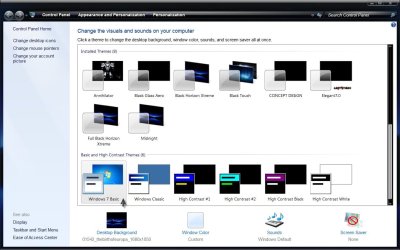
A Guy Righteous Dude Guru VIP SF Team Local time 6:07 PM Messages 33,044 Location Bay Area Nov 7, 2010 #2 Welcome to Seven Forums chaoticpath. If you use the Basic theme, the picture is on the start menu like the picture: Or, you could remove the picture: http://www.sevenforums.com/customization/96073-windows-7-start-menu-user-picture-remover.html A Guy My Computer My Computer At a glance Windows 10 Home x64INTEL Core i5-750 Quad-Core 3.37GHzHyperX Fury Black Series 8GB (2 x 4GB) 1866MhzEVGA GeForce GTX 750 Superclocked 1GB 128-Bit...Computer typePC/DesktopOSWindows 10 Home x64CPUINTEL Core i5-750 Quad-Core 3.37GHzMotherboardASUS P7P55DMemoryHyperX Fury Black Series 8GB (2 x 4GB) 1866MhzGraphics Card(s)EVGA GeForce GTX 750 Superclocked 1GB 128-Bit GDDR5Monitor(s) DisplaysLG 32MA68HY 32" IPSScreen Resolution1920 x 1080Hard DrivesSamsung 840 Evo 120GB, SEAGATE 500GB Barracuda® 7200.12, SATA 3 Gb/s, 7200 RPM, 16MB cachePSUANTEC TruePower New TP-550, 80 PLUS, 550WCaseANTEC Three Hundred IllusionCoolingCOOLER MASTER Hyper 212 Plus, 4 x 120mm 1 x 140mm Noctua'sInternet Speed85 + MbpsAntivirusAvastBrowserVivaldi
Welcome to Seven Forums chaoticpath. If you use the Basic theme, the picture is on the start menu like the picture: Or, you could remove the picture: http://www.sevenforums.com/customization/96073-windows-7-start-menu-user-picture-remover.html A Guy
C chaoticpath New member Thread Starter Local time 9:07 PM Messages 4 Nov 7, 2010 #3 yea i noticed it changes with the basic form, but is there a way to change, and use it with my custom aero theme? My Computer My Computer At a glance OtherOSOther
yea i noticed it changes with the basic form, but is there a way to change, and use it with my custom aero theme?
A Guy Righteous Dude Guru VIP SF Team Local time 6:07 PM Messages 33,044 Location Bay Area Nov 7, 2010 #4 Not that I am aware of. It would take a reshack, or a 3rd party tool that I am not finding. Perhaps someone else will have a fix for you. A Guy My Computer My Computer At a glance Windows 10 Home x64INTEL Core i5-750 Quad-Core 3.37GHzHyperX Fury Black Series 8GB (2 x 4GB) 1866MhzEVGA GeForce GTX 750 Superclocked 1GB 128-Bit...Computer typePC/DesktopOSWindows 10 Home x64CPUINTEL Core i5-750 Quad-Core 3.37GHzMotherboardASUS P7P55DMemoryHyperX Fury Black Series 8GB (2 x 4GB) 1866MhzGraphics Card(s)EVGA GeForce GTX 750 Superclocked 1GB 128-Bit GDDR5Monitor(s) DisplaysLG 32MA68HY 32" IPSScreen Resolution1920 x 1080Hard DrivesSamsung 840 Evo 120GB, SEAGATE 500GB Barracuda® 7200.12, SATA 3 Gb/s, 7200 RPM, 16MB cachePSUANTEC TruePower New TP-550, 80 PLUS, 550WCaseANTEC Three Hundred IllusionCoolingCOOLER MASTER Hyper 212 Plus, 4 x 120mm 1 x 140mm Noctua'sInternet Speed85 + MbpsAntivirusAvastBrowserVivaldi
Not that I am aware of. It would take a reshack, or a 3rd party tool that I am not finding. Perhaps someone else will have a fix for you. A Guy