
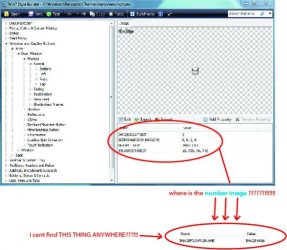
How do i edit 971 stream image???!!!!!
i already finish edit all the imag at : -
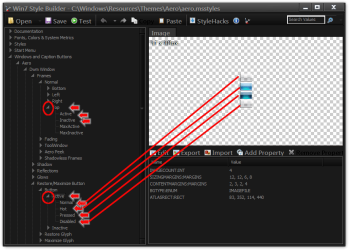
"Windows & Caption Buttons > Aero > DWM Window > Frames > Normal > Bottom , Left , Right and Top"
& " Windows & Caption Buttons > Aero > DWM Window > Restore /Maximize Button , Minimize/Help Button and Close Button"
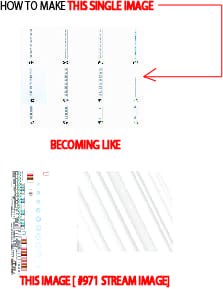
but all the image that i edit is a single image : -
- bottom image

- left image

- right image

- top image

so how do i combine / save/put all of the image that i edit to become just like this one:-
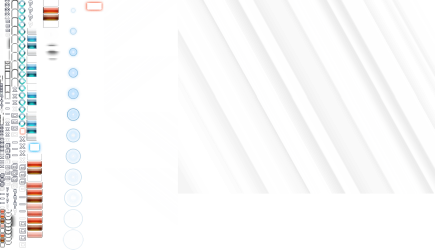
PLEASE HELP ME!!!!! SOMEBODY!!! I ALREADY FINISH EDIT AND SAVE ALL THE IMAGE BUT BECAUSE OF THIS " STREAM" THING I HAVE TO STOP MAKING A THEME!!!
i already finish edit all the imag at : -
"Windows & Caption Buttons > Aero > DWM Window > Frames > Normal > Bottom , Left , Right and Top"
& " Windows & Caption Buttons > Aero > DWM Window > Restore /Maximize Button , Minimize/Help Button and Close Button"
but all the image that i edit is a single image : -
- bottom image
- left image
- right image
- top image
so how do i combine / save/put all of the image that i edit to become just like this one:-
PLEASE HELP ME!!!!! SOMEBODY!!! I ALREADY FINISH EDIT AND SAVE ALL THE IMAGE BUT BECAUSE OF THIS " STREAM" THING I HAVE TO STOP MAKING A THEME!!!
My Computer
At a glance
Windows 7 Home Premium 32bit.
- OS
- Windows 7 Home Premium 32bit.

 .
.


