Hi,
I have this strange issue that I have never been able to find a solution maybe you can help me.
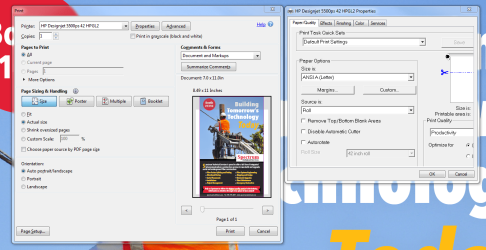
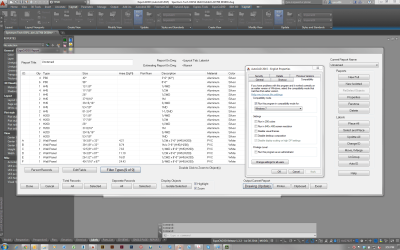
I am using a HP8540w with 1920*1080 resolution laptop where a windows7 pro 64bit comes built in. In the beginning the scaling was 120 DPI where I figured out that some applications behawe weird. So I swithched to the 96 dpi scaling (%100) and "XP style" is checked. Most of the problems gone but now I have an other annoying problem. In some applications the fonts are bigger that they do not fit in to the their text boxes.
The stranges thing is when I switch back to 120 dpi scaling the text boxes turn to normal.
See below

Any ideas?
Thanks in advance
I have this strange issue that I have never been able to find a solution maybe you can help me.
I am using a HP8540w with 1920*1080 resolution laptop where a windows7 pro 64bit comes built in. In the beginning the scaling was 120 DPI where I figured out that some applications behawe weird. So I swithched to the 96 dpi scaling (%100) and "XP style" is checked. Most of the problems gone but now I have an other annoying problem. In some applications the fonts are bigger that they do not fit in to the their text boxes.
The stranges thing is when I switch back to 120 dpi scaling the text boxes turn to normal.
See below

Any ideas?
Thanks in advance
My Computer
At a glance
Windows 7 Professional x64
- OS
- Windows 7 Professional x64