|
Welcome to Windows 7 Forums. Our forum is dedicated to helping you find solutions with any problems, errors or issues you are experiencing with Windows 7. The Windows 7 forum also covers news and updates and has an extensive Windows 7 tutorial section that covers a wide range of tips and tricks.
Windows 7 - Remove Explorer toolbar? |
08-08-2009
|
#1 | | Microsoft Windows 7 Ultimate x64 |
Remove Explorer toolbar? Hi.
Is there an easy way (setting, registry key, etc.) to remove the default toolbar on Explorer windows (the one with Organize, Share with, Burn, etc.)? It's just in the way since I never use it.
Thanks.
| My System Specs | | System Manufacturer/Model Number Myself OS Microsoft Windows 7 Ultimate x64 CPU Intel C2Q Q9550 Motherboard Asus P5Q-E Memory Corsair 4 GB Graphics Card Sapphire Radeon HD 4870 (512 MB) Sound Card Non-external Monitor(s) Displays LG Flatron Screen Resolution 1680x1050 Keyboard Logitech G15 (both versions) Mouse Logitech G5 2007 Ed. Internet Speed 10/10 Mbps fiber-optic |
08-08-2009
|
#2 | | Windows 7 Ultimate x64 + x86 + Windows 8 x64 |
As far as I am aware this is a hard coded item and as it is dynamic and changes dependent on what you are doing is not removeable | My System Specs | | System Manufacturer/Model Number Real World Computing (Me + a little help from Acer) OS Windows 7 Ultimate x64 + x86 + Windows 8 x64 CPU AMD Phenom II X6 1035T 2.6 GHz Motherboard Aspire M3400 Memory 4Gb PC10600 DDR3 1333 MHz Graphics Card NVIDIA GeForce 315 512MB Sound Card OnBoard - Realtek High Definition Audio Monitor(s) Displays Philips 32" HDTV, (HDMI) + 26" TV (VGA) Screen Resolution 1920 x 1080 @60Hz + 1360 x 768 @60Hz Keyboard Microsoft Wireless 800 or Stock Acer, (depends where I sit) Mouse Microsoft Wireless 800 or Stock Acer, (depends where I sit) PSU Stock (400W) Case Acer M3400 Cooling Stock Hard Drives 500 GB Seagate ST3500418AS SATA II
1 TB Hitachi HDS5C1010CLA382 SATAII
1 TB Samsung Spinpoint F1 HD103SI SATA II (external)
Plus various other (client ) HDDs as needed Internet Speed Temporaray 3G Dongle Other Info USB Capture + Webcam(s)
Also run Acer AspireOne 530h Netbook, Dual Core Atom + 1GB (Win7 Ult x86) |
08-08-2009
|
#4 | | |
It certainly is removable, it is a part of your shell dll file which is basically written in xml and can be edited with a resource editor. There was info (slightly buried) on the net for how to do this in vista.
There's a few things here though..
There's no easy way (that I know of)- I'll tell you what I know, and list the problems afterward. I haven't managed to see this through to completion.
1. Get a resource editor (eg: XN Resource Editor)
2. Open shell32.dll
3. Browse to the UIFILE section
4. It is just text in xml language. Just copy/paste the text for the following:
Copy the text from 11 to 12 (overwrite, not append)
Copy the text from 33 to 42 (overwrite, not append)
5. Save (overwrite the original shell32) and exit.
On Vista I had to give permissions to myself to rename the original shell32.dll (direct overwrite wouldn't work), save the modified shell32.dll to the desktop, then drag and drop the modified shell32.dll into the system32 folder)
6. Logoff and back on.
Now, for the problems:
A. 32 bit and 64 bit. I did this on Vista 32 bit and it worked perfectly. I'm not sure whether I am having problems with architecture changes in Windows 7 or whether it is moving to a 64 bit OS that is doing it (there is a shell32.dll in \system32 and also \SysWOW64). Yet again, there may not be any problem here at all, windows seems to be using the file from the system32 folder.
B. Permissions are a pain. Claiming ownership and granting full access to shell32.dll in \system32 didn't allow me to overwrite it. It did allow me to rename it... but then Windows 7 wouldn't copy the edited shell32.dll into system32. It also wouldn't let me rename my shell32.bak into shell32.dll, so I got stuck without a file at all. Without one, your OS is dead on reboot. I though it may have been a lack of folder permissions for the \system32 folder, so I tried fixing that but windows would instantly close the security settings dialog, stopping any changes being made. Luckily I dual boot, so I copied the file to my other OS and drag and dropped it in that way.
C. The file size drops from 13.5mb to 12.3mb after editing. Something isn't right there. Not surprisingly, Windows 7 had issues when I tried to boot. Recovering from this wasn't a real issue, I dropped a backup of the original into the folder by booting to my other OS.
It might not be as bad as it all sounds. A change to a working resource editor (Problem C) + linux live cd to copy the file over might do it. That's if the resource editor I was using was the trouble.
Perhaps someone can pick this up where I left off and get it to work? I don't think I can go any further with it. It may also be markedly easier with a 32bit version of Windows 7 (I expect it would be). | My System Specs | | |
08-09-2009
|
#5 | | Microsoft Windows 7 Ultimate x64 |
Thanks, gumballguy. I didn't get it to work, but it's rather interesting and helpful information.
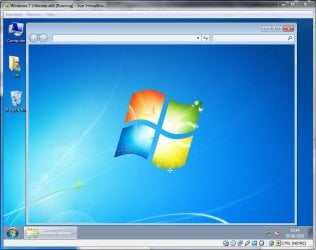
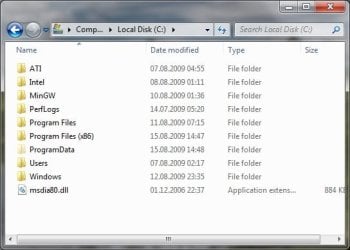
Have experimented a bit with this with Windows 7 (x64) in VirtualBox, with no luck. Ended up getting only the window frame on Explorer windows, check the attachment.
Most resource editors failed me, including XN Resource Editor when trying to save the changes. And to actually get shell32.dll back into the system32 folder, I had to boot into XP.
Yet, I'm still obsessed with getting rid of that toolbar. | My System Specs | | System Manufacturer/Model Number Myself OS Microsoft Windows 7 Ultimate x64 CPU Intel C2Q Q9550 Motherboard Asus P5Q-E Memory Corsair 4 GB Graphics Card Sapphire Radeon HD 4870 (512 MB) Sound Card Non-external Monitor(s) Displays LG Flatron Screen Resolution 1680x1050 Keyboard Logitech G15 (both versions) Mouse Logitech G5 2007 Ed. Internet Speed 10/10 Mbps fiber-optic |
08-11-2009
|
#6 | | |
What editors have you tried?
Also what on earth do you google for to find alternatives?
Don't forget to post back here if you get it to work. I hate that toolbar too. | My System Specs | | |
08-11-2009
|
#7 | | |
In Vista works fine. I think Windows 7 also.
You need Restorator and a editor (notepad)
C:\Windows\Resources\Theme name\Shell\NormalColor Shellstyle.dll
Open with Restorator and looks for
UIFILE\1.txt
Looks for:
<style resid="FolderBandStyle">
Add to a new line:
<Element padding="rect(0rp,0rp,0rp,-32rp)"/>
Can you see in the german deskmodder-Wiki | My System Specs | | |
08-12-2009
|
#8 | | Microsoft Windows 7 Ultimate x64 |
gumballguy: RedEdit, Resource Hacker, XN Resource Editor, Resource Tuner and Restorator. I believe Restorator was the only one to successfully edit shell32.dll and shellstyle.dll. But the trial version has a dumb "limitation": Adds texts ("Patched with Restorator" etc.) to MENU, DIALOG, and VERSION resources upon saving.
My creativity when it comes to searching is very limitted, so it's mostly the obvious terms, like "resource editor", "resource hacker" and so on. I'm still looking for the ultimate resource editor, preferably open-source. moinmoin: Well, I wanted to literally get rid of it. But if that's the only way, I'll get over it. But I still couldn't get it to work. Ended up getting only the window frame again (as in the screenshot in my previous post).
And this whole permission/security mess is pissing me off. At one point both my System32 and SysWOW64 folders was missing their shell32.dll, yet Windows 7 booted fine and Explorer worked fine. But I couldn't put a new shell32.dll in either of the folders, so had to get over on XP again to fix it. I assume Windows 7 used one of its backup files directly - which is kind of confusing, how can I be certain Windows 7 is using my modified DLLs instead of some backup DLLs?
Anyways, I'll guess my next step is to experiment a bit with those files in Hex Workshop (which is pretty awesome, but it's a 1 month evaluation version).
Thank God for virtual machines, without it I would've given up or gone insane. | My System Specs | | System Manufacturer/Model Number Myself OS Microsoft Windows 7 Ultimate x64 CPU Intel C2Q Q9550 Motherboard Asus P5Q-E Memory Corsair 4 GB Graphics Card Sapphire Radeon HD 4870 (512 MB) Sound Card Non-external Monitor(s) Displays LG Flatron Screen Resolution 1680x1050 Keyboard Logitech G15 (both versions) Mouse Logitech G5 2007 Ed. Internet Speed 10/10 Mbps fiber-optic |
08-13-2009
|
#9 | | |
Well, I tried it too. "Resourcer" is open source, perhaps that helps. Anolis - Release: Resourcer 0.8.9 Beta
I didn't manage to get it to work. I tried editing the C:\Windows\Resources\Theme name\Shell\NormalColor Shellstyle.dll.
It first didn't look like it had saved. I booted to XP to overwrite the file and XP wouldn't even let me overwrite the file on the Windows 7 partition! I've never seen something like that before... baffling. Maybe I have gone out of my mind. I went back to Windows 7 and it did seem to have saved the changes, they were there when I opened the file in restorator at least. However, nothing actally happened. No difference in the GUI whatsoever.
Colour me confused. I'm not used to things I can't troubleshoot :/ | My System Specs | | |
08-15-2009
|
#10 | | |
Overwrite is not good.
You must patched your uxtheme.dll
Rename the shellstyle.dll in shellstyle.dll.bak, then copy the new shellstyle.dll in your folder. | My System Specs | | Remove Explorer toolbar? problems? All times are GMT -5. The time now is 09:13 AM. |  |