How to edit the context menu items for shortcuts?

AbhishekS

Fun lover
After discussing lot in this thread, How do I password protect a folder/file?, I finally installed Kruptos 2 Professional.

Now that it is installed and everything seemed to be working fine, this small thing is irritating me a bit.

The context menu item for Kruptos appears only once for every file, which is normal but when I right click on a shortcut, it appears twice. I know that nobody encrypts a shortcut file, but still it looks bad when right clicked (see the images attached).

So can someone say that how do I edit the context menu items for shortcut files from regedit? I have looked up for Kruptos in ContextMenuHandlers and there are many and I can't understand which one to delete from regedit. Please help!

Thanks.
 

Attachments

  • Untitled.png
    Untitled.png
    51.2 KB · Views: 16
  • Untitled2.png
    Untitled2.png
    175.6 KB · Views: 15

My Computer

Computer Manufacturer/Model Number
Acer Aspire 5738G
OS
32-bit Windows 7 Home Premium & Windows 8 Release Preview

CPU
Intel(R) Core(TM)2 Duo
Motherboard
Acer JV50
Memory
4 GB RAM DDR3
Graphics Card(s)
NVIDIA GeForce G 105M
Sound Card
Realtek High Definition
Monitor(s) Displays
1x Generic PnP Monitor
Screen Resolution
1366 x 768 - 32 bit
Hard Drives
C: (263 GB)
K: (24.3 GB)
Keyboard
Acer Inbuilt
Mouse
5 Button Wheel Laser Mouse
Internet Speed
3 MBPS Download and 2 MBPS Upload
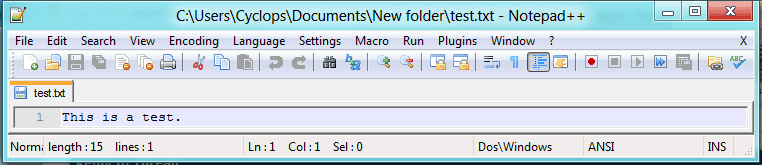
That is perfectly normal. Here is what I get with a test file and a shortcut to the same:

Capture2.PNG Capture3.PNG

As you can see, right-clicking on the shortcut icon gives me 2 instances of Edit with Notepad++ in the context menu. The first of these (the upper one) is the same as the one I got when right-clicking the file itself (see above).

There is a difference between the two. The upper one pertains to the file itself (LH image below), whereas the lower one relates to the shortcut (RH image below).

Capture.PNG Capture1.PNG

I don't know a method of removing the second instance whilst still keeping the first. Sorry. :(
 

My Computer

Computer type
PC/Desktop
Computer Manufacturer/Model Number
Dwarf Dwf/11/2012 r09/2013
OS
Windows 8.1 Pro RTM x64
CPU
Intel Core-i5-3570K 4-core @ 3.4GHz (Ivy Bridge) (OC 4.4GHz)
Motherboard
ASRock Z77 Extreme4-M
Memory
4 x 4GB DDR3-1600 Corsair Vengeance CMZ8GX3M2A1600C9B (16GB)
Graphics Card(s)
MSI GeForce GTX770 Gaming OC 2GB
Sound Card
Realtek High Definition on board solution (ALC 898)
Monitor(s) Displays
ViewSonic VA1912w Widescreen (VGA)
Screen Resolution
1440x900
Hard Drives
OCZ Agility 3 SSD 120GB SATA III x2 (RAID 0)
Samsung HD501LJ 500GB SATA II x2
Hitachi HDS721010CLA332 1TB SATA II
Iomega 1.5TB Ext USB 2.0
WD 2.0TB Ext USB 3.0
PSU
XFX Pro Series 850W Semi-Modular
Case
Gigabyte IF233
Cooling
1 x 120mm Front Inlet 1 x 120mm Rear Exhaust
Keyboard
Microsoft Comfort Curve Keyboard 3000 (USB)
Mouse
Microsoft Comfort Mouse 3000 for Business (USB)
Internet Speed
NetGear DG834Gv3 ADSL Modem/Router (Ethernet) ~4.0 Mb/s (O2)
Antivirus
Avast! 8.0.1497
Browser
IE 11
Other Info
Optical Drive: HL-DT-ST BD-RE BH10LS30 SATA Bluray
Lexmark S305 Printer/Scanner/Copier (USB)
WEI Score: 8.1/8.1/8.5/8.5/8.25
Asus Eee PC 1011PX Netbook (Windows 7 x86 Starter)
Oh thanks, no worries if it's normal. As you said the two options are for different files (original and shortcut) I'm not looking forward to remove it from the context menu now.

Thanks again! :)
 

My Computer

Computer Manufacturer/Model Number
Acer Aspire 5738G
OS
32-bit Windows 7 Home Premium & Windows 8 Release Preview
CPU
Intel(R) Core(TM)2 Duo
Motherboard
Acer JV50
Memory
4 GB RAM DDR3
Graphics Card(s)
NVIDIA GeForce G 105M
Sound Card
Realtek High Definition
Monitor(s) Displays
1x Generic PnP Monitor
Screen Resolution
1366 x 768 - 32 bit
Hard Drives
C: (263 GB)
K: (24.3 GB)
Keyboard
Acer Inbuilt
Mouse
5 Button Wheel Laser Mouse
Internet Speed
3 MBPS Download and 2 MBPS Upload
right click hkey classes root and click find - type in Kruptos 2 Professional and search - delete one of them
 

My Computer

Computer Manufacturer/Model Number
Amilo M3438g
OS
Windows 7 Home Premium 32bit
CPU
?
Motherboard
?
Memory
2GB Ram
Graphics Card(s)
nVidia GeForce 6800
Sound Card
Realtek
Monitor(s) Displays
Laptop Screen
Screen Resolution
1440x900
Hard Drives
2 - HDD
PSU
?
Case
Laptop
Cooling
?
Keyboard
UK Layout - into laptop
Mouse
Microsoft Wireless Mobile Mouse 1000
Internet Speed
30mbps (VirginMedia)
Other Info
Fujitsu Siemens Computers Amilo M3438G with 2GHz Processor
Back
Top