
thomasblake222
Banned
Hi, I found this pic on the internet:
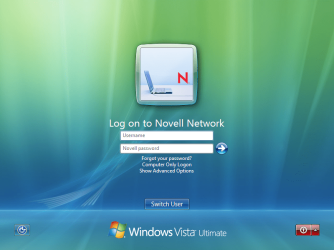
I was wondering how to put a picture in the box which on the picture has a laptop and how to change the text of the words "Username" and "Password"
Do I need to change a registry or edit a file.
Thanks,
Thomas
I was wondering how to put a picture in the box which on the picture has a laptop and how to change the text of the words "Username" and "Password"
Do I need to change a registry or edit a file.
Thanks,
Thomas
My Computer
At a glance
Windows 7 Home Premium 32bit?2GB RamnVidia GeForce 6800
- Computer Manufacturer/Model Number
- Amilo M3438g
- OS
- Windows 7 Home Premium 32bit
- CPU
- ?
- Motherboard
- ?
- Memory
- 2GB Ram
- Graphics Card(s)
- nVidia GeForce 6800
- Sound Card
- Realtek
- Monitor(s) Displays
- Laptop Screen
- Screen Resolution
- 1440x900
- Hard Drives
- 2 - HDD
- PSU
- ?
- Case
- Laptop
- Cooling
- ?
- Keyboard
- UK Layout - into laptop
- Mouse
- Microsoft Wireless Mobile Mouse 1000
- Internet Speed
- 30mbps (VirginMedia)
- Other Info
- Fujitsu Siemens Computers Amilo M3438G with 2GHz Processor
