defaultuser000
New member
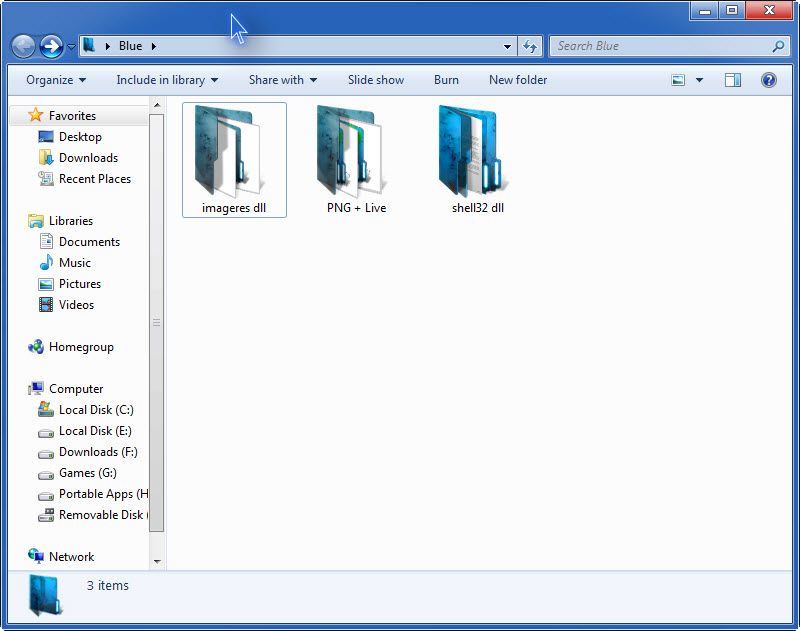
Okay I've been playing around icons from deviantart.com; by editing the folder icons in imageres.dll
So I managed to get the files modified then as I logged into windows I saw there were a scattered number of folders that still had the old icons. I right-clicked on the folder and checked the customize tab and at the bottom the default icon shows the new icon. I can't figure out why the icon still shows the old icon but the customize tab shows the new one.
Then I checked out Brink's Rebuild_Icon_Cache.bat here:
http://www.sevenforums.com/tutorials/49819-icon-cache-rebuild.html
After using the batch file some of the icons still wouldn't display correctly even though the customize tab in all of them shows the new icon.
I checked in appdata for the iconcache.db file and manually deleted and recreated it but it still didn't fix the rebuild problem. I even used a third party program like sysicon that has a refresh icon option but that didn't help either.
Has anyone run into this problem?
So I managed to get the files modified then as I logged into windows I saw there were a scattered number of folders that still had the old icons. I right-clicked on the folder and checked the customize tab and at the bottom the default icon shows the new icon. I can't figure out why the icon still shows the old icon but the customize tab shows the new one.
Then I checked out Brink's Rebuild_Icon_Cache.bat here:
http://www.sevenforums.com/tutorials/49819-icon-cache-rebuild.html
After using the batch file some of the icons still wouldn't display correctly even though the customize tab in all of them shows the new icon.
I checked in appdata for the iconcache.db file and manually deleted and recreated it but it still didn't fix the rebuild problem. I even used a third party program like sysicon that has a refresh icon option but that didn't help either.
Has anyone run into this problem?
Last edited:
My Computer
- OS
- 7 Pro