
blitzshockz
New member
- Local time
- 1:09 PM
- Messages
- 9
i stalled the icon packager on my windows and i uninstalled the program now my icon gone weird and i try the Icon Cache .db and system file checker and none worked..
i also tried to install back the icon packager but it give some error..


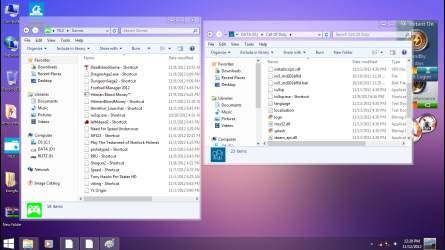
this is what look like in my laptop btw i used windows7 home premium x64
thats just a theme..
i also tried to install back the icon packager but it give some error..
this is what look like in my laptop btw i used windows7 home premium x64
thats just a theme..
My Computer
At a glance
windows home premium x64Intel Core i5 3210mnvidia 610m
- OS
- windows home premium x64
- CPU
- Intel Core i5 3210m
- Graphics Card(s)
- nvidia 610m


