
| Windows 7: How to Downgrade Windows Media Player 12 to WMP 11 on Windows 7 |
21 Mar 2009
|
#1 | | windows7 build7100 64x,xpsp3 india |
How to Downgrade Windows Media Player 12 to WMP 11 on Windows 7 Dear All
I found something interesting topic on google search.
how to change WMP 12 to WMP11
If you are one such user, unconformable with WMP 12 then here is the way to downgrade your Windows 7 WMP 12 to Window Media player 11. Thanks who has made Windows Media Player 11 installer for Windows 7. How to Downgrade Windows Media Player 12 to Windows Media Player 11 on Windows 7
1. Download Windows Media Player 11 Installer for Windows 7
2. Now Type services.msc on windows 7 search bar
3. Stop Windows Media Player network Sharing Service.
4. Take Ownership of following files
All files in “ Program Files\Windows Media Player\” folder All files starting with “wmp” in System32 folder wmploc.dll.mui in “Sytem32\en-us\” folder
5. Now Run Windows Media Player 11 Installer
6. Now type Regedit on Start Menu Search bar
7. Delete following Registry key HKEY_LOCAL_MACHINE\Software\Microsoft\MediaPlayer\Setup\Installed Versions“
(Don’t forget to take Backup of Registry before modifying/editing/deleting any registry key)
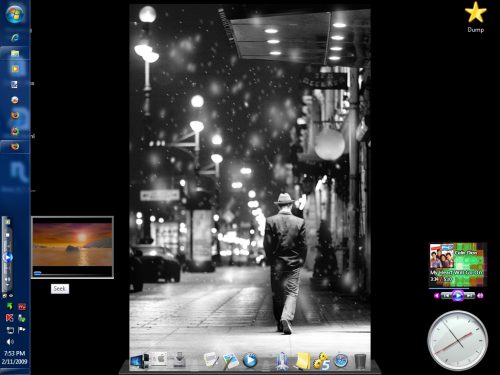
8. Reboot your Windows 7 Screenshot of Windows Media Player 11 in Widows 7 (Media Player Gadget) Please Note :I will not be responsible if you damage your Windows 7 with above information. Do it at your own risk. I have not created or nor host any files for download here. ( not tested by me ).
thank you .
(Note: If you found this stuff is useful or interesting dont forget to give me reputation) | My System Specs |
| System Manufacturer/Model Number HP NX6115 OS windows7 build7100 64x,xpsp3 Motherboard Board: Hewlett-Packard 308E KBC Version 45.27 Memory 1500 Megabytes Sound Card Conexant AC-Link Audio Monitor(s) Displays ATI RADEON XPRESS 200M SERIES [Display adapter] Digital Flat Hard Drives 160 gb |
15 Apr 2009
|
#2 | | |
This thing worked for me. Thanks Yogi! Was happy to get rid of the disgusting WMP12.
Only Microsoft can downgrade in the name of upgrade. WMP12 doesn't have many useful features of WMP11. Like increase in playback speed. | My System Specs | | |
15 Apr 2009
|
#3 | | Vista H.P. SP1 x32 Seven RC x64 |
I really miss the mini player of WMP11 
"Now playing" panel is such a bad idea, and have no sens at all for me.
Maybe will I switch back to WMP11 thanks to you | My System Specs | | OS Vista H.P. SP1 x32 Seven RC x64 CPU Q6600 @ 3.4Ghz Motherboard GA-EP45-DS3L Memory 4Go PC2-6400 Graphics Card 8500GT @ 700/500 Sound Card Audigy Platinium Monitor(s) Displays Mitsubishi Diamond Pro 920 + Mitsubishi Diamond Pro 720 Screen Resolution 1600x1200 twice Keyboard MS Wireless Multimedia 6000 V2.0 Mouse IntellEye Explorer 3.0 PSU Corsair VX550W Case Thermaltake Xaser III Cooling Watercooling (CPU, GPU, HDD, NB) Hard Drives Hitachi 160Go
Maxtor 160Go (system drive)
Maxtor 200Go in Antec MX-1 EC external box (eSATA-USB2.0) Internet Speed ADSL 18Mbit/s/1Mbit/s |
15 Apr 2009
|
#4 | | Windows 7 x64 Ultimate Retail |
When I upgraded to 7077 I was severely annoyed WMP 12 decided to *automatically* record everything in my libraries. I don't even use WMP for video files, but need to keep it on hand for viewing DVD's and Windows streaming media files. Anyways, I had to resort to denying write access to CurrentDatabase_372.wmdb in the AppData folder to prevent it from cataloging my files (but not before I had spent an hour dorking around in the settings trying to find an option to manaually manage the library). By the time I had made the change, it had a 900 MB database file and 1.2 gigabytes of cover thumbnails (which I promptly deleted) -- talk about bloat! | My System Specs | | OS Windows 7 x64 Ultimate Retail |
15 Apr 2009
|
#5 | | |
Thanks yogi :P I could use this to help a friend. I personally love WMP12 though, and think its leagues better than WMP11. 
Quote: Originally Posted by sgsawant Only Microsoft can downgrade in the name of upgrade. WMP12 doesn't have many useful features of WMP11. Like increase in playback speed. Huh? Of what do you speak good sir, 12 has everything 11 had and more from my observations. Play speed settings can be easily accessed by right clicking the now playing screen or simply pressing the alt button and navigating the menus towards the enhancements. I use play speed settings all the time. 
Quote: Originally Posted by LePoilu I really miss the mini player of WMP11 
"Now playing" panel is such a bad idea, and have no sens at all for me.
Maybe will I switch back to WMP11 thanks to you  The miniplayer would be nice to have back, but with aeropeek I find I hardly miss it personally. Still, it would be nice as an option.
The purpose of the now playing panel is that its much lighter than having everything in one window like before. Thats why WMP12 opens much quicker for us folk on slower hardware.
I prefer WMP12 because it is much more minimalist and stuffies. It's just "nicer" to me. | My System Specs | | System Manufacturer/Model Number Compaq CQ50-107NR OS Windows 7 Build 7077 x64 CPU AMD Athlon Dual Core QL-60 - 1.9Ghz Memory 2GB Graphics Card NVIDIA GeForce 8200 M G Screen Resolution 1280 x 800 Hard Drives 120GB, Not sure of RPM but prolly 5400 or lower. |
17 Apr 2009
|
#6 | | Windows 7 Ultimate x64 SP1 Somewhere on the 3rd rock from the sun. |

Quote: Originally Posted by sgsawant This thing worked for me. Thanks Yogi! Was happy to get rid of the disgusting WMP12.
Only Microsoft can downgrade in the name of upgrade. WMP12 doesn't have many useful features of WMP11. Like increase in playback speed. 
Quote: Originally Posted by napilopez Thanks yogi :P I could use this to help a friend. I personally love WMP12 though, and think its leagues better than WMP11. 
Quote: Originally Posted by sgsawant This thing worked for me. Thanks Yogi! Was happy to get rid of the disgusting WMP12.
Only Microsoft can downgrade in the name of upgrade. WMP12 doesn't have many useful features of WMP11. Like increase in playback speed. Huh? Of what do you speak good sir, 12 has everything 11 had and more from my observations. Play speed settings can be easily accessed by right clicking the now playing screen or simply pressing the alt button and navigating the menus towards the enhancements. I use play speed settings all the time. Agreed - CTRL + SHIFT + G is play fast, N is for normal, and (I think) B is for slow, if you don't want to use the slider.... 
Quote: Originally Posted by sgsawant The miniplayer would be nice to have back, but with aeropeek I find I hardly miss it personally. Still, it would be nice as an option.
The purpose of the now playing panel is that its much lighter than having everything in one window like before. Thats why WMP12 opens much quicker for us folk on slower hardware.
I prefer WMP12 because it is much more minimalist and stuffies. It's just "nicer" to me. Again, agreed. | My System Specs | | Computer type PC/Desktop System Manufacturer/Model Number The Beast Model V OS Windows 7 Ultimate x64 SP1 CPU Core i7 965 EE @3.6 GHz Motherboard eVGA x58 Classified3 Memory 3 * 4GB Mushkin Enh Redline CL7 DDR3 1600 MHz (PC3-12800) Graphics Card eVGA 560 Ti 448 Core Classified + eVGA GTX260 SSC (PhysX) Sound Card Realtek HD Audio (on-board) Monitor(s) Displays 2 * Acer X213Wbd Screen Resolution 2 * 1680 x 1050 Keyboard Logitech G15 Keyboard Mouse Logitech Performance Mouse MX PSU ThermalTake BlackWidow TX TR2 850 W Case ThermalTake Level 10 GT (Black) Cooling Corsair H100 CPU | 2 * TT 140mm TriLED | 2 * Antec TriCool Hard Drives 1 * Intel Cheryville 520 180 GB SATA III SSD |
1 * Intel X-25M G2 80 GB SATA II SSD |
2 * Seagate 1 TB 32MB Cache 7200.12 SATA II Mech. Internet Speed Cable - 35 Mbit down / 12 Mbit up advertised (30 / 6 act.) Antivirus M$Se / MBAM Pro / WinPatrol Pro Browser Chome(dev) / Canary / Firefox Minefield / Opera Next / IE 10 Other Info Wacom Bamboo Touch |
Hauppauge WinTV-HVR-1850 |
Optimus STAV-3400 AV Receiver |
Bose 301 Series III Speakers (Main channel) |
Bose 161 Speakers (Surround) |
Optimus 3 way 100-W speaker (Center) |
Logitech Clearchat PC Wireless Headset |
Koss ProDJ 100 Headphones |
Microsoft LifeCam Studio |
Motorola Droid BIONIC |
ASUS Transformer Infinity 64GB |
29 Apr 2009
|
#7 | | Dual boot, Windows 7 x64, WinX86, XP Pro |
Thank you very much, man. WMP12 was good at first, because I didnt have that annoying store button but after some time i realized its ability to find music was horrible and didnt work over network. | My System Specs | | System Manufacturer/Model Number Asus - Self Made OS Dual boot, Windows 7 x64, WinX86, XP Pro CPU Asus-SLI/Nvida Motherboard A8N-SLI Memory 4gb Kingston Graphics Card Nvida - 8600 GT Sound Card On Board - Realtek 97' Monitor(s) Displays Dell 1907FP(DIGITAL), NEC LCD 1760NX, Generic - NON - pnp M Keyboard Logitech Trackball, and Mouse, Keyboard Mouse Logitech Hard Drives 4 hard drives
400gb |
07 May 2009
|
#8 | | Dual boot, Windows 7 x64, WinX86, XP Pro |
hey i have done what u said. and i would like to say thank you. everything that you said worked perfectly.
now that being said. i need to know how to undo it. yes i know but why. well i have recently upgraded another computer on the network, and i would like to start streaming media.
(this option is taken out of the wmp 11 version for windows 7)
so if you can .please let me know how to undo the downgrade. if this is not possible then i will have to reformat.
Last edited by dsw274; 07 May 2009 at 01:17 AM..
Reason: adding reason
| My System Specs | | System Manufacturer/Model Number Asus - Self Made OS Dual boot, Windows 7 x64, WinX86, XP Pro CPU Asus-SLI/Nvida Motherboard A8N-SLI Memory 4gb Kingston Graphics Card Nvida - 8600 GT Sound Card On Board - Realtek 97' Monitor(s) Displays Dell 1907FP(DIGITAL), NEC LCD 1760NX, Generic - NON - pnp M Keyboard Logitech Trackball, and Mouse, Keyboard Mouse Logitech Hard Drives 4 hard drives
400gb |
07 May 2009
|
#9 | | |
Didin't work for me. I tried multiple ways of taking control of the files (which i've done before) and it just gave errors when trying to install. Now i don't have 11 or 12. I have no media player | My System Specs | | |
07 May 2009
|
#10 | | Dual boot, Windows 7 x64, WinX86, XP Pro |
not working for you 
Quote: Originally Posted by ephumuris Didin't work for me. I tried multiple ways of taking control of the files (which i've done before) and it just gave errors when trying to install. Now i don't have 11 or 12. I have no media player  what version of windows 7 are you running.
computer properties should tell you. if not go to
start menu>access ores>system tools>
click the system information button and it will tell you the exact OS that you have please post it.
I would very much like to figure out why its not working for you. | My System Specs | | System Manufacturer/Model Number Asus - Self Made OS Dual boot, Windows 7 x64, WinX86, XP Pro CPU Asus-SLI/Nvida Motherboard A8N-SLI Memory 4gb Kingston Graphics Card Nvida - 8600 GT Sound Card On Board - Realtek 97' Monitor(s) Displays Dell 1907FP(DIGITAL), NEC LCD 1760NX, Generic - NON - pnp M Keyboard Logitech Trackball, and Mouse, Keyboard Mouse Logitech Hard Drives 4 hard drives
400gb How to Downgrade Windows Media Player 12 to WMP 11 on Windows 7 problems? All times are GMT -5. The time now is 09:09 AM. | |