Quote: Originally Posted by
ahamprema
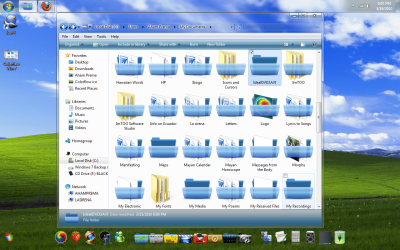
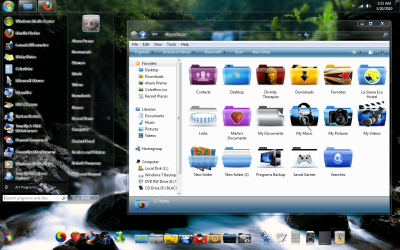
I think I may not have been clear in my last post the everything is working fine except not all the folders are changing to the new ones I have placed in the new imageres.dll. Some change and some do not, and doing a restore cache does not seem to add the new icons throughout Windows 7 especially in windows system files some change many do not so I have to change them manually with Microangelo if I what them to change. Microangelo just allows me to change any folder either in properties or by right clicking the file I want to chjange and choosing change icon. I am sure I have changed all the necessary icon groups but the folders still do not all change and it looks pretty random. When you have changed you icons do they all change throughout your windows?
I may be joining this discussion a bit late but I was having the same issue with not all folders "changing" so I thought I would throw my two-pennorth worth in and joined the forum to share what I had discovered.
I've found the solution though, and (I think) what you will find is happening is that the folders that are not changing are the ones that contain sub-folders,
but no files !!
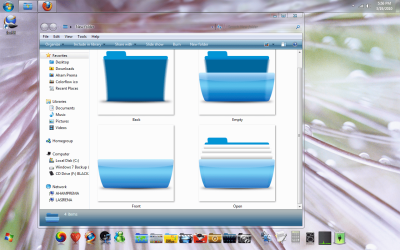
What you need to do is create a folder back, with an inside, but no front similar to the attached images, or just a plain back, but then empty folders are not so easily spotted immediately.
You then need to place this in your imageres.dll file. The location to place your icon is:-
In Reshacker:- Icon Group 162
In Microangelo Librarian:- imageres 154
In Restorator:- Icon (Group) 162
In anything else:- You're on your own !!
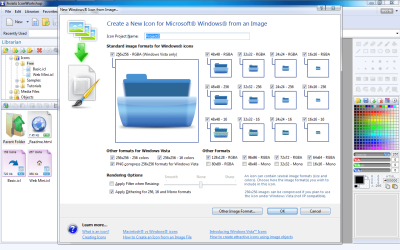
B.T.W. The only icon sizes I create are:- 256x256 RGBA, 64x64RGBA, 48x48RGBA, 32x32RGBA, 24x24RGBA, 16x16RGBA. No problems so far.
Regards
Elmer BeFuddled