This is silly
Like acepl, sorry to jump on such an old thread, but this issue still exists and I'm really looking for a solution.
There are very valid reasons to want to view system and hidden files/directories. I'm a developer and I need access to the AppData folder under the user profile and/or the ProgramData directory off of root.
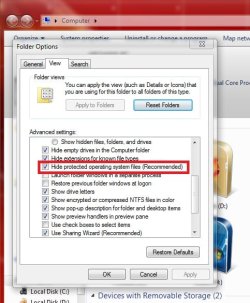
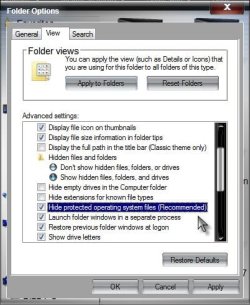
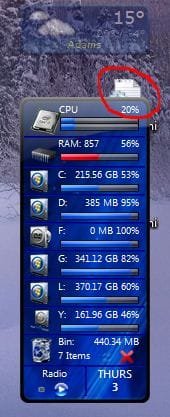
So I have "Show hidden files, folders and drives" checked for all folder views. This, of course, exposes the desktop.ini icon(s) on the Desktop (and yes, I have two... because, as someone said, one comes from the shared/pubic desktop and the other from the desktop of the current user profile).
The problem really is that Windows no longer seems to adhere to the individual folder views I try to set up. Used to be I could go into the view settings for a particular folder, and make changes to just that view, and it wouldn't be propagated to other folders unless I clicked on "Apply to Folders". But now, it seems that whatever changes I make to a view get applied to all folders whether I click that button or not.
For instance, I went to the desktop folder and made the change to hide hidden files, wanting it to be applied to just the desktop folder, but instead hidden files were no longer shown in ANY folder views.
This doesn't seem that difficult, and isn't the "10 layers deep" complexity that has been stated here. It's simply a matter of being able to apply different settings to different folder views... like we used to be able to do. Period.
Maybe there's a Windows 7 power tool that restores this ability (and actually makes the "Apply to folders" button mean something?
EDIT: Finally found a solution buried in my Google results.
Nevermore Be Bothered by Desktop.ini | A High-Tech Blech!
Basically use RegEdit to create a new DWORD key
HKEY_LOCAL_MACHINE\SOFTWARE\Microsoft\Windows\CurrentVersion\Policies\Explorer\UseDesktopIniCache
and set it to 0 (zero)
Delete any existing desktop.ini files on the desktop, and they will never reappear.