Windows 7 Forums Search
Welcome to Windows 7 Forums. Our forum is dedicated to helping you find solutions with any problems, errors or issues you are experiencing with Windows 7. The Windows 7 forum also covers news and updates and has an extensive Windows 7 tutorial section that covers a wide range of tips and tricks.


Windows 7 - StartOrbz Genuine Creations

04-20-2010   #21


Windows 7 Home Premium


Now this may be a stupid question, but how can I get my own orbs to be the shape of the image itself, without any background, like the sonic/ Frog start orbs posted by Blizarro? Thanks.

My System SpecsSystem Spec
04-20-2010   #22


Windows Pro 64bit


You need to delete the background behind the image with Photoshop, Gimp etc.
Or try to find a png of an image you want to make into a start orb!!
My System SpecsSystem Spec
04-20-2010   #23


Windows 7 64bit


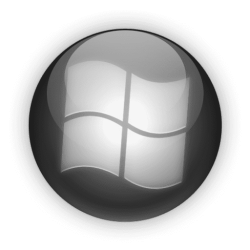
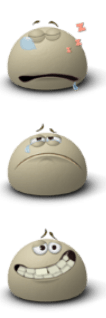
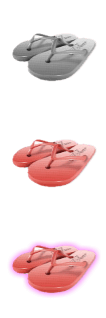
Here is mine but for some reason it kinda cuts the top off
Attached Images
 
My System SpecsSystem Spec
.


04-20-2010   #24


Windows 7 64bit


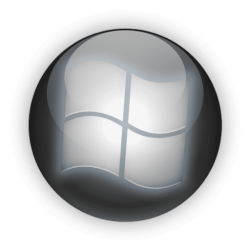
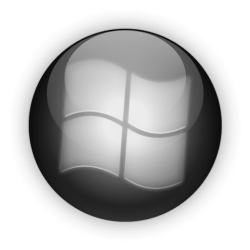
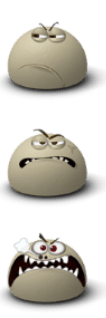
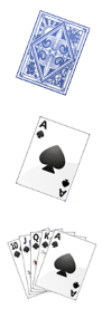
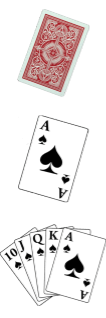
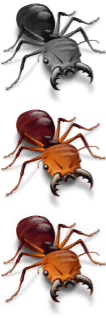
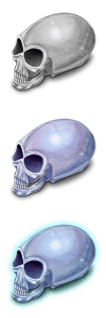
Heres three more. the second and third I just switched the middle and last icon
Attached Images
   
My System SpecsSystem Spec
04-21-2010   #25


Win 7


Hello,i am new in this forum.You are doing a great job here guys! I would like to make a question,i recently download the Startorbz and i wanted to change my start button,for test i download the chicken with the Ak 47 image and i use it,it works fine.When i donwload another image with the ending .bmp the program couldn't find it,cause it works only with png.So i went to photoshop and i save the file as a png,but the program says the following message.Unfortunately StartOrbz was unable to add "Blahblah.png" to your collection. Please make sure the orb you selected is a genuine StartOrbz creation.What i am doing wrong?
My System SpecsSystem Spec
04-21-2010   #26


Windows 7 64bit


First let me say welcom to the forum. First what you need to do is right click on the chicken and say save picture as then save as a ping. Then open start Orb and select more then hit Import and select the Chicken you should have them on you file then click apply. Hope this helps.
My System SpecsSystem Spec
04-21-2010   #27


Win 7


The chicken is already a png,i told you that the chicken works fine,all i am asking is how can i download a bmp or a jpg image and the use it in the start orb.I have tried to change from bmp to png from photoshop but the program doesn't accept it.
My System SpecsSystem Spec
04-21-2010   #28


Windows 7 64bit


all you have to do is download the image as a png first then click new and it should load into the program.
I will look into changing a .bmp or jpeg into a png

Last edited by tbone1321; 04-21-2010 at 09:45 AM.. Reason: I d
My System SpecsSystem Spec
04-21-2010   #29


Win 7


Ok if you have any news tell me,thanks!
My System SpecsSystem Spec
04-21-2010   #30


Windows 7 64bit


What version of photoshop do you have. Because I just saved a .bmp file as a png file and it loaded for me fine. are you doing save as. Send me the picture that is giving you problems in .bmp and I will see if I can find out whats wrong.
My System SpecsSystem Spec
Reply

 StartOrbz Genuine Creations problems?


Thread Tools


Similar Threads for: StartOrbz Genuine Creations
Thread Forum
Error applying Start Orb with StartOrbz Studio Customization
Genuine Windows suddenly not genuine. A solution? Windows Updates & Activation
StartOrbz - Start Orb Manager & Creator Customization
StartOrbz Bitmap With Alpha Channel Customization


All times are GMT -5. The time now is 11:20 AM.


Windows 7 Forums is an independent web site and has not been authorized,
sponsored, or otherwise approved by Microsoft Corporation.
"Windows 7" and related materials are trademarks of Microsoft Corp.
© Designer Media Ltd
  

1 2 3 4 5 6 7 8 9 10 11 12 13 14 15 16 17 18 19 20 21 22 23 24 25 26 27 28 29 30