The following is an extract from from an Article by Paul Thurrott on his Review of Windows 7
"Devices and Printers Tool
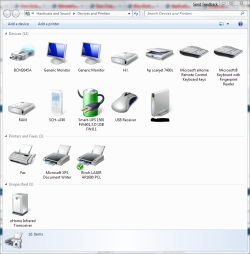
I mentioned this feature in my Windows 7 Beta review, but I'd like to point out again that it's not just Device Manager for Dummies: This new Windows 7 feature can actually find and fix problems with your PC. And it really works. I've used this feature to find missing drivers on two different PCs now, and in both cases a similar search via Device Manager netted no lover at all.
Here's how it works. Launch Devices and Printers (use Start Menu search) and locate any devices with a yellow bang graphic on its icon. Right-click and choose Troubleshoot to launch one of Windows 7's stealthy new features: A troubleshooting infrastructure that links back to Microsoft's data center to always provide the most up-to-date help. The troubleshooter will detect the problem and look for solutions. And while I can't claim a 100 percent success rate quite yet, it's certainly worked better than device manager: I found a biometric driver and fixed a Bluetooth problem on my laptop, and found a system management bus driver on my desktop using this tool. Nice!
http://www.winsupersite.com/win7/win7_beta_notes.asp

"Devices and Printers Tool
I mentioned this feature in my Windows 7 Beta review, but I'd like to point out again that it's not just Device Manager for Dummies: This new Windows 7 feature can actually find and fix problems with your PC. And it really works. I've used this feature to find missing drivers on two different PCs now, and in both cases a similar search via Device Manager netted no lover at all.
Here's how it works. Launch Devices and Printers (use Start Menu search) and locate any devices with a yellow bang graphic on its icon. Right-click and choose Troubleshoot to launch one of Windows 7's stealthy new features: A troubleshooting infrastructure that links back to Microsoft's data center to always provide the most up-to-date help. The troubleshooter will detect the problem and look for solutions. And while I can't claim a 100 percent success rate quite yet, it's certainly worked better than device manager: I found a biometric driver and fixed a Bluetooth problem on my laptop, and found a system management bus driver on my desktop using this tool. Nice!
http://www.winsupersite.com/win7/win7_beta_notes.asp
My Computer
At a glance
Vista X32. Windows 7 32bitIntel Quad Core 66004096 MB Xtreme-Dark 800mhzZotac Amp Edition 8800GT - 512MB DDR3, O/C 70...
- Computer Manufacturer/Model Number
- Self Built
- OS
- Vista X32. Windows 7 32bit
- CPU
- Intel Quad Core 6600
- Motherboard
- Asus P5B
- Memory
- 4096 MB Xtreme-Dark 800mhz
- Graphics Card(s)
- Zotac Amp Edition 8800GT - 512MB DDR3, O/C 700mhz
- Monitor(s) Displays
- Samsung 206BW
- Screen Resolution
- 1680 X 1024
- Hard Drives
- 4 X Samsung 500GB 7200rpm Serial ATA-II HDD w. 16MB Cache .
- PSU
- 550 w
- Case
- Thermaltake
- Cooling
- 3 x octua NF-S12-1200 - 120mm 1200RPM Sound Optimised Fans
- Keyboard
- Microsoft
- Mouse
- Targus
- Internet Speed
- 1500kbs