
| Windows 7: Generic free scanner driver for 64-bit? |
28 Jan 2011
|
#1 | | |
Generic free scanner driver for 64-bit? Okay, first, this has been asked here before, and second, I'm being incredibly cheap, as you'll see here.
I have an Acer 320U scanner. Purchased in 2000. For (not making it up) $20 after rebate. So I've certainly gotten my money's worth out of it as I used it on Windows 98, 2000, and XP systems.
Today I tried to use it for the first time on my Windows 7 64-bit installation and got the "driver not found" message when I plugged it in.
Searching these forums and google, I found Vuescan and Sliverfast recommended for people in my predicament.
Downloaded and installed Vuescan, and it worked! Not as elegantly as the scanner had with XP, but I could scan.
But unless I purchase Vuescan, it leaves ugly watermarks on my scanned documents.
I know the "right" thing to do would be to go and buy a scanner for the first time in 11 years. But I use the scanner so rarely that it doesn't seem worth the effort.
Wondering if there is a source out there for free "generic" scanner drivers, for products like mine that are not supported for Windows 7. | My System Specs |
| System Manufacturer/Model Number custom-built OS Win7 Professional 64 CPU Intel I3 550 (3.2 GHz) Motherboard GIGABYTE|GA-H55M-S2V H55 1156 R Memory 8 gig (2x4gig Kingston DDR 3) Graphics Card Intel HD graphics (from CPU) Sound Card Realtek ALC888B Monitor(s) Displays ViewSonic Screen Resolution 1280x1024 Hard Drives WDC WD800JD-22MSA1 (80 gig C drive for OS and programs)
WDC WD5000AAKS-00V1A0 (2x500 gig drives, software mirrored in a RAID 1 configuration, as a D drive, for documents and data) Internet Speed download > 15 mbps; upload approx 1 mbps |
28 Jan 2011
|
#2 | | Windows 7 Ultimate SP1 (64-bit) Valencia, VE. |
Hello there, have you tried to add a device in "Printers and Devices"?
Connect your Scanner, go to Printers and Devices, click on Add Device, Windows will try to recognize your device, if Windows can't identify it, it'll give you a list for you to choose, i'm sure there should be Scanners there, try to find the one that match (Acer 320U or similar) and install the driver, it worked for me with an OLD ribbon printer (Citizen) | My System Specs | | System Manufacturer/Model Number Built by Myself OS Windows 7 Ultimate SP1 (64-bit) CPU Intel Core i5-2310 @ 2.90GHz Motherboard MSI PH67A-C43 (B3) Memory Kingston KVR 16GB (4 x 4GB) DDR3 @ 1333MHz Graphics Card PNY XLR8 GTX 560 Ti 1GB GDDR5 Sound Card Realtek HD Audio (ALC 892) Monitor(s) Displays LG W2353V-PF Screen Resolution 1920 x 1080 (HDMI) Keyboard Logitech MK320 Wireless Keyboard Mouse Logitech MK320 Wireless Mouse PSU Thermaltake Toughpower XT 575w Modular 80 PLUS Bronze Case Cooler Master CM Storm Enforcer Cooling Thermaltake Frío, CM MegaFlow 200mm (2), CM 120mm (1) Hard Drives Samsung HD502HJ (500GB), ExcelStor J8080S (80GB) Internet Speed dl: 1024kbps, ul: 512kbps |
28 Jan 2011
|
#3 | | |
It recognizes the device by name, but can't find a driver for it, on the machine or web. From my googling, looks like the OEM does not make a Windows 7 driver for this product. | My System Specs | | System Manufacturer/Model Number custom-built OS Win7 Professional 64 CPU Intel I3 550 (3.2 GHz) Motherboard GIGABYTE|GA-H55M-S2V H55 1156 R Memory 8 gig (2x4gig Kingston DDR 3) Graphics Card Intel HD graphics (from CPU) Sound Card Realtek ALC888B Monitor(s) Displays ViewSonic Screen Resolution 1280x1024 Hard Drives WDC WD800JD-22MSA1 (80 gig C drive for OS and programs)
WDC WD5000AAKS-00V1A0 (2x500 gig drives, software mirrored in a RAID 1 configuration, as a D drive, for documents and data) Internet Speed download > 15 mbps; upload approx 1 mbps |
28 Jan 2011
|
#4 | | Windows 7 ultimate 64 bit / XP Home sp3 Gulf Coast Texas |
You could use a Vista or window XP Professional 64 bit driver in compatibility mode Compatibility Mode
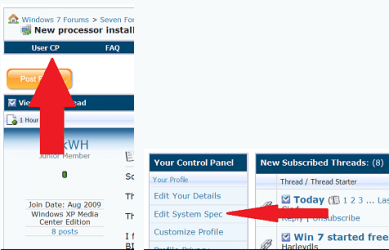
Also if you'd please take the time to fiil out your full system specs it would help us tremendously by only having to click on the My Systen Specs in the lower left hand corener of any of your posts. You can fill them in here
You can also download speccy to help you find them if you don't already know Download Speccy 1.08.218 - FileHippo.com
Thanks. Fabe | My System Specs | | System Manufacturer/Model Number Self Built OS Windows 7 ultimate 64 bit / XP Home sp3 CPU intel Core 2 Duo E8400 3.0ghz Motherboard Asus P5ND bios 1401 Memory 8 gigs 1066 OCZ Fata1ty Graphics Card EVGA GTX 580 Call of Duty Black Ops Edition Sound Card Creative Soundblaster Audigy 2zs Monitor(s) Displays Asus 24in LCD's 2MS X2 Screen Resolution 1920x1080p @60Hz Keyboard Logitech Bluetooth Wireless MX5000 Mouse Logitech Bluetooth Wireless MX1000 PSU OCZ 700W GameXtreme Case NZXT Apollo Cooling Corsair H50 CPU/120mm x3 /60mm x2 /Corsair Dominator Ram Hard Drives WD Caviar 500 Black/ WD Caviar 200 Blue Internet Speed Download 19.83 Upload 0.97 Other Info Logitech Z2300 Speakers/ Bose Noise Cancelling Headphones/Avermedia PCI-e Hybrid TV Bravo/Epson NX415 all in one/ 4 Port Powered USB Hub/ LG 10x Bluray Burner /TSST Corp DVDRW External |
29 Jan 2011
|
#5 | | |

Quote: Originally Posted by thefabe You could use a Vista or window XP Professional 64 bit driver in compatibility mode Compatibility Mode
Also if you'd please take the time to fiil out your full system specs it would help us tremendously by only having to click on the My Systen Specs in the lower left hand corener of any of your posts. Thanks.
First, I apologize for not having my specs. Now I do.
Regarding the compatibility mode, I'd thought of that as a solution. I know how to run programs in compatibility mode, but not drivers - and the tutorial referenced didn't help me.
Could you "spoon feed" me how to do it? FWIW, I have the driver installer for XP 32, that had worked on my previous XP hardware. Do I just run the installation in compatibility mode?
Thanks. | My System Specs | | System Manufacturer/Model Number custom-built OS Win7 Professional 64 CPU Intel I3 550 (3.2 GHz) Motherboard GIGABYTE|GA-H55M-S2V H55 1156 R Memory 8 gig (2x4gig Kingston DDR 3) Graphics Card Intel HD graphics (from CPU) Sound Card Realtek ALC888B Monitor(s) Displays ViewSonic Screen Resolution 1280x1024 Hard Drives WDC WD800JD-22MSA1 (80 gig C drive for OS and programs)
WDC WD5000AAKS-00V1A0 (2x500 gig drives, software mirrored in a RAID 1 configuration, as a D drive, for documents and data) Internet Speed download > 15 mbps; upload approx 1 mbps |
29 Jan 2011
|
#6 | | Windows 7 Ultimate SP1 (64-bit) Valencia, VE. |
IF you could find any Vista 64-bit driver for your Scanner, that'd be AWESOME, you just run the installer in Compatibility Mode for Windows Vista SP2 and that's it, i've done it before.
The problem with the 32-bit driver is that is not compatible with 64-bit.
Here's what i found on another forum: Quote: Acer (BenQ) offers no support for this device (Acer 320U) in Windows Vista. So i guess that narrows the options  try to install the driver you have in compatibility mode and see how it works out!
Right click the installer, and then "Run in Compatibility Mode", Windows will try to find the soluti9ons and it will try to install the driver, hopefully it'll work.
Report back, please | My System Specs | | System Manufacturer/Model Number Built by Myself OS Windows 7 Ultimate SP1 (64-bit) CPU Intel Core i5-2310 @ 2.90GHz Motherboard MSI PH67A-C43 (B3) Memory Kingston KVR 16GB (4 x 4GB) DDR3 @ 1333MHz Graphics Card PNY XLR8 GTX 560 Ti 1GB GDDR5 Sound Card Realtek HD Audio (ALC 892) Monitor(s) Displays LG W2353V-PF Screen Resolution 1920 x 1080 (HDMI) Keyboard Logitech MK320 Wireless Keyboard Mouse Logitech MK320 Wireless Mouse PSU Thermaltake Toughpower XT 575w Modular 80 PLUS Bronze Case Cooler Master CM Storm Enforcer Cooling Thermaltake Frío, CM MegaFlow 200mm (2), CM 120mm (1) Hard Drives Samsung HD502HJ (500GB), ExcelStor J8080S (80GB) Internet Speed dl: 1024kbps, ul: 512kbps |
29 Jan 2011
|
#7 | | |

Quote: Originally Posted by Punkster IF you could find any Vista 64-bit driver for your Scanner, that'd be AWESOME, you just run the installer in Compatibility Mode for Windows Vista SP2 and that's it, i've done it before.
The problem with the 32-bit driver is that is not compatible with 64-bit.
Here's what i found on another forum: Quote: Acer (BenQ) offers no support for this device (Acer 320U) in Windows Vista. So i guess that narrows the options  try to install the driver you have in compatibility mode and see how it works out!
Right click the installer, and then "Run in Compatibility Mode", Windows will try to find the soluti9ons and it will try to install the driver, hopefully it'll work.
Report back, please  Looks like it's a no-go. I have run the installer standalone, and compatibility mode for each version back to 98, and Windows continues to be unable to find the scanner.
I may just plug the scanner into one of the XP laptops I have in the house and it could run from there.
Vuescan isn't perfect or free, but at $40, it's cheaper than any scanners I saw out there. And I don't scan that often. | My System Specs | | System Manufacturer/Model Number custom-built OS Win7 Professional 64 CPU Intel I3 550 (3.2 GHz) Motherboard GIGABYTE|GA-H55M-S2V H55 1156 R Memory 8 gig (2x4gig Kingston DDR 3) Graphics Card Intel HD graphics (from CPU) Sound Card Realtek ALC888B Monitor(s) Displays ViewSonic Screen Resolution 1280x1024 Hard Drives WDC WD800JD-22MSA1 (80 gig C drive for OS and programs)
WDC WD5000AAKS-00V1A0 (2x500 gig drives, software mirrored in a RAID 1 configuration, as a D drive, for documents and data) Internet Speed download > 15 mbps; upload approx 1 mbps |
29 Jan 2011
|
#8 | | Windows 7 Ultimate SP1 (64-bit) Valencia, VE. |
Sorry to bring the bad news
Yeah, that's an option, if that software works for your scanner without any hiccups, it's cheaper than a new scanner and you don't scan too often, then i guess that'd be the most reliable solution
Cheers, mate. | My System Specs | | System Manufacturer/Model Number Built by Myself OS Windows 7 Ultimate SP1 (64-bit) CPU Intel Core i5-2310 @ 2.90GHz Motherboard MSI PH67A-C43 (B3) Memory Kingston KVR 16GB (4 x 4GB) DDR3 @ 1333MHz Graphics Card PNY XLR8 GTX 560 Ti 1GB GDDR5 Sound Card Realtek HD Audio (ALC 892) Monitor(s) Displays LG W2353V-PF Screen Resolution 1920 x 1080 (HDMI) Keyboard Logitech MK320 Wireless Keyboard Mouse Logitech MK320 Wireless Mouse PSU Thermaltake Toughpower XT 575w Modular 80 PLUS Bronze Case Cooler Master CM Storm Enforcer Cooling Thermaltake Frío, CM MegaFlow 200mm (2), CM 120mm (1) Hard Drives Samsung HD502HJ (500GB), ExcelStor J8080S (80GB) Internet Speed dl: 1024kbps, ul: 512kbps |
26 May 2011
|
#9 | | |
Sorry for bumping this but I had to do so because I found/extracted working drivers for the various abandoned Acer/BenQ scanners: - 310U/620U
- 320U/340U/620U+/640U
- 620UT+/640UT
- 1240UT/5100U
- 640BT/640BU
- 4300U/3300U
- 4300U/3300U
x86 / 32-bit: x86.zip
x64 / 64-bit: x64.zip
I forgot where I got the x86 drivers from, maybe an XP installation. I extracted the x64 ones from a drivers.cab acquired from a 64-bit XP installation disc. Both x86 and x64 drivers are tested working in my system (Windows 7 x64 with the Acer 320U, at least.)
To scan in Windows 7/8 after driver installation, check this post!
EDIT: Windows 8 x64? Drivers won't install, so try signing the drivers yourself, see this post!
Last edited by ynnad179; 24 Dec 2012 at 06:57 AM..
| My System Specs | | |
26 May 2011
|
#10 | | |
Thanks ynnad179!
Now I hate to be ignorant, but what do I then do, with what you've provided, to use my scanner on my 64-bit Windows 7 machine? | My System Specs | | System Manufacturer/Model Number custom-built OS Win7 Professional 64 CPU Intel I3 550 (3.2 GHz) Motherboard GIGABYTE|GA-H55M-S2V H55 1156 R Memory 8 gig (2x4gig Kingston DDR 3) Graphics Card Intel HD graphics (from CPU) Sound Card Realtek ALC888B Monitor(s) Displays ViewSonic Screen Resolution 1280x1024 Hard Drives WDC WD800JD-22MSA1 (80 gig C drive for OS and programs)
WDC WD5000AAKS-00V1A0 (2x500 gig drives, software mirrored in a RAID 1 configuration, as a D drive, for documents and data) Internet Speed download > 15 mbps; upload approx 1 mbps Generic free scanner driver for 64-bit? problems? All times are GMT -5. The time now is 10:07 PM. | |