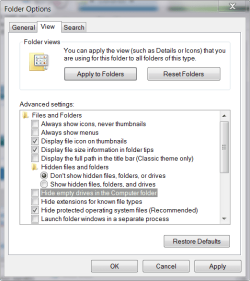
I was previously using Nero 10 Burning ROM to burn a DVD on my Samsung DVD drive, when it told me that data verification failed. When I went to My Computer to check my DVD, I realised that the DVD Drive is missing. I conducted a search, but I could not find the DVD drive. As I have lost the original box of my DVD drive, I was unable to find out the serial number. What should I do?
My Computer
At a glance
Windows 7 Professional 32 bit
- OS
- Windows 7 Professional 32 bit