Hello.
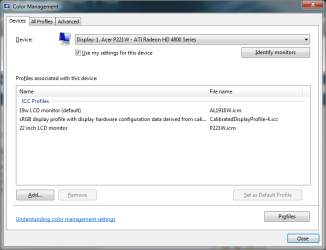
I have a ATI Radeon Xpress X1250 and use my LCDTV as my standard monitor throgh HDMI. It got a native resolution of 1366x768. When I had Vista, I had to stop update the graphical drivers and use the older versions because all the newer ones made my screen purple. I have no idea why. It looked kind of like the VGAcord was not properly inserted so everything turned purpleish. This problem followed me to Win 7. Maybe it is because of this: ATI Catalyst
When I have no drivers installed, the standard VgaSave drivers give me pretty normal colors, but not 1366x768 resolution. When I install any ATI driver, I get purpleish colors in 1366x768 resolution, which is unbearable. Is it possible to get the best from both, so I can use the VgaSave color table with the ATI drivers in 1366 resolution?
My TV is a 46" LCDTV named Viewpia LN-46IEB3. Not a very common TV, but it always worked very good as a monitor, and I never had any problem really, except for this problem with purple colors with ATI x1250.
I have a ATI Radeon Xpress X1250 and use my LCDTV as my standard monitor throgh HDMI. It got a native resolution of 1366x768. When I had Vista, I had to stop update the graphical drivers and use the older versions because all the newer ones made my screen purple. I have no idea why. It looked kind of like the VGAcord was not properly inserted so everything turned purpleish. This problem followed me to Win 7. Maybe it is because of this: ATI Catalyst
When I have no drivers installed, the standard VgaSave drivers give me pretty normal colors, but not 1366x768 resolution. When I install any ATI driver, I get purpleish colors in 1366x768 resolution, which is unbearable. Is it possible to get the best from both, so I can use the VgaSave color table with the ATI drivers in 1366 resolution?
My TV is a 46" LCDTV named Viewpia LN-46IEB3. Not a very common TV, but it always worked very good as a monitor, and I never had any problem really, except for this problem with purple colors with ATI x1250.
My Computer
At a glance
Windows 7 Professional
- OS
- Windows 7 Professional