- Local time
- 8:53 AM
- Messages
- 33
Hey guys!
I hope you all are having a great day..i recently reformated my pc(win 7 x64) and windows automatically installed drivers for my Logitech HD webcam C270..
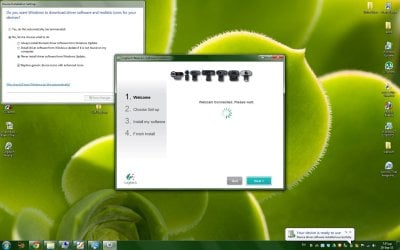
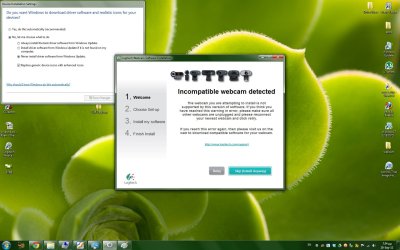
Those are non functional so i tried to install the drivers from the original cd(tried the website ones too) but they all failed to instal because of the windows installed drivers already..
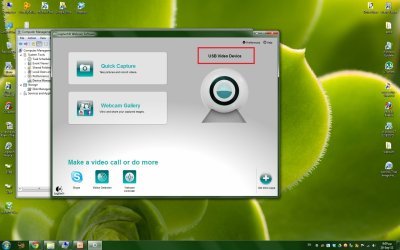
The end result is that my webcam does not function at all..
When i i enter device manager and uninstall the driver for the webcam, right after i hit scan for hardware changes, windows automatically adds the MS drivers for it again(even if i go offline)..
I also tried to update drivers and "locate drivers on pc location" and pointed to the installation CD, but that turned a message "latest drivers are already installed"..
I have no idea what to do now and i need the cam for skyping with my wife while she is away on buissiness.
Thanks in advance!
I hope you all are having a great day..i recently reformated my pc(win 7 x64) and windows automatically installed drivers for my Logitech HD webcam C270..
Those are non functional so i tried to install the drivers from the original cd(tried the website ones too) but they all failed to instal because of the windows installed drivers already..
The end result is that my webcam does not function at all..
When i i enter device manager and uninstall the driver for the webcam, right after i hit scan for hardware changes, windows automatically adds the MS drivers for it again(even if i go offline)..
I also tried to update drivers and "locate drivers on pc location" and pointed to the installation CD, but that turned a message "latest drivers are already installed"..
I have no idea what to do now and i need the cam for skyping with my wife while she is away on buissiness.
Thanks in advance!
My Computer
At a glance
win 7
- OS
- win 7

 /coughcoughbiasedcough