| Windows 7: Cannot edit hardware acceleration (no support) |
08 Dec 2009
|
#1 | | Windows 7 Ultimate Edition x64 |
Cannot edit hardware acceleration (no support) Hi,
I have an ATi Radeon 2600XT and I am running Windows 7 Ultimate Edition 64 bit.
When I go to hardware acceleration (Display > Resolution > Advanced - not sure of the exact steps but been there several times), the "Troubleshoot" button, from where the hardware acceleration settings can be modified, is greyed out.
This is a common problem it seems, but I cannot solve this. I am running the latest CCC drivers from ATi.
To make things even more confusing, I used to run VMWare Workstation 6.5 and Windows Server 2008 R2. I could happily adjust the hardware acceleration setttings (had not updated the ATi drivers but VMWare uses its own display drivers). I then got VMWare Workstation 7.0 and I could not adjust hardware acceleration.
Any ideas how I can resolve this?
Thanks | My System Specs |
| System Manufacturer/Model Number Dell Vostro 400 OS Windows 7 Ultimate Edition x64 CPU Intel Duo Quad Core Q6600 Motherboard Dell Vostro 400 (That is the name in Lavalys Everest) Graphics Card ATI Radeon HD2600XT Sound Card Creative Labs |
08 Dec 2009
|
#2 | | |
Install the driver by using this method: Install AGP Drivers for HD 3850, 3650, 2400 PRO
That's an AGP card you have, right? (Could be either, so I have to ask.) | My System Specs | | System Manufacturer/Model Number self built OS 7600.20510 x86 CPU P4 550 3.4 GHz HT running at 3.5 GHz Motherboard MSI PM8M3-V (MS-7211 v1.x) Micro-ATX mainboard Memory OCZ 2 GB(2x1GB) DDR400mHz running @ 414 mHz Graphics Card HIS Radeon HD 3850 IceQ 3 Turbo HDMI Dual DL-DVI AGP Sound Card MOTU Traveler firewire studio interface 192 kHz 24 bit Monitor(s) Displays 22" widescreen Acer X223W LCD, 17" Compaq P75 CRT Screen Resolution 1680x1050 and 1280x1024 Keyboard Logitch Classical Keyboard 200 Mouse Logitech Mediaplay cordless PSU 350W generic Case Cybertronpc, it glows blue Cooling stock cpu fan, Ice-Q 3 gpu and system, many case fans Hard Drives SATA I x2 WD, 400 GB and 120 GB, SATA 2 WD Caviar Black 1 TB Internet Speed 1792/448 kbits/sec Other Info SATA II PCI fake RAID adapter, 1 GB Readyboost, original ATI Remote Wonder (even works with WMC perfectly), Logitech Rumblepad 2 game controller x2 |
08 Dec 2009
|
#3 | | Windows 7 Ultimate Edition x64 |
My drivers are 9.11. Can I do the same thing but with these drivers (installed today)? And also not Vista but I assume that's not an issue.
Is this likely to work?
Vid card is PCI, judging by the bus type - Bus Type PCI Express 1.0 x16 @ x16, there is another line in EVEREST stating PCI Device, too. | My System Specs | | System Manufacturer/Model Number Dell Vostro 400 OS Windows 7 Ultimate Edition x64 CPU Intel Duo Quad Core Q6600 Motherboard Dell Vostro 400 (That is the name in Lavalys Everest) Graphics Card ATI Radeon HD2600XT Sound Card Creative Labs |
08 Dec 2009
|
#4 | | |
What you have is fine already as long as you installed from ATI's site.
Why would you want to click on a troubleshoot button? Is there an issue?
There are no settings like in XP. | My System Specs | | System Manufacturer/Model Number self built OS 7600.20510 x86 CPU P4 550 3.4 GHz HT running at 3.5 GHz Motherboard MSI PM8M3-V (MS-7211 v1.x) Micro-ATX mainboard Memory OCZ 2 GB(2x1GB) DDR400mHz running @ 414 mHz Graphics Card HIS Radeon HD 3850 IceQ 3 Turbo HDMI Dual DL-DVI AGP Sound Card MOTU Traveler firewire studio interface 192 kHz 24 bit Monitor(s) Displays 22" widescreen Acer X223W LCD, 17" Compaq P75 CRT Screen Resolution 1680x1050 and 1280x1024 Keyboard Logitch Classical Keyboard 200 Mouse Logitech Mediaplay cordless PSU 350W generic Case Cybertronpc, it glows blue Cooling stock cpu fan, Ice-Q 3 gpu and system, many case fans Hard Drives SATA I x2 WD, 400 GB and 120 GB, SATA 2 WD Caviar Black 1 TB Internet Speed 1792/448 kbits/sec Other Info SATA II PCI fake RAID adapter, 1 GB Readyboost, original ATI Remote Wonder (even works with WMC perfectly), Logitech Rumblepad 2 game controller x2 |
08 Dec 2009
|
#5 | | Windows 7 Ultimate Edition x64 |
The troubleshoot button is where the hardware acceleration settings can be set. | My System Specs | | System Manufacturer/Model Number Dell Vostro 400 OS Windows 7 Ultimate Edition x64 CPU Intel Duo Quad Core Q6600 Motherboard Dell Vostro 400 (That is the name in Lavalys Everest) Graphics Card ATI Radeon HD2600XT Sound Card Creative Labs |
08 Dec 2009
|
#6 | | |
Can you post a screenshot of what you mean?
It doesn't sound like you have any particular problem.
It's just that there are no hardware acceleration settings like there were in XP. | My System Specs | | System Manufacturer/Model Number self built OS 7600.20510 x86 CPU P4 550 3.4 GHz HT running at 3.5 GHz Motherboard MSI PM8M3-V (MS-7211 v1.x) Micro-ATX mainboard Memory OCZ 2 GB(2x1GB) DDR400mHz running @ 414 mHz Graphics Card HIS Radeon HD 3850 IceQ 3 Turbo HDMI Dual DL-DVI AGP Sound Card MOTU Traveler firewire studio interface 192 kHz 24 bit Monitor(s) Displays 22" widescreen Acer X223W LCD, 17" Compaq P75 CRT Screen Resolution 1680x1050 and 1280x1024 Keyboard Logitch Classical Keyboard 200 Mouse Logitech Mediaplay cordless PSU 350W generic Case Cybertronpc, it glows blue Cooling stock cpu fan, Ice-Q 3 gpu and system, many case fans Hard Drives SATA I x2 WD, 400 GB and 120 GB, SATA 2 WD Caviar Black 1 TB Internet Speed 1792/448 kbits/sec Other Info SATA II PCI fake RAID adapter, 1 GB Readyboost, original ATI Remote Wonder (even works with WMC perfectly), Logitech Rumblepad 2 game controller x2 |
09 Dec 2009
|
#7 | | Windows 7 Ultimate Edition x64 |
Sure,
Below is a screenshot of what I mean. Imageshack - troubleshootbutton
I need that button activated so I can set the hardware acceleration level. This is what I am trying to resolve.
Thanks | My System Specs | | System Manufacturer/Model Number Dell Vostro 400 OS Windows 7 Ultimate Edition x64 CPU Intel Duo Quad Core Q6600 Motherboard Dell Vostro 400 (That is the name in Lavalys Everest) Graphics Card ATI Radeon HD2600XT Sound Card Creative Labs |
24 Dec 2009
|
#8 | | |
im having the same problem!
did you resolve this problem yet? | My System Specs | | System Manufacturer/Model Number GA-MA785GM-US2H OS Windows 7 CPU AMD athlon(tm) II X2 245 Processor (2 CPUS), ~2.9GHz Motherboard Gigabyte Technology Co., Ltd. Memory 2048MB RAM Graphics Card ATI Radeon HD 4200 |
24 Dec 2009
|
#9 | | Windows 7 ultimate 64 bit / XP Home sp3 Gulf Coast Texas |
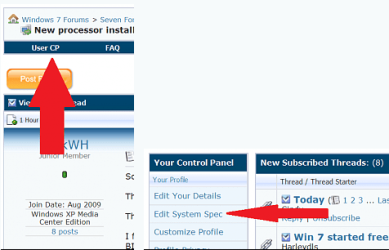
Please fill in your system specs. We need to know what hardware your using. Thanks. Fabe
Last edited by thefabe; 24 Dec 2009 at 05:27 AM..
| My System Specs | | System Manufacturer/Model Number Self Built OS Windows 7 ultimate 64 bit / XP Home sp3 CPU intel Core 2 Duo E8400 3.0ghz Motherboard Asus P5ND bios 1401 Memory 8 gigs 1066 OCZ Fata1ty Graphics Card EVGA GTX 580 Call of Duty Black Ops Edition Sound Card Creative Soundblaster Audigy 2zs Monitor(s) Displays Asus 24in LCD's 2MS X2 Screen Resolution 1920x1080p @60Hz Keyboard Logitech Bluetooth Wireless MX5000 Mouse Logitech Bluetooth Wireless MX1000 PSU OCZ 700W GameXtreme Case NZXT Apollo Cooling Corsair H50 CPU/120mm x3 /60mm x2 /Corsair Dominator Ram Hard Drives WD Caviar 500 Black/ WD Caviar 200 Blue Internet Speed Download 19.83 Upload 0.97 Other Info Logitech Z2300 Speakers/ Bose Noise Cancelling Headphones/Avermedia PCI-e Hybrid TV Bravo/Epson NX415 all in one/ 4 Port Powered USB Hub/ LG 10x Bluray Burner /TSST Corp DVDRW External |
24 Dec 2009
|
#10 | | Win7 Ultimate SP1 x64 / Windows 8 Pro / Android Mauritius |

Quote: Originally Posted by GSS5 Hi,
I have an ATi Radeon 2600XT and I am running Windows 7 Ultimate Edition 64 bit.
When I go to hardware acceleration (Display > Resolution > Advanced - not sure of the exact steps but been there several times), the "Troubleshoot" button, from where the hardware acceleration settings can be modified, is greyed out.
This is a common problem it seems, but I cannot solve this. I am running the latest CCC drivers from ATi.
To make things even more confusing, I used to run VMWare Workstation 6.5 and Windows Server 2008 R2. I could happily adjust the hardware acceleration setttings (had not updated the ATi drivers but VMWare uses its own display drivers). I then got VMWare Workstation 7.0 and I could not adjust hardware acceleration.
Any ideas how I can resolve this?
Thanks Hardware acceleration is automatically adjusted by your ATI drivers depending on the applications you are using.
It cannot be adjusted manually. | My System Specs | | System Manufacturer/Model Number Custom Build OS Win7 Ultimate SP1 x64 / Windows 8 Pro / Android CPU Intel Core 2 Quad Q8200 OC'd 3.08GHz Motherboard Asus Rampage formula LGA775 Memory 8GB DDR2 900Mhz Graphics Card Zotac GTX 460OC 2GB GDDR5/Asus EN9600GT 1GB DDR3 PhyX Sound Card Supreme FX2 Monitor(s) Displays AOC 22' Screen Resolution 1680x1050 Keyboard Prolink keyboard Mouse Prolink optical mouse PSU Cooler Master GX 650W Cooling Cooler Master V6 + 3X fans Hard Drives 3X500GB hitachi, 2TB internal, 500GB Seagate FreeAgent, 640GB Samsung Internet Speed 1MiB/s Other Info 5.1 System + 2.1 System Cannot edit hardware acceleration (no support) problems? All times are GMT -5. The time now is 08:02 AM. | |