Hey all,
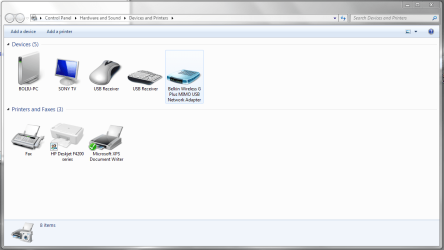
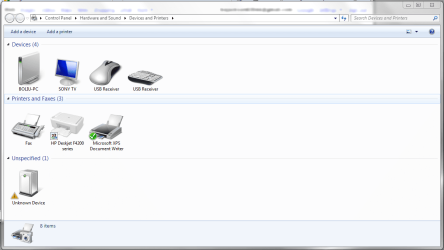
This is my first time posting on the forums and I'm having issues with my Belkin wireless adapter (Model: F5D9050 Ver: 3000). I've been browsing through the forums and have seen a lot of the threads with people having issues with the Belkin F5D7050 and I've tried fixes outlined throughout those pages with the drivers for my device obviously. I've tried compatibility mode with XP and Vista drivers, I've tried installing and uninstalling so many times it's not even funny but no matter what I've done the device always comes up as unrecognized and the drivers never load properly. I wasn't sure if anyone could offer up any insight on something else I could try or if anyone else has been able to get this particular USB Wireless adapter working? I'm running the 64bit version of Windows 7 Build 7100 as well.
Thanks in advance for any help y'all can offer!
This is my first time posting on the forums and I'm having issues with my Belkin wireless adapter (Model: F5D9050 Ver: 3000). I've been browsing through the forums and have seen a lot of the threads with people having issues with the Belkin F5D7050 and I've tried fixes outlined throughout those pages with the drivers for my device obviously. I've tried compatibility mode with XP and Vista drivers, I've tried installing and uninstalling so many times it's not even funny but no matter what I've done the device always comes up as unrecognized and the drivers never load properly. I wasn't sure if anyone could offer up any insight on something else I could try or if anyone else has been able to get this particular USB Wireless adapter working? I'm running the 64bit version of Windows 7 Build 7100 as well.
Thanks in advance for any help y'all can offer!
My Computer
At a glance
Windows 7 - Build 7100Intel Extreme QX 6850 Quad-Core4 GB - Corsair DominatorGTX 295
- OS
- Windows 7 - Build 7100
- CPU
- Intel Extreme QX 6850 Quad-Core
- Memory
- 4 GB - Corsair Dominator
- Graphics Card(s)
- GTX 295
- Monitor(s) Displays
- 22" Samsung
- Screen Resolution
- 1680*1050
- PSU
- 850w Corsair
- Case
- Thermaltake