Windows 7 Forums Search
Welcome to Windows 7 Forums. Our forum is dedicated to helping you find solutions with any problems, errors or issues you are experiencing with Windows 7. The Windows 7 forum also covers news and updates and has an extensive Windows 7 tutorial section that covers a wide range of tips and tricks.


Windows 7 - Resizing Gadgets using the Larger Size/Smaller Size Button

 
07-28-2010   #1


W7 Enterprise x64


Resizing Gadgets using the Larger Size/Smaller Size Button

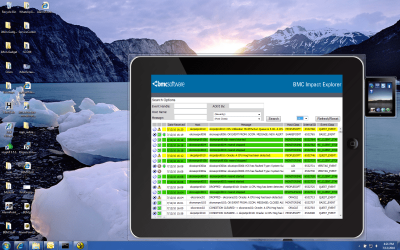
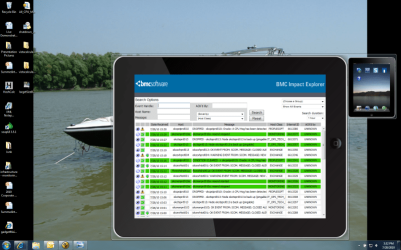
I'm wanting to resize my gadget I developed with the Larger Size/Smaller button. Currently, I have two separate main gadget html files. The only difference between them is the background image, size, and the orientation of the icons.

I noticed other built-in gadgets like Weather and CPU meter have this option, but I do not know how to adapt that to my gadget

I attached screen shots of my gadget (both have the flyout showing) so you can see the size difference.

Attached Thumbnails
Resizing Gadgets using the Larger Size/Smaller Size Button-imonscreenshot.png   Resizing Gadgets using the Larger Size/Smaller Size Button-bigimonscreenshot.png  
Attached Images
 
My System SpecsSystem Spec
07-28-2010   #2


Windows 7 Ultimate x64 SP1


Referring to the docked and floating states?

This might give you some idea to start with.

System.Gadget.onDock Event (Windows)
System.Gadget.onUndock Event (Windows)
System.Gadget Object (Windows)
My System SpecsSystem Spec
07-29-2010   #3


W7 Enterprise x64


Code:
$(document).ready(function(){
 System.Gadget.onUndock = checkState;
 System.Gadget.onDock = checkState;
 checkState();
});
I have this in my js file to execute when the gadget opens, but I'm not sure this is working.

Code:
function checkState(){
 if (!System.Gadget.docked){ 
 
  with (document.body.style)
 {
  width = "200px";
  height = "255px";
 }
 background.style.width = "200px";
 background.style.height = "255px";
 background.src = "url(img/iMonBackground200.png.png)";
 }
 
 else if(System.Gadget.docked){
  with (document.body.style)
 {
  width = "130px";
  height = "166px";
 }
 background.style.width = "130px";
 background.style.height = "166px";
 background.src = "url(img/iMonBG.png)";
 }
}

This is the rest of the code in my js file. What do I need to do in my HTML file? Do I need to get rid of the background path and let the js file assign it?


EDIT: It is working now, I had the line

Code:
System.Gadget.visibilityChanged = checkVisibility;
but no function associated with it. Got rid of the line, and it works!
My System SpecsSystem Spec
.


Reply

 Resizing Gadgets using the Larger Size/Smaller Size Button problems?


Thread Tools


Similar Threads for: Resizing Gadgets using the Larger Size/Smaller Size Button
Thread Forum
New larger HD not showing the correct size ? Hardware & Devices
Make font size larger Browsers & Mail
Check box size (larger?) Customization
Resizing Window Size General Discussion
WMP 12 - resizing window size Media Center


All times are GMT -5. The time now is 06:15 PM.


Windows 7 Forums is an independent web site and has not been authorized,
sponsored, or otherwise approved by Microsoft Corporation.
"Windows 7" and related materials are trademarks of Microsoft Corp.
© Designer Media Ltd
  

1 2 3 4 5 6 7 8 9 10 11 12 13 14 15 16 17 18 19 20 21 22 23 24 25 26 27 28 29 30