

- Local time
- 4:42 PM
- Messages
- 94
Hello!
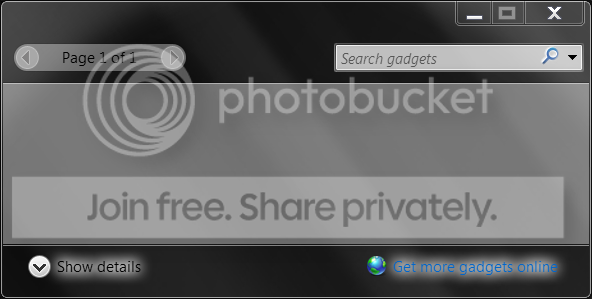
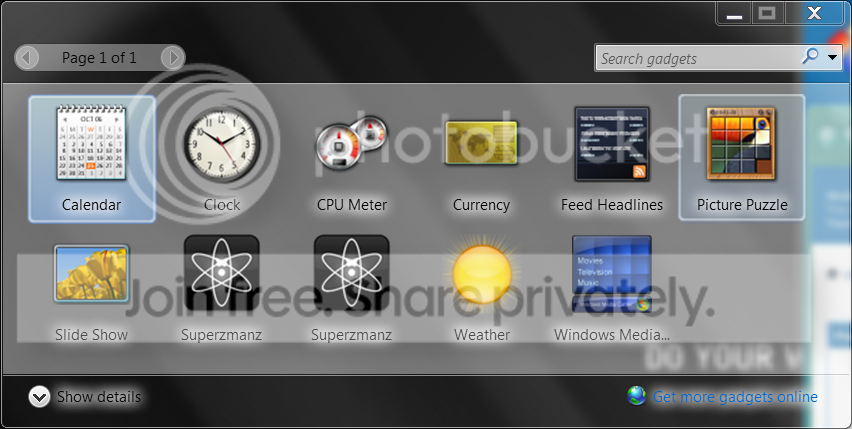
I have Windows 7 Ultimate 64-bit; I'm having some trouble with my gadgets. I need to run the 32-bit version of the Sidebar for Flash to work. For the past few days, however, launching the 32-bit Sidebar leaves me with no gadgets (even though the \Program Files (x86)\Windows Sidebar\Gadgets folder has all the standard gadgets in it). However, the 64-bit version of the Sidebar displays all the gadgets perfectly.
32-bit Sidebar.exe gallery:
64-bit Sidebar.exe gallery:
I have attempted SFC /scannow, lots of Regsvr32 "stuff", uninstalling and reinstalling the Sidebar, turning off/on UAC (it's normally at the second to last position), deleting the "settings.ini" in the Gadgets' folder, nada.
Any ideas what happened and what to do to fix it?
~Ibrahim~
I have Windows 7 Ultimate 64-bit; I'm having some trouble with my gadgets. I need to run the 32-bit version of the Sidebar for Flash to work. For the past few days, however, launching the 32-bit Sidebar leaves me with no gadgets (even though the \Program Files (x86)\Windows Sidebar\Gadgets folder has all the standard gadgets in it). However, the 64-bit version of the Sidebar displays all the gadgets perfectly.
32-bit Sidebar.exe gallery:
64-bit Sidebar.exe gallery:
I have attempted SFC /scannow, lots of Regsvr32 "stuff", uninstalling and reinstalling the Sidebar, turning off/on UAC (it's normally at the second to last position), deleting the "settings.ini" in the Gadgets' folder, nada.
Any ideas what happened and what to do to fix it?
~Ibrahim~
My Computer
At a glance
Windows 7 Ultimate 64-biti7-720QM6GB DDR3-1.333GHzATI 4670 1GB
- Computer Manufacturer/Model Number
- Dell SXPS 1645
- OS
- Windows 7 Ultimate 64-bit
- CPU
- i7-720QM
- Memory
- 6GB DDR3-1.333GHz
- Graphics Card(s)
- ATI 4670 1GB
- Sound Card
- IDT Integ.
- Monitor(s) Displays
- RGBLED
- Screen Resolution
- 1920x1080
- Hard Drives
- Samsung PM800 256GB SSD
- PSU
- Dell 90W w/ 9-cell


