This thread is marked "Solved" but it is anything
but, as I hardly consider the OP having reformatted his drive and reinstalled Windows entirely just to get a couple of gadgets working again "solved". Problem gone, yes . . . solved, no. Too bad too, as I am having a related problem to this and it most definitely
is due to the most recent set of Windows updates.
After doing the update my problem is that, while all my gadgets
do work …
- none of the "settings" buttons on the gadgets work, which is to say, the little icon that looks like a wrench which is off to the (right) side and near the top of each gadget; clicking that button does absolutely nothing—the button appears to depress and come back up normally, but nothing happens—and this on every single gadget I have open, all 6 of them; and …
- when I right-click the Desktop and choose "Gadgets", once again, absolutely nothing happens
As this happened right after doing a Windows Update today,
and because I created a restore point out of habit right before doing said update, I chose to backtrack to just before the update, which succeeded, and then I checked the gadget behavior, and, surprise surprise, everything was back to normal.
I then installed the same two updates
again, and then checked the gadget behavior
again, and (you guessed it) the exact same gadget problems appeared
again. So I have no doubt at all it is related to these two specific Windows updates.
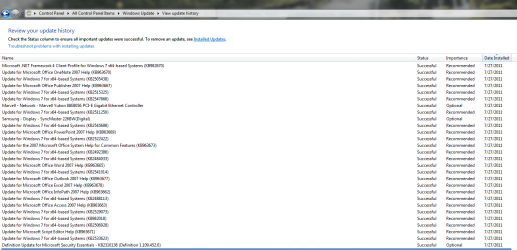
The two updates are :
- Windows Malicious Software Removal Tool x64 - November 2016 (KB890830), ironically enough :sarc:
- November, 2016 Security Monthly Quality Rollup for Windows 7 for x64-based Systems (KB3197868)
None of the suggestions I read here and elsewhere (they are so far essentially the same) changed anything, including :
- turning off the Gadget Platform in "Turn Windows features on or off", rebooting, turning the Gadget Platform on again, and rebooting again . . . didn't change a thing
- Registry suggestions : ensuring there is no "funny" key under HKCU\Software\Microsoft\Windows\CurrentVersion\Internet Settings\Zones above the 0 Key, or adding a double-word key called AllowElevatedProcess with the value 1 under HKLM\SOFTWARE\Microsoft\Windows\CurrentVersion\Sidebar\Settings . . . again, to no effect
- registering some .dll s again, can't remember which exactly and too lazy to look it up again, but is related to this and was suggested to someone else by Microsoft . . . yet again, no change
I do, however, know one thing that is absolutely
guaranteed to fix this problem, and that's uninstalling those two Windows updates by going back to that pre-update restore point I created, again, and I will have to do exactly that if I can't find another, better solution . . . but I haven't yet given up looking for the ideal solution to this, and if I do find it, I will update this post with it.
∗∗∗∗∗∗∗∗∗∗∗∗∗∗∗∗∗∗∗∗∗∗∗∗∗∗∗∗∗∗∗∗∗∗∗∗∗∗∗∗∗∗
UPDATE UPDATE UPDATE UPDATE UPDATE
∗∗∗∗∗∗∗∗∗∗∗∗∗∗∗∗∗∗∗∗∗∗∗∗∗∗∗∗∗∗∗∗∗∗∗∗∗∗∗∗∗∗
This did it :
① Killing the sidebar process, to begin with
② Re-registering four (4) Windows (general) DLLs
③ Re-registering two (2) Windows Sidebar-specific DLLs
④ Deleting one (1) registry key
⑤ Rebooting
Here are the specifics of the five steps above, in command line format. They can be executed individually and consecutively in an elevated command shell, or grouped together in a .BAT or .CMD file :
①
taskkill /im sidebar.exe /f
②
regsvr32 msxml3.dll
regsvr32 scrrun.dll
regsvr32 jscript.dll
regsvr32 atl.dll
③
regsvr32 "%programfiles%\windows sidebar\sbdrop.dll"
regsvr32 "%programfiles%\windows sidebar\wlsrvc.dll"
④
reg delete "HKEY_CURRENT_USER\Software\Microsoft\Windows\CurrentVersion\Internet Settings\Zones" /f
⑤
shutdown /f /r /t 0
After the restart in step ⑤, problem(s) fixed! Individual gadget setting "buttons" work again (all of them), and right-click-
Gadgets from the
Desktop also works. And no need to uninstall today's Windows updates.




 see Insert)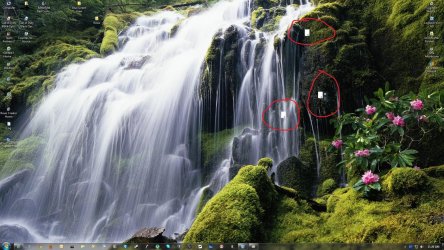

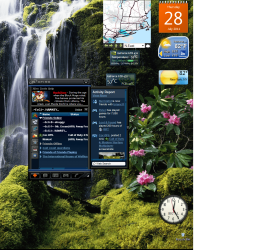


 )
)

