Pho3nix1991
New member
- Local time
- 9:22 PM
- Messages
- 31
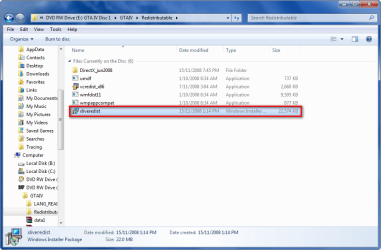
The install won't start because it says it is incompatible with %P. I'm guessing that means Windows 7. If anyone has found a workaround let me know.
Crashes in compatibility mode every time I try by the way.
Crashes in compatibility mode every time I try by the way.
My Computer
At a glance
Seven x86Intel E7300 [email protected]OCZ Platinum DDR2-1066 (2x1GB) [email protected]EVGA GeForce 9800GT 512MB
- Computer Manufacturer/Model Number
- Custom Built
- OS
- Seven x86
- CPU
- Intel E7300 [email protected]
- Motherboard
- EVGA 750i SLI FTW
- Memory
- OCZ Platinum DDR2-1066 (2x1GB) [email protected]
- Graphics Card(s)
- EVGA GeForce 9800GT 512MB
- Sound Card
- EVGA nForce 750i
- Monitor(s) Displays
- Samsung 932BW 19"
- Screen Resolution
- 1440x900
- Hard Drives
- Seagate 7200.10 250GB SATA
Hitachi PK750 500GB SATA
- PSU
- Rosewill ATX v2.2 550W
- Case
- Cooler Master CM690
- Cooling
- Cooler Master Dream X 775
- Keyboard
- Dell OEM Keyboard
- Mouse
- HP OEM Optical Mouse
- Internet Speed
- Fiber 10MB/10MB