
counter strike connect server on clicking any option.!

IamLEGEND

New member
Hi to all Seven Forum.
one of my friend facing problem with playing Counter Strike. when he click any option like "command" "new game" "option" "quite" on the main first page, its connecting to server automatically, how to prevent to connecting server.? he didn't want to play with network server. plz help..
1.gif

2.gif
 

My Computer

Computer type
PC/Desktop
Computer Manufacturer/Model Number
Acer Veriton S670/G M670/G
OS
Windows 7 SP1 Ultimate x64
CPU
Intel(R) Core(TM) 2 Due cpu E8400 @ 3.0ghz
Motherboard
Acer EQ45M
Memory
3x2gb DDR3 PC3-10600
Graphics Card(s)
NVIDIA GeForce 9800 GT
Sound Card
Digital Audio (S/PDIF) (High Definition Audio Device)
Monitor(s) Displays
Asus VK222H 22" lcd HDMI wide.
Screen Resolution
1680x1050 @ 60 Hz
Hard Drives
2x1TB WD 10EAR
Internet Speed
4mbps
Browser
FireFox v27.01
Go to Steam\steamapps\username\counter-strike\cstrike\resource\
and delete the file "GameMenu.res" .
 

My Computer

OS
Windows 7 Ultimate x64
Hi to all Seven Forum.
one of my friend facing problem with playing Counter Strike. when he click any option like "command" "new game" "option" "quite" on the main first page, its connecting to server automatically, how to prevent to connecting server.? he didn't want to play with network server. plz help..
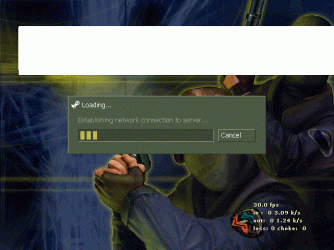
CS isn't a single player game.
 

My Computer

OS
7 Ultimate x64
CPU
i5-2500k
Motherboard
Asus P8P67 Pro
Memory
8GB G.Skill Ripjaws X F3-12800CL7D-8GBXH 1866MHz 8-9-8-24
Graphics Card(s)
EVGA GTX 570 SC
Sound Card
X-Fi Titanium Fatality
Monitor(s) Displays
Samsung S27A550H 27" LED
Screen Resolution
1920x1080
Hard Drives
OCZ Vertex 3 120GB.
1TB Samsung F3.
2TB Samsung F4.
PSU
PC Power & Cooling Silencer 760
Case
Lian Li Lancool K62
Cooling
Thermalright Venomous X Black/Scythe S-Flex/Shin-Etsu X23
Keyboard
MS Natural Elite 4000 Ergonomic
Mouse
Logitech G500
Internet Speed
6MB/768
Other Info
Logitech Z-5500 505 watts.
D-Link DGL-4500.
Tripp-Lite Smart Pro 1500.
Hi! Download this file: GameMenu.res - Solidfiles , and transfer it into: counter-strike\cstrike\resource (if you have cs non steam, or Steam\steamapps\username\counter-strike\cstrike\resource if you have steam.
Next, right click on GameMenu.res and select Only-Read and OK.
 
Last edited:

My Computer

OS
Windows 7 Ultimate x64
CPU
AMD Athlon™ II X4 Quad-Core Processor
Memory
Kingston HyperX 4GB DDR3 1600MHz CL8 dual channel kit XMP Ta
Graphics Card(s)
ATI Radeon™ HD 4850
Monitor(s) Displays
Samsung 21.5 Full HD, XL2270
Back
Top